

TL;DR
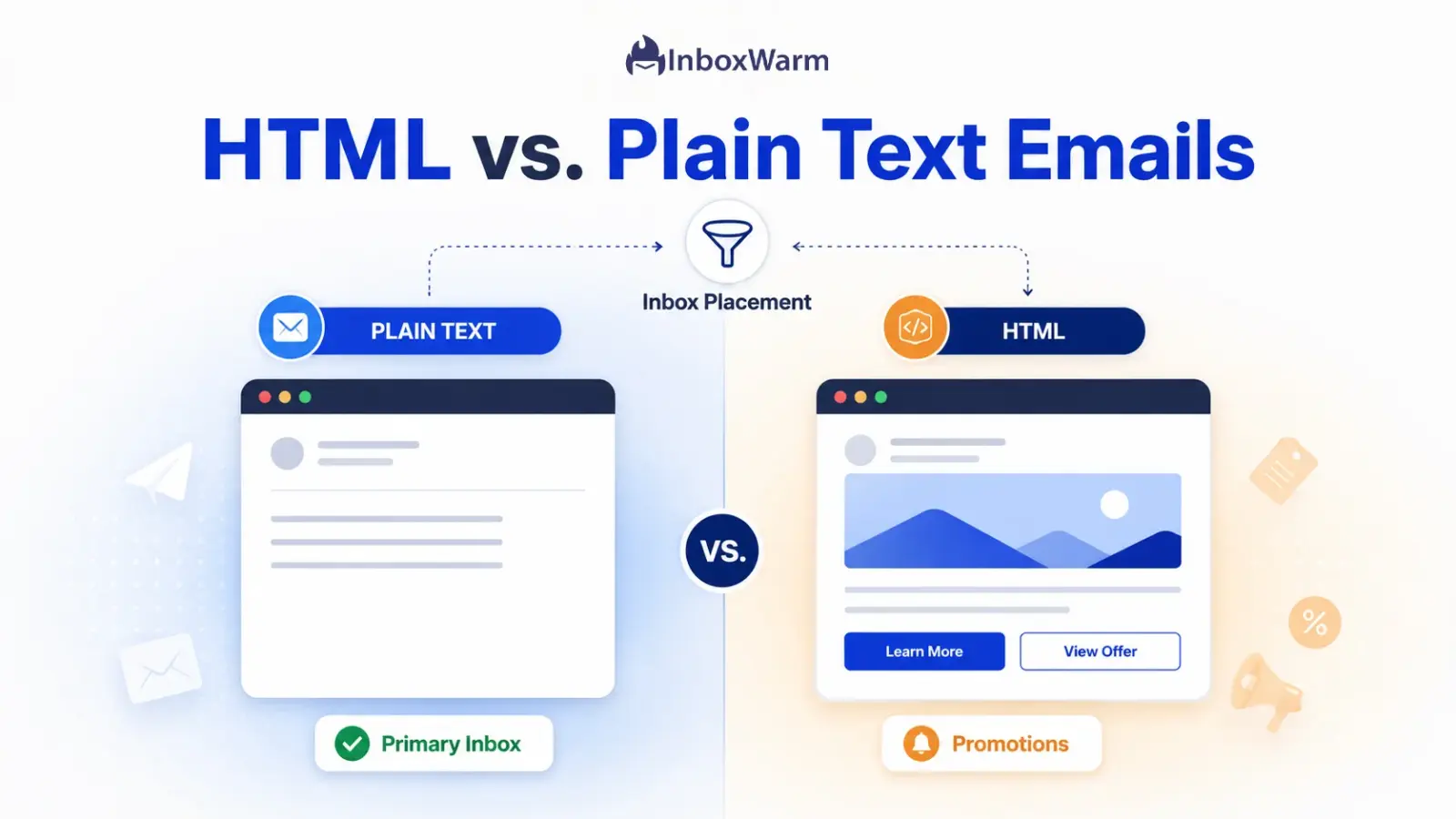
Plain text emails usually get better inbox placement than HTML emails, especially for cold outreach. The format itself rarely changes whether an email is delivered. It changes where it lands: plain text reads like personal mail and reaches the primary inbox, while heavy HTML signals marketing and gets sorted to promotions or spam.
- Format affects placement, not raw delivery. HubSpot found HTML and plain text were delivered at the same rate.
- HTML triggers spam and promotions by sorting through images, broken code, and low text-to-image ratios.
- Use plain text for cold email and 1:1 outreach; use HTML for opted-in newsletters and visual campaigns.
- Sender reputation, authentication, and warm-up matter more for inbox placement than format ever will.
You spent an hour designing the perfect email. Brand colors, a hero image, a bright call-to-action button, the works. Then you check your numbers, and almost nobody opened it. Meanwhile, the plain three-line note you fired off to a prospect last week got a reply within the hour. That gap is not a coincidence, and it is the heart of the HTML vs. plain text email debate.
For anyone running cold email or growth campaigns, the cost of getting this wrong is steep. An email that looks like a polished marketing blast can get quietly routed to the Promotions tab or the spam folder before a human ever sees it. Once that pattern repeats, it drags down your sender reputation, which makes every future send harder to deliver. The format you choose is one of the first signals a mailbox provider reads about what kind of sender you are.
In this guide, you will learn what actually separates the two formats, what the data says about deliverability versus inbox placement, why HTML emails get filtered more often, and what Google’s own rules say about email format.
You will also get a use-case-by-use-case verdict, a practical method for sending HTML that still reaches the inbox, and an honest look at what matters more than format. Format is a lever. Email warm-up and authentication are the engine.
Table of Contents
What Is the Real Difference Between HTML and Plain Text Emails?
The two formats carry the same words but send very different signals. Here is the split:
- Plain text: only unformatted text. No images, no fonts, no colors, no buttons.
- HTML: built with HyperText Markup Language, the same code behind web pages. It carries images, layouts, branded fonts, and clickable buttons.
As a rule of thumb, most emails from brands are HTML, and most emails from a coworker are effectively plain text.
The distinction matters because mailbox providers read these formats as different intentions. A plain text message looks like personal, one-to-one communication. A richly designed HTML message looks like a campaign blasted to thousands at once, and that perception drives how the email is filtered, sorted, and scored.
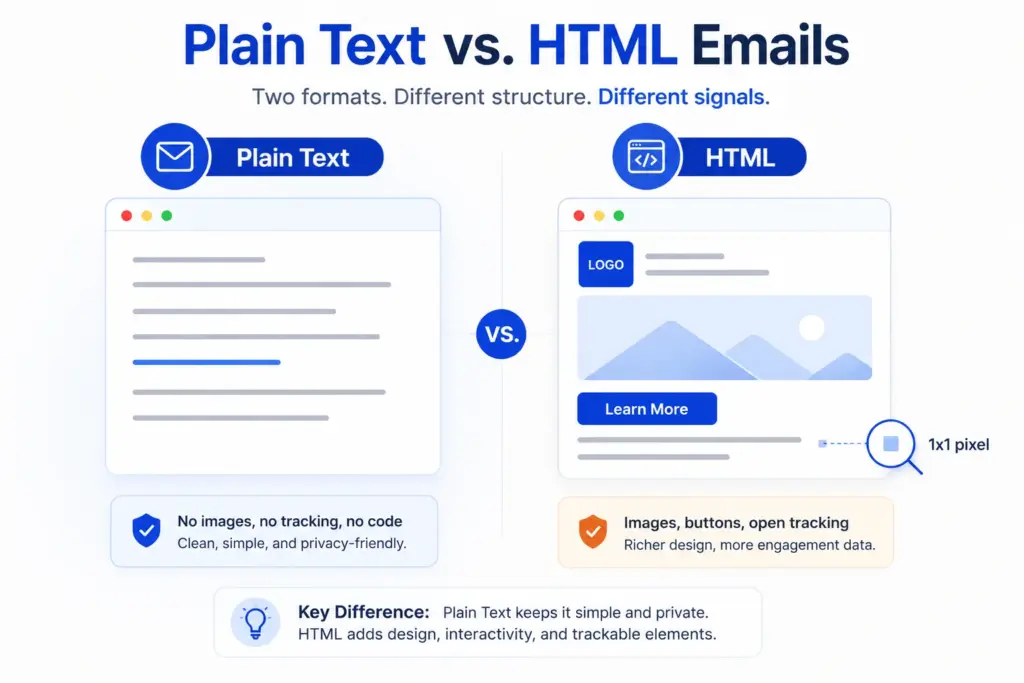
One nuance trips people up: many emails marketers call “plain text” are actually lightweight HTML. A message with a single hyperlink, a small logo, or a tracking pixel is technically HTML even though it looks bare.
A true text/plain message carries no code at all and cannot track opens because open tracking requires an image tag. Knowing where your email really sits on that spectrum is the first step toward fixing its inbox placement.
Do Plain Text Emails Actually Have Better Deliverability?
Mostly, but not in the way people assume. The format rarely changes whether your email is delivered or not. It changes where the delivered email lands.
In HubSpot’s analysis of more than half a billion marketing emails, HTML and plain text versions were delivered at the same rate. The difference showed up in placement and engagement, not in raw delivery.
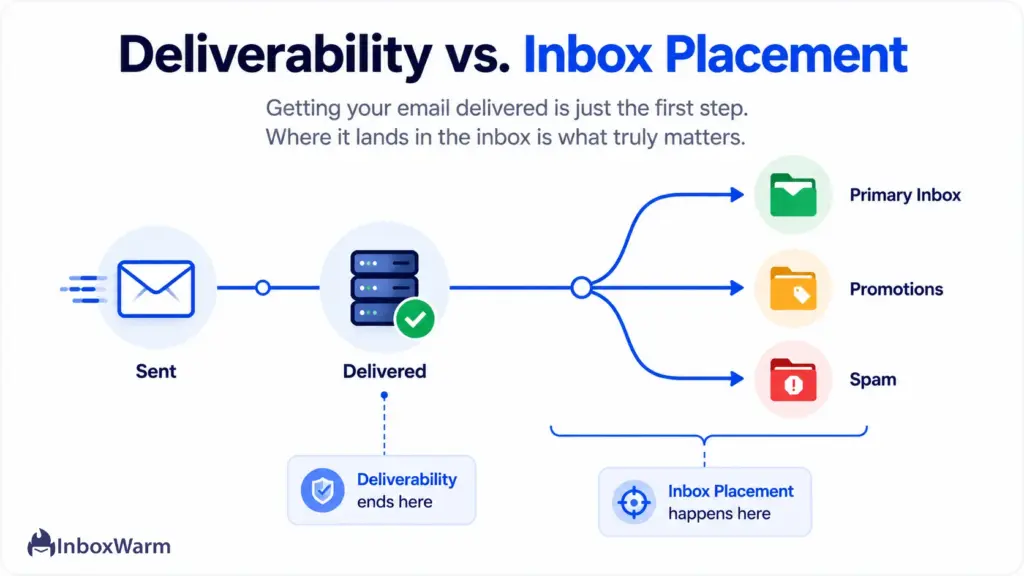
That gap matters because “email deliverability” and “inbox placement” are not the same metric:
- Deliverability asks whether the receiving server accepted the email.
- Inbox placement asks which folder it landed in: primary, Promotions, or spam.
An email can be delivered at 100% and still sit unseen in a tab nobody checks. As HubSpot’s team put it, just because something says it was delivered does not mean it is in a noticeable place. The full breakdown is worth reading in HubSpot’s plain text vs. HTML study.
Where format clearly wins is engagement, and engagement feeds back into placement. In HubSpot’s A/B tests, the version with an HTML template and images had a 21% lower clickthrough rate and, once lower opens were factored in, 51% fewer clicks than the plain text version. Mailbox providers watch opens, clicks, and replies, so lower engagement teaches the algorithm to keep sorting your mail away from the primary inbox. That is how a format choice slowly becomes a reputation problem.
Why Do HTML Emails Land In Spam Or The Promotions Tab More Often?
HTML emails get filtered more often because the same features that make them attractive also match the profile of bulk marketing and, sometimes, abuse. Spam filters and tab-sorting algorithms read structure, not just words. A few specific HTML traits raise flags reliably:
- Low text-to-image ratio: An email that is mostly one big image, with little real text, is a classic trick spammers use to hide content from text-based filters. Filters treat image-heavy emails with suspicion.
- Broken or sloppy HTML: Unclosed tags, bloated code, and templates that do not follow standards make an email harder to parse and look lower-quality to filters.
- Hidden content: Text colored to match the background, or elements hidden with CSS, is a known manipulation tactic and a direct spam trigger.
- Heavy link and tracking load: Multiple redirect links, link shorteners, and stacked tracking pixels read as a promotional blast rather than a personal note.
- Mismatched rendering: HTML that breaks on mobile or in Outlook creates a poor experience that engagement-based filters notice over time.
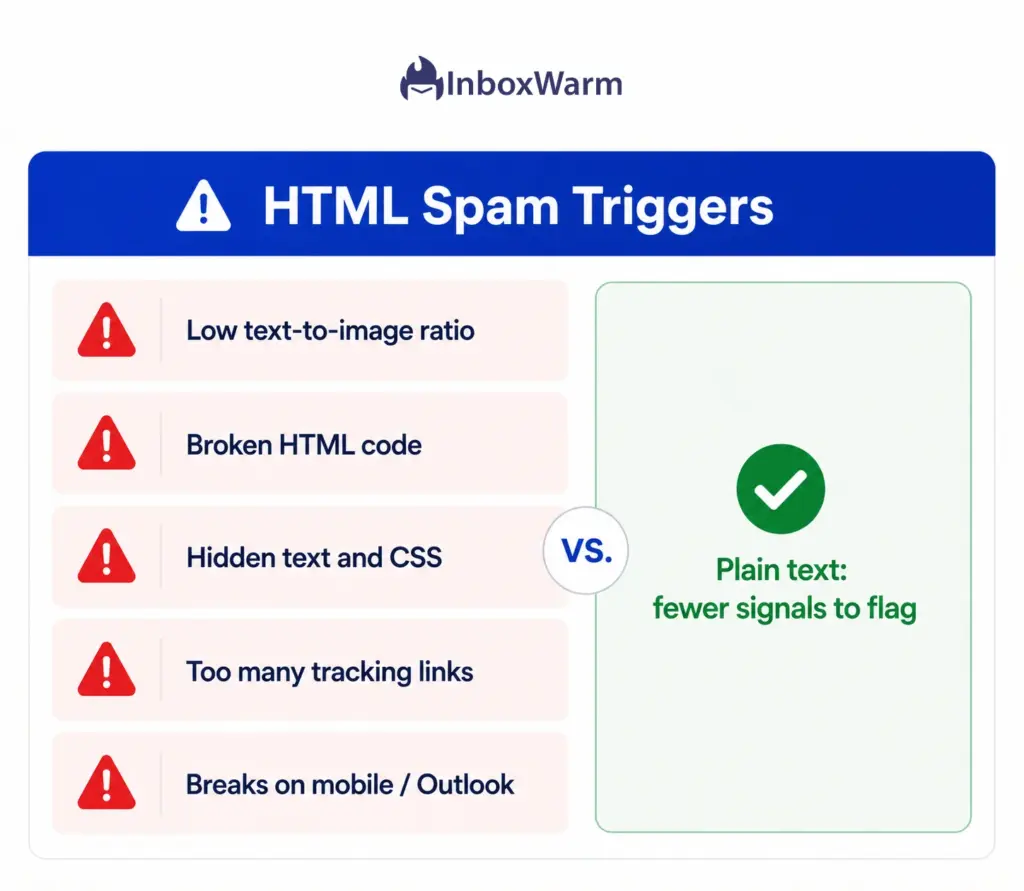
None of these means HTML is inherently spammy. It means HTML gives a filter many more things to evaluate, and any one of them can tip a borderline message the wrong way. Plain text simply offers fewer surfaces to judge.
For cold email specifically, where you have no prior relationship and no engagement history to lean on, that smaller footprint is a real advantage for cold email deliverability. It helps messages reach the primary inbox more consistently and reduces the risk of being filtered into promotions or spam.
What Does Google Actually Say About Email Format?
Google does not pick a winner between HTML and plain text. Its email sender guidelines set rules that apply to whichever format you send, and following them matters far more than the format label.
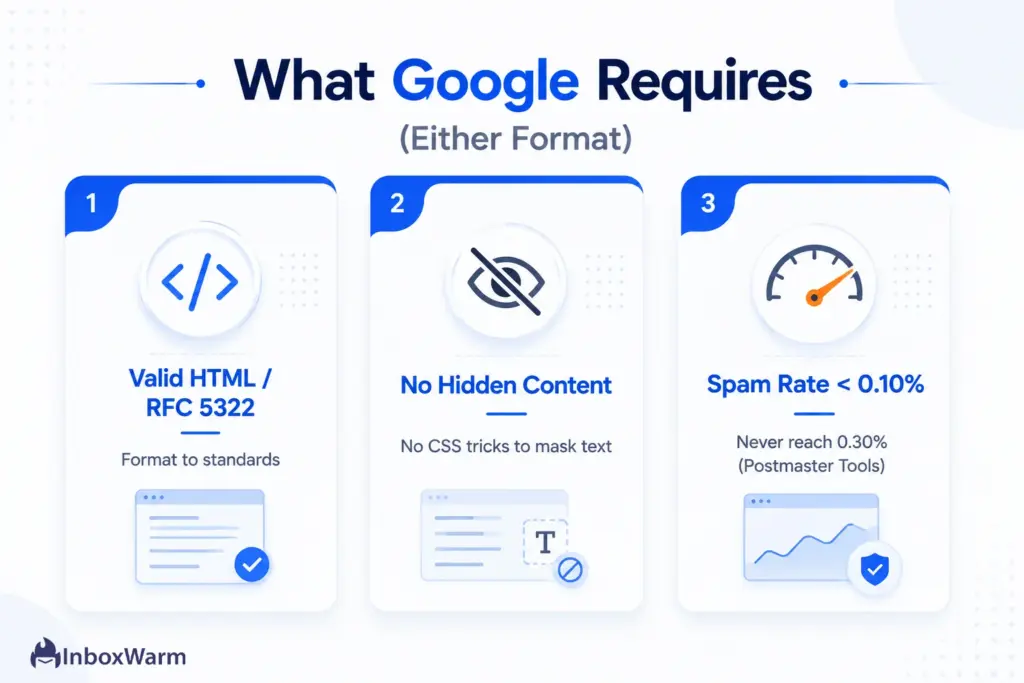
Three points stand out for anyone optimizing inbox placement:
Format HTML to standards
If your messages are in HTML, Google says to format them according to HTML standards and to follow the Internet Format Standard, RFC 5322. Clean, valid code is a deliverability requirement, not a nicety. This is one reason hand-built or legacy HTML templates underperform: they drift from those standards.
Do not hide content
Google explicitly warns against using HTML and CSS to hide content and says doing so may cause messages to be marked as spam. Links should be visible and easy to understand, and sender information should be clear. These rules target manipulation that only HTML makes possible, which is part of why heavy HTML draws more scrutiny.
Watch your spam complaint rate
Google requires senders to keep the spam rate in Google Postmaster Tools below 0.10% and to never reach 0.30% or higher. Format is not on that list, but it influences it: a design that gets reported as junk pushes your complaint rate toward the danger zone.
Since Google ramped up enforcement of these requirements in late 2025, staying under that threshold is no longer optional for senders at volume.
HTML vs. Plain Text: Which Format Wins For Each Use Case?
There is no universal winner, because the right format depends on the relationship and the goal. The rule of thumb: the colder the audience and the more you want a reply, the more you lean plain text. The warmer the audience and the more visual the message, the more HTML earns its place.
Here is the verdict by scenario.
| Use Case | Better Format | Why |
|---|---|---|
| Cold outreach and sales follow-ups | Plain text | Reads like a one-to-one message, so it lands in the primary inbox and invites replies. |
| Transactional (receipts, password resets) | Light HTML | Needs to look official and on-brand, but stays simple so it clears filters. |
| Promotional newsletters to opted-in lists | HTML | Subscribers expect visuals, and the Promotions tab is acceptable for this content. |
| Founder or executive personal outreach | Plain text | Authenticity beats design; a styled template breaks the personal illusion. |
| Product announcements with screenshots | HTML | Visual context genuinely aids the message for an engaged audience. |
| Onboarding and lifecycle emails | Hybrid (HTML styled like text) | Keeps tracking and light branding while preserving the personal feel. |
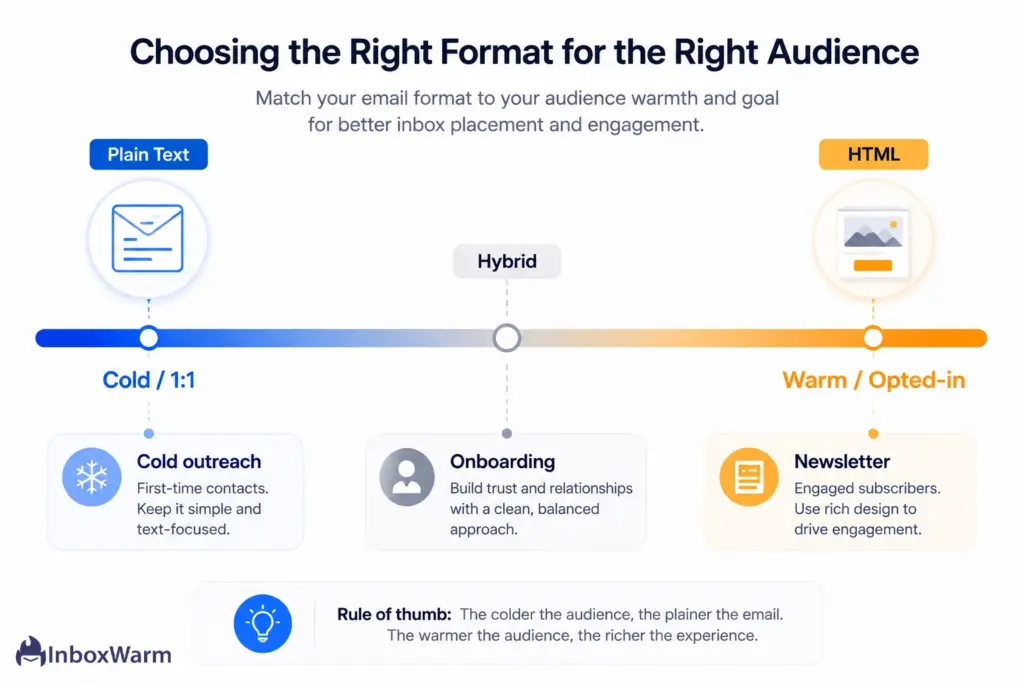
The pattern across every row is the same. Plain text wins when the email should feel like a person wrote it to one recipient. HTML wins when the recipient already expects design and has opted in to receive it. When you are unsure, default to the lighter format and test the heavier one against it.
How Do You Send HTML Emails That Still Reach the Inbox?
If your message genuinely needs HTML, you can keep its inbox placement strong by treating design as a deliverability decision, not just an aesthetic one.
Follow these steps in order.
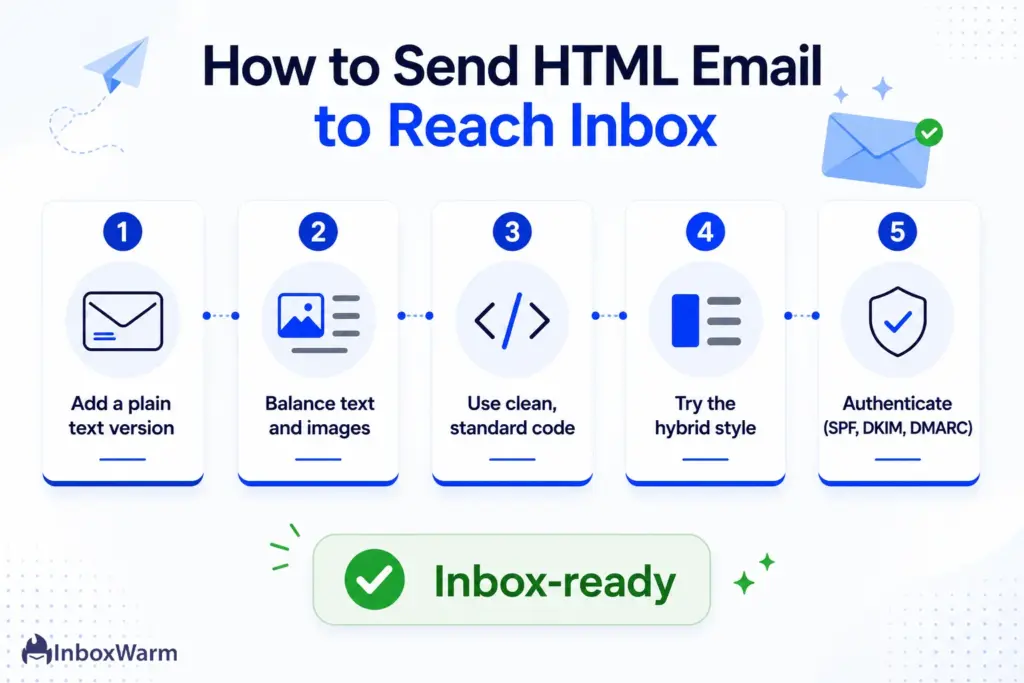
Step 1: Always Include A Plain Text Version
Send your HTML email as a multipart MIME message, which packages an HTML part and a text/plain part together. The recipient’s client picks the version it can display and filters reward emails that offer a clean text alternative. An HTML email with no text part looks lower-quality and is more likely to be flagged.
Step 2: Keep A Healthy Text-To-Image Ratio
Make sure real, selectable text carries most of your message and images support it, never the reverse. Avoid the single-giant-image email entirely. A balanced ratio removes one of the most reliable spam triggers and keeps your message readable even when images are blocked by default, which many clients do.
Step 3: Use Clean, Standards-Based Code
Build on a tested template that follows HTML standards and renders correctly in Gmail, Outlook, and on mobile. Close your tags, drop unused code, and skip CSS tricks. This is exactly what Google’s guidelines ask for, and it prevents the parsing problems that quietly hurt placement.
Step 4: Consider The Hybrid Approach
For sales and lifecycle email, style a lightweight HTML message to look like plain text: white background, standard font, single column, and one or two links. You keep light branding and open tracking while preserving the personal feel that lands in the primary inbox. This hybrid is what many high-performing “plain text” campaigns actually are.
Step 5: Authenticate Every Send
No format survives weak authentication. Publish a valid SPF record, sign your mail with DKIM authentication, and enforce a DMARC policy. These three protocols prove your mail is really from you, and they are now mandatory for bulk senders to Gmail and Yahoo. Whether you send HTML or plain text, missing authentication sinks placement faster than any design choice.
What Matters More Than Format for Inbox Placement?
Format is a tiebreaker, not the deciding factor. A perfectly plain email from a domain with a bad reputation still lands in spam, and a well-built HTML email from a trusted, warmed-up domain reaches the inbox.
Three things outrank format every time.
Sender Reputation
It is the score mailbox providers assign your domain and IP based on sending history, complaints, and engagement. It is the single biggest driver of where your mail lands. A strong domain reputation buys you tolerance for the occasional image-heavy email; a weak one means even your plain text gets doubted.
Authentication
Email authentication proves you are who you claim to be. SPF, DKIM, and DMARC are defined in their respective IETF standards (RFC 7208, RFC 6376, and RFC 7489), and they are the entry ticket to the inbox for any serious sender.
Warm-Up and List Hygiene
It builds the engagement history that filters trust. A new domain that suddenly sends in volume looks suspicious no matter how clean the format. Gradual email warm-up establishes a positive sending pattern, and removing unengaged or invalid addresses keeps your bounce rate and spam complaints low.
This is where this tool comes. InboxWarm.ai is an AI-powered email warm-up tool that improves inbox placement and sender reputation by simulating natural engagement before you ever send a real campaign.
Get these three right, and the format becomes the low-stakes choice it should be: pick plain text for cold and personal mail and HTML for opted-in visual campaigns, and stop worrying that a single image will tank your send. Get them wrong and no format can save you.
Warming up a specific provider helps too. If you send mostly to Google addresses, a focused Gmail warm-up builds reputation where it counts; the same logic applies to an Outlook warm-up for Microsoft-heavy lists.
Conclusion: Pick The Format That Fits The Relationship
The HTML vs. plain text emails question has a clear answer once you separate delivery from placement. Both formats get delivered at similar rates, but plain text reaches the primary inbox more reliably because it reads like personal mail and gives filters fewer reasons to doubt it. For cold outreach, sales follow-ups, and any message meant to feel one-to-one, plain text is the stronger choice for inbox placement and replies.
HTML is not the villain. It is the right tool for opted-in newsletters, transactional receipts, and visual campaigns where subscribers expect design and your reputation can carry it. The mistake is using heavy HTML for cold email, where it announces “mass marketing” to both the recipient and the filter. Match the format to the relationship, keep your code clean, and always include a text version, and HTML can perform well too.
Above all, remember that format is the smallest lever you control. Sender reputation, authentication, and warm-up decide whether your mail reaches anyone at all. Nail those first, choose your format second, and you give every email, plain or designed, its best shot at the inbox.
Tired of watching good emails land in spam?
Format is only part of the story. InboxWarm.ai builds the sender reputation and engagement history that get your mail into the primary inbox, with AI-driven warm-up across Gmail, Outlook, and more. Start free for 10 days, no credit card required.
Frequently Asked Questions
Do HTML emails go to spam more often?
They can, because HTML gives spam filters more signals to evaluate, such as image-heavy layouts, broken code, hidden content, and many tracking links. HTML itself is not flagged as spam, but any one of those traits can tip a borderline message into the spam or Promotions folder. Clean, standards-based HTML with a healthy text-to-image ratio greatly reduces the risk.
Which email format avoids spam filters best?
Plain text avoids spam filters most reliably because it offers the fewest elements for a filter to judge and looks like one-to-one communication. That said, no format guarantees the inbox. Authentication, sender reputation, and low spam complaint rates matter more than format for clearing filters.
Does HTML actually affect email deliverability?
HTML rarely changes whether an email is delivered, but it strongly affects where the delivered email lands and how recipients engage. HubSpot found HTML and plain text were delivered at the same rate, yet image-heavy HTML earned far fewer clicks. Lower engagement then teaches mailbox providers to keep sorting your mail away from the primary inbox.
Is a plain text email really just text with no code?
A true text/plain email contains no code at all, which means it cannot track opens, since open tracking needs an image tag. Many emails people call plain text are actually lightweight HTML styled to look bare, often with one link or a tracking pixel. That hybrid style keeps the personal feel while allowing basic tracking.
Should I use HTML or plain text for cold email?
Use plain text, or a hybrid styled to look like plain text, for cold email. A cold recipient has no relationship with you, so a generic template immediately signals mass marketing and invites both filtering and deletion. A simple, personal-looking message lands in the primary inbox and is far more likely to earn a reply.
What matters more than format for getting into the inbox?
Sender reputation, email authentication, and warm-up all outrank format. A trusted, authenticated, warmed-up domain reaches the inbox even with HTML, while a poor-reputation domain lands in spam even with plain text. Fix those foundations first, then treat format as the final, low-stakes adjustment.