
TL;DR
- Follow up on the date the prospect gave you. If there’s no date, give them a few business days to review.
- Name what you sent and remind them why they asked for it.
- Point to the section that answers their question, then ask one thing they can reply to easily.
- If your check-in goes unanswered and there’s no agreed next step, pause.
“Could you send me more information?” You sent the overview, the case study, or the technical guide. A few days later, the thread is quiet. What can you write that makes it easier for the prospect to pick up the conversation?
A follow-up email after sending information should name the material, reconnect it to the question the prospect asked, and give them one clear way to reply. If they asked whether the product works with their setup, follow up on that requirement.
Table of Contents
When Should You Follow Up After Sending Requested Information?
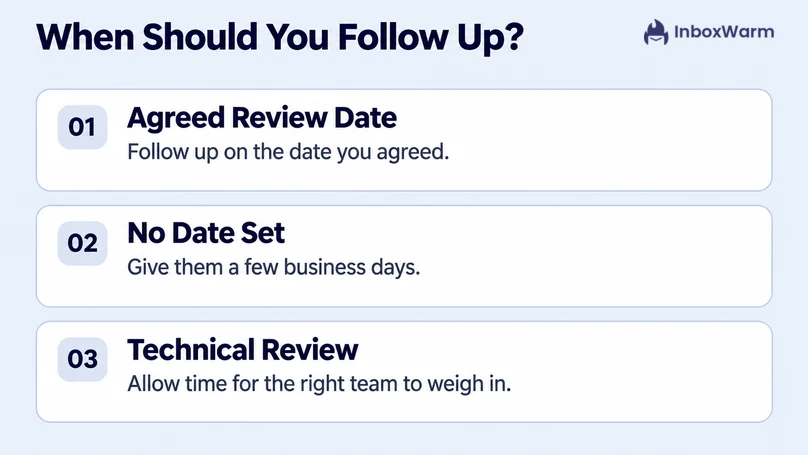
Use the prospect’s review date if you agreed on one. If there’s no date, a few business days is a reasonable starting point for a brief check-in. Give a technical or security review more time if the prospect said another team needs to weigh in. If you promised a missing detail, send it when you’ve verified it.
What Should You Say in the Follow-Up Email?
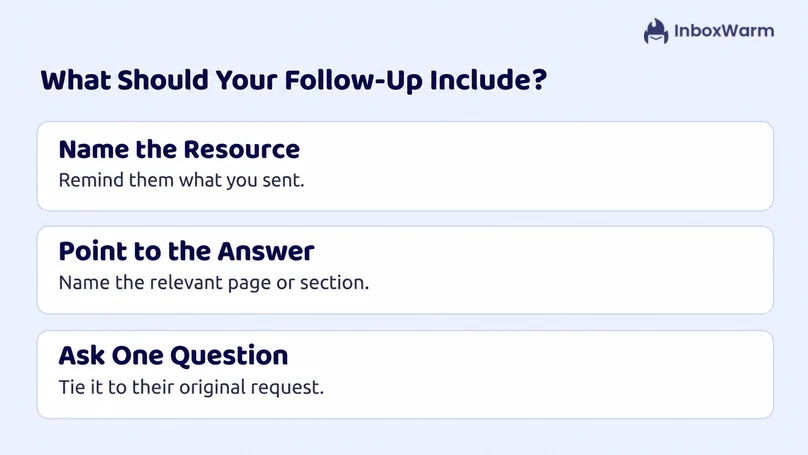
Choose one detail that helps the prospect continue their review. A page number, section name, or specific limitation can save them from searching through a long document. Gong’s sales follow-up guide recommends sharing resources that address questions the buyer actually raised.
| What You Sent | What to Reference | What to Ask |
|---|---|---|
| Product overview | The section covering the buyer’s workflow | Did it answer how this would work for your team? |
| Case study | One comparable step and any relevant difference | Does this example reflect the problem your team is solving? |
| Technical documentation | The relevant requirement, configuration, or limit | Is this requirement still open for your team? |
| No reply | The reason the prospect requested the resource | Is this still something your team needs to evaluate? |
If the material serves several purposes, tell the buyer what they can evaluate with it. For example, “The checklist shows which steps your team would need to complete before a pilot.” If your contact plans to share it, check that the intended reviewers can open the link.
4 Email Templates to Use After Sending More Information
Pick the template based on what the prospect requested. Replace the brackets with their actual question and the part of the resource that addresses it.
1. Follow Up After Sending a Product Overview
Use this when the prospect asked how the product would fit a specific workflow.
2. Follow Up After Sharing a Case Study
Use this when the buyer asked for a comparable example. Explain the part that applies to their situation and mention any important difference.
3. Follow Up After Sending Technical Documentation
Use this when the prospect needs to verify an integration, configuration, or security requirement.
4. Follow Up When the Prospect Hasn’t Replied
Use this when the review window has passed and you still have a specific reason to write. Reply in the same thread.
What Does a Follow-Up After Sending Information Look Like in Practice?
These two fictional examples show how to follow up on a case study and a technical guide with enough context for a useful reply.
Example 1. Follow Up on a Case Study About Invoice Approvals
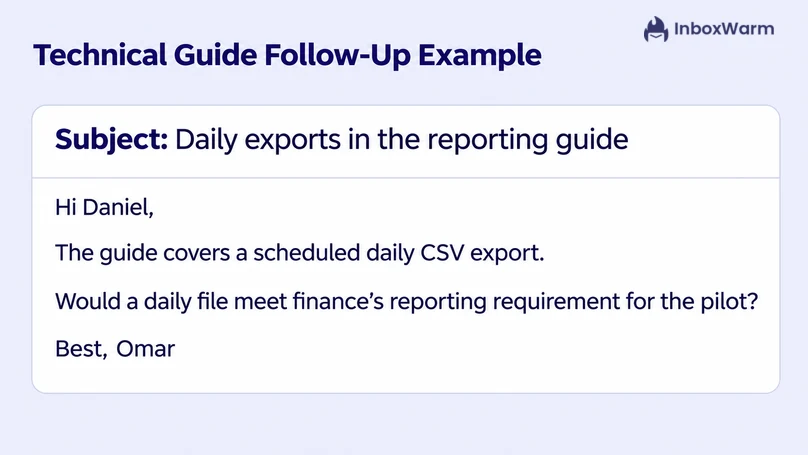
Example 2. Follow Up on the Technical Guide for Report Exports
How Do You Follow Up if the Prospect Goes Quiet?
Reply in the original thread and refer to the last question the prospect asked. If the overview was meant to confirm whether a workflow is supported, ask about that workflow. If it’s unclear whether the problem is still a priority, use a focused question about the buyer’s current needs so they can tell you what changed.
If the prospect says the project is on hold, ask whether they want to revisit it at a specific time. If they give no timing or the check-in goes unanswered, let them reopen the conversation.
Did Your Prospect See the Information They Asked For?
They asked for a guide or a case study. If the email lands in spam, they may miss the exact answer they need. Use InboxWarm to warm up your sending inbox ahead of your next outreach campaign.
Frequently Asked Questions
Use these answers to decide when to check in, resend a resource, or leave the next move with the prospect.
When Should You Follow Up After Sending Requested Information?
Use the review date you agreed with the prospect. If there’s no date, give them a few business days before checking in. Allow more time when another team needs to review the material.
Should You Resend the Link or Attachment?
Resend it if the prospect can’t access it, asked for it again, or needs a newer version. If they already have access, point to the part that answers their question.
Should You Ask for a Meeting After Sending a Case Study?
Ask for a meeting if you agreed that a call was next or the buyer needs a discussion to evaluate the example. Otherwise, one question about whether the case applies to their situation is enough.
What if Another Team Is Reviewing the Documentation?
Ask your contact which requirement is still open. Offer a short, verified answer they can forward, or ask whether an introduction would make the review easier.
How Many Times Should You Follow Up if There’s No Response?
After the review window, send one short check-in if it adds something relevant. Pause if it goes unanswered and there’s no agreed next step. Stop after a decline or opt-out.