
- Write based on what the user did during the trial and what they still need to test.
- Offer a setup step to inactive users, a verified answer to blocked users, and a plan-fit question to active users.
- Check access, billing, and extension terms before promising anything.
- Give the recipient one clear next step and pause if there’s no reason to follow up again.
Two people can reach the end of the same free trial with very different questions. One never connected their account. The other tested the main workflow and wants to know if it can handle a larger team. Each needs a different email.
A follow-up email after a free trial ends should tell the user what happens next and help them take one useful step. That might mean finishing setup, resolving an issue, or confirming whether a paid plan covers what they tested.
Table of Contents
What Should You Send After a Free Trial Ends?
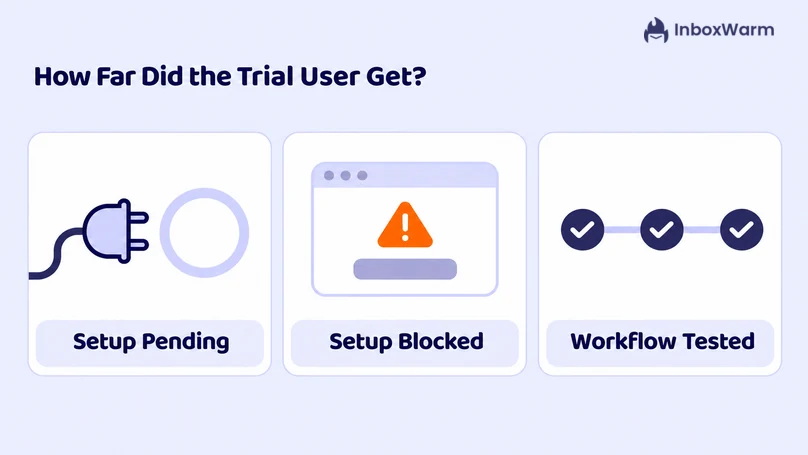
Start with the last meaningful step the user took. A login shows that they opened the product. It tells you less than completing setup, testing a workflow, or asking a question that blocked their evaluation.
| Trial Status | What to Say | What to Offer |
|---|---|---|
| Never finished setup | Offer one first step | A short setup guide or help connecting their tool |
| Hit a known blocker | Answer the question they raised | The verified fix, requirement, or workaround |
| Tried the main workflow | Help them assess plan fit | One capability and the limits that matter to their team |
| Went quiet | Close the loop or pause | A way to reconnect if their needs change |
If you offer documentation, tell the user what the resource helps them do. One link to the setup step they missed is easier to act on than a list of features.
When Should You Follow Up After a Trial Expires?
Send a relevant check-in when the trial ends or on the next business day, unless you agreed to a different date. If you owe the user a support answer, follow through on the day you promised. Keep any account notice clear about actual access and billing, especially when access ends or the account has already moved to a paid plan.
Check the account status immediately before sending. If they upgraded, use the appropriate onboarding message. If they’re already discussing a blocker with support, coordinate with the person handling it so the customer gets one clear answer.
4 Free Trial Follow-Up Email Templates
Choose the email that fits the user’s progress. Replace the brackets with verified account details and keep the ask small enough to answer in a single reply.
1. Help a Trial User Who Never Got Started
Use this when the account didn’t complete the first meaningful setup step. Offer help getting to that step.
2. Follow Up on a Setup Blocker
Use this when the user mentioned a specific issue in a support thread or earlier conversation. Say what you can verify about the fix.
3. Help an Active Trial User Decide Whether to Continue
Use this when the user tried the core workflow and needs to decide whether it fits their team.
4. Close the Loop if the Trial Follow-Up Went Unanswered
Use this once when there’s a specific reason to close the loop. If you’ve already sent the needed information, you can simply pause.
What Does a Free Trial Follow-Up Email Look Like in Practice?
These fictional examples show how the next step changes based on the work the trial user was able to complete.
Example 1. The User Never Finished Setup
Example 2. The User Tried the Workflow and Needs One Answer
Should You Offer a Trial Extension or Ask About a Paid Plan?
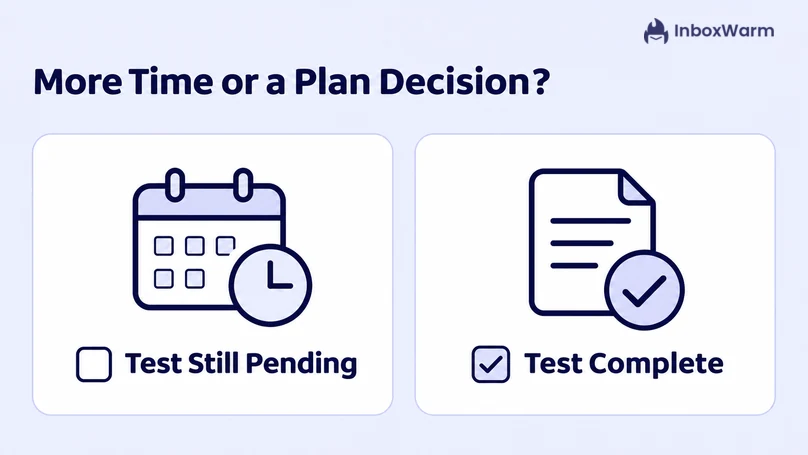
Offer an extension when the user wanted to test a specific workflow and ran out of time because of a setup issue or another delay. Confirm that you can grant it before promising a date. If they already tested what they came for, answer the paid-plan question that affects their decision. InboxWarm’s sales follow-up email templates include a SaaS trial example for continuing that conversation.
Will Trial Users See Your Follow-Up While It Still Matters?
A trial user may be waiting for a setup answer or plan detail before they decide. If that email lands in spam, they may miss it. Use InboxWarm to warm up your sending inbox ahead of future outreach.
Frequently Asked Questions
Use these answers to decide when to write, what to promise, and when to pause.
When Should You Send a Follow-Up Email After a Free Trial Ends?
If a follow-up is relevant, send it on the day the trial ends or the next business day. Use the agreed date if the customer is waiting for a support answer or internal review.
Should You Offer a Free Trial Extension?
Offer an extension if a specific blocker or timing issue prevented a fair test and your policy allows it. Confirm the new end date and the workflow they can test.
Should You Mention What the User Did During the Trial?
Mention a relevant workflow they discussed with you or a verified milestone the team completed. Avoid drawing conclusions about an individual from account-level activity.
What Should You Say About Billing or Data Retention?
Use the account’s actual billing and access status. If data export or retention matters, link to the current policy or support instructions and state any applicable deadline clearly.
What if the Trial User Never Replies?
Pause after a useful follow-up if there’s no agreed next step. If you send a final note, keep it short and leave the option to reconnect with the recipient. Honor opt-outs.