
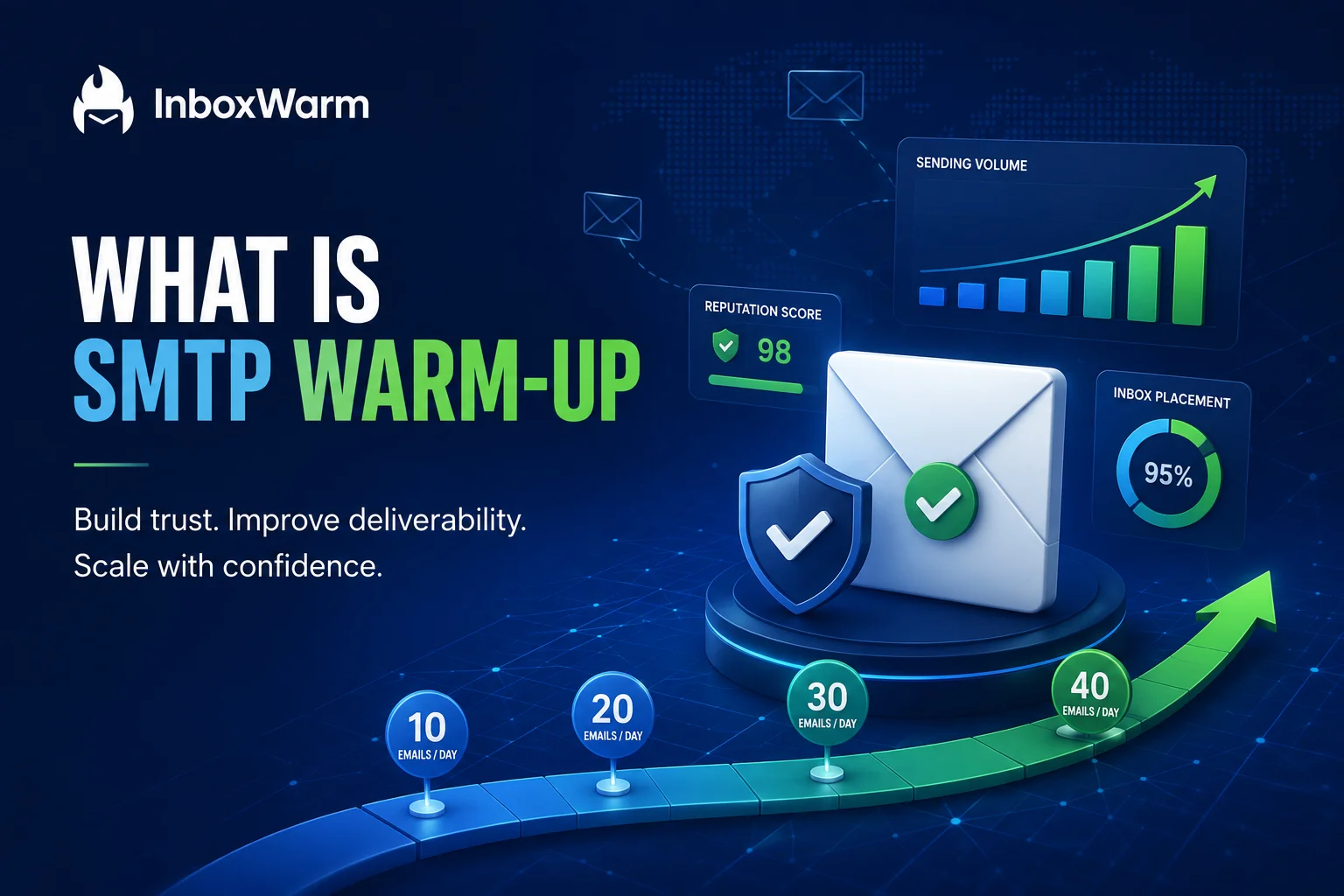

If you launch a brand new mail server and start blasting hundreds of emails on day one, providers will flag you fast. New senders have no track record, so mailbox providers treat sudden volume as a classic spam pattern. The result is predictable. Your mail lands in spam, gets throttled, or gets blocked before it reaches anyone.
Email warmup is the fix, and it is not complicated once you understand the logic behind it. This guide explains what SMTP warmup is, why it matters, how it works, how long it takes, and the exact steps to warm up your server safely without burning your domain. You will also see where IP warm-up and domain warm-up fit and when an automated tool beats doing it by hand.
Everything here is built for senders who run real outbound, including cold email agencies, SaaS founders, and sales teams launching new mailboxes. If you are setting up fresh sending infrastructure or trying to bring a quiet domain back to life, this is the playbook to follow before your first campaign goes out.
Table of Contents
What Is Actually SMTP Warmup?
SMTP warmup is the controlled ramp-up of email volume from a new sending source. You start by sending a small number of emails per day, then increase the count in steady steps over a few weeks. The goal is to prove to mailbox providers that you send wanted, legitimate mail before you ever send it at full scale.
SMTP stands for Simple Mail Transfer Protocol. It is the standard that mail servers use to send email across the internet, defined by the IETF in RFC 5321. When you set up a new server, that server has no sending history attached to it. Mailbox providers have never seen mail from you, so they have no reason to trust you yet, and untrusted mail is treated with suspicion by default.
Email warmup closes that trust gap on purpose instead of by accident. Each day of clean, well-received sending adds to your reputation and earns you a little more room to send the next day. You will see the terms “SMTP warm-up” and “SMTP warmup” used interchangeably, and they mean the same thing.
You need a warm-up any time you transition from something new or dormant. That includes a new domain, a new IP address, a fresh mailbox on a cold email setup, or a domain that has not sent in several months. In every one of those cases your reputation starts from scratch, which is exactly when a careful ramp matters most.
Why Does SMTP Warmup Matter for Deliverability?
Mailbox providers decide where your email lands based on your sender reputation. A new server starts with no reputation at all, which is a weak and risky position. Warm-up is how you build that reputation deliberately before it has a chance to work against you.
Here are the main reasons warm-up matters for deliverability.
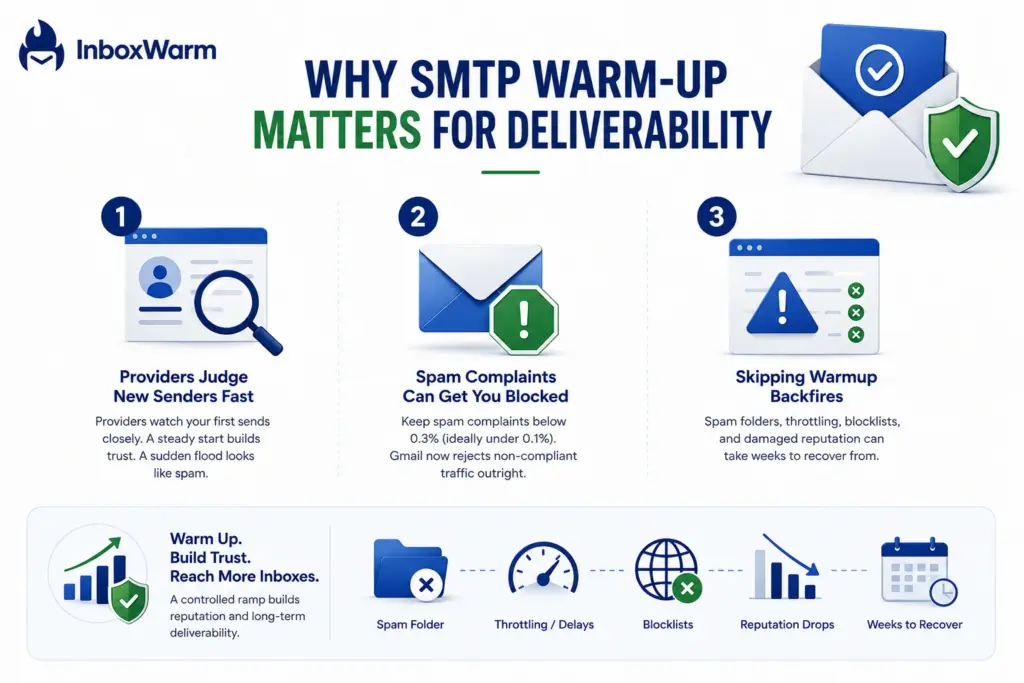
Providers Judge New Senders Fast
With no history to judge you on, providers watch your first sends very closely and react quickly to anything that looks off. A small, steady stream of email reads as normal behavior. A sudden flood reads as a spam campaign. That first impression sets the tone, and a bad one can shape how providers treat your mail for weeks, long after you have fixed the original mistake.
Spam Complaints Can Get You Blocked
Spam complaints are one of the hardest signals you can send. Google defines a bulk sender as anyone sending 5,000 or more messages a day to Gmail, and it requires those senders to keep their spam complaint rate below 0.3%, with a recommendation to stay under 0.1%. Crossing that line is serious. As of November 2025, Gmail moved from warnings to rejecting non-compliant traffic outright, with both temporary and permanent failures. A slow warmup keeps your early complaint rate near zero while your reputation is still forming.
One in Eight Emails Already Miss the Inbox
Even established, trusted senders lose mail to spam filters. Validity’s 2026 Deliverability Benchmark Report found that average inbox placement reached 87.2%, meaning roughly one in eight permission-based emails still fail to reach the inbox due to spam filtering, blocking, or other delivery issues. A cold server with no history starts well below that average. Warmup is how you climb up to it and then push past it.
Skipping Warmup Backfires
Send it at full volume from a cold server, and the damage arrives fast, often within the first few days.
Here is what you are risking when you skip the ramp.
- Your emails land in the spam folder, where almost no one sees them. Once providers learn to file you there, climbing back out is slow and difficult.
- Providers throttle or defer your mail, slowing delivery to a crawl. Messages sit in a queue for hours instead of arriving in seconds.
- Your IP or domain gets added to a blocklist. Removal is possible but tedious, and some lists take weeks to clear.
- Your domain reputation drops so low that recovery takes weeks of reduced sending. A burned domain is far more expensive than a slow start ever was.
IP Warm-Up vs. Domain Warm-Up
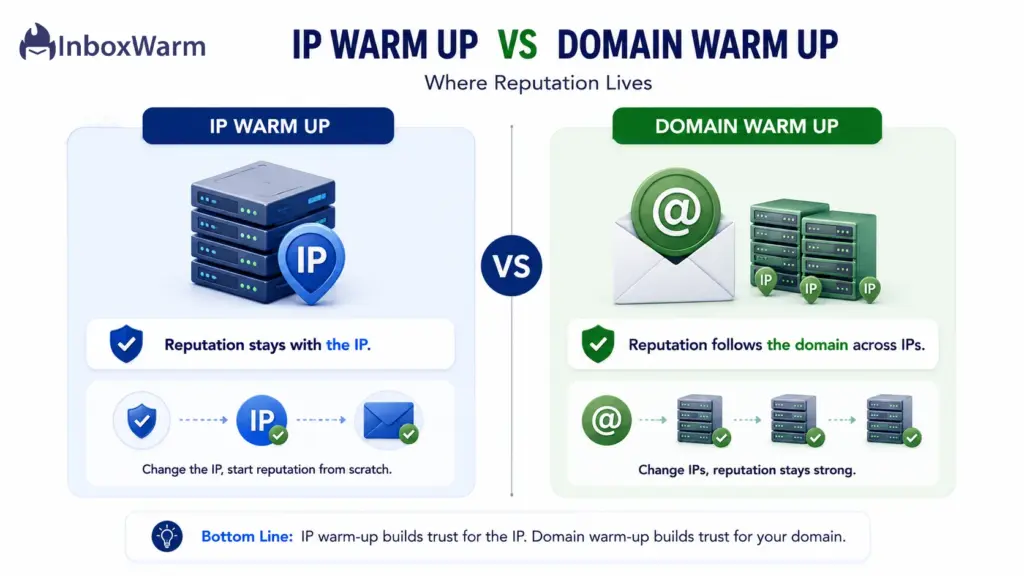
Two separate reputations drive your deliverability: the reputation of your sending IP address and the reputation of your sending domain. Providers score them independently, so a brand-new setup usually needs both warmed up at the same time. Which one you focus on depends on whether you send from a dedicated IP or a shared pool.
Here is how the two compare side by side.
| Aspect | IP Warm Up | Domain Warm Up |
|---|---|---|
| What it builds | Trust in the sending IP address | Trust in the sending domain name |
| When you need it | New dedicated IP or fresh pool | New domain or one with no history |
| Travels with you | No, it stays with the IP | Yes, it follows the domain across IPs |
| Who controls it | You, on a dedicated IP | You, through how the domain sends |
| Top priority for | Dedicated IP senders | Cold email and outreach |
For most modern setups, domain reputation carries the most weight, because it follows you even if your IP changes. On a shared IP pool the provider manages much of the IP reputation for the group, so your effort shifts toward the domain. Either way, pair your warmup with solid authentication so providers can verify every message.
How Do You Warm Up Your SMTP Server Safely?
Warming up safely comes down to a repeatable routine you run every day. Each step builds on the one before it, so the order matters as much as the actions themselves. Skipping ahead, especially past authentication, puts the whole ramp at risk.
Follow these seven steps.
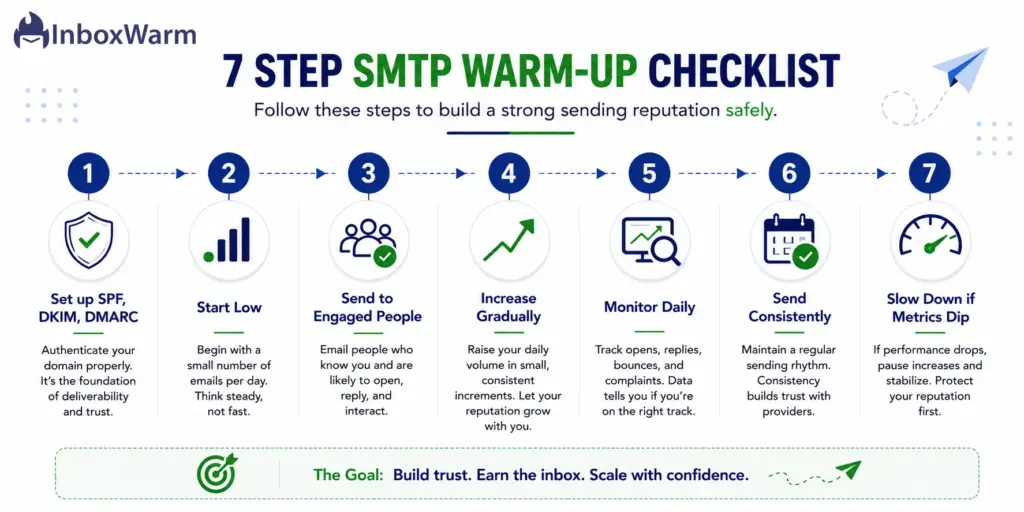
Step 1: Set Up Authentication First
Publish SPF, DKIM, and DMARC records before you send a single message. These records let providers confirm that the mail really comes from you, which is the baseline for any trust at all. Without them in place, even a perfect ramp will struggle, because providers have no way to verify your identity.
Step 2: Start With Low Volume
Cap your first week at a low daily volume per mailbox, around five to ten sends. A quiet start gives providers an easy first impression and keeps you safely under their early limits. There is no prize for sending fast in week one and plenty of risk in it.
Step 3: Send to Engaged Recipients
Send only to clean, verified contacts who are likely to open and reply, not to purchased or stale lists. Early engagement does far more for your reputation than raw volume, because it proves people want your mail. Replies and opens in the first weeks set the tone for everything that follows.
Step 4: Increase Volume Gradually
Raise your daily sends in small, steady increments rather than with sudden jumps. A good rule is to grow volume week over week only while your metrics stay healthy. Doubling your send count overnight is one of the fastest ways to trip a spam filter and undo your progress.
Step 5: Monitor Your Metrics Daily
Check your spam rate, bounce rate, and reputation every day in Google Postmaster Tools. Daily monitoring lets you catch a problem while it is still small and easy to fix. The numbers tell you when it is safe to ramp and when it is time to pause, so do not fly blind.
Step 6: Send Consistently
Send mail every working day so providers see a steady, predictable pattern. Consistency is itself a trust signal, while long silences followed by sudden bursts look suspicious. A reliable daily rhythm reassures providers far more than an erratic one ever could.
Step 7: Slow Down If Metrics Dip
The moment bounces or complaints start to rise, pause your ramp and hold volume steady until they recover. Find the cause, whether it is a bad list segment or weak content, and fix it before you push further. It is always cheaper to wait a few days than to recover a damaged domain over several weeks.
How Long Does SMTP Warmup Take?
Most warmups take two to eight weeks. There is no single number that fits everyone, because the timeline depends on a few factors. Your target volume matters most, since reaching 1,000 emails a day takes longer than reaching 100.
A dedicated IP needs a longer, more careful ramp than a shared pool; your provider mix changes the pace because Gmail, Outlook, and Yahoo each respond differently, and clean lists let you ramp faster than stale ones.
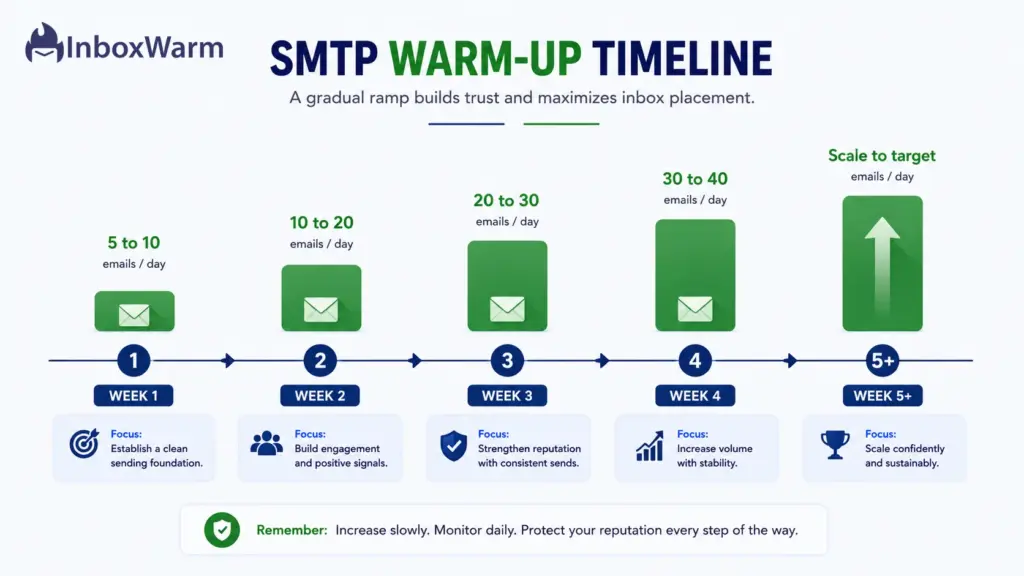
Here is a sample ramp for a single cold email mailbox. Treat it as a starting point and adjust the numbers to your own metrics.
| Week | Daily Volume Per Mailbox | Focus |
|---|---|---|
| Week 1 | 5 to 10 emails | Send to engaged, replying contacts only |
| Week 2 | 10 to 20 emails | Keep replies high, watch the bounce rate |
| Week 3 | 20 to 30 emails | Introduce a wider set of recipients |
| Week 4 | 30 to 40 emails | Confirm spam rate stays under 0.1% |
| Week 5 and on | Scale toward your target | Raise volume only while metrics hold |
Let your numbers set the pace rather than the calendar. If your spam rate stays near zero, bounces stay under 2%, and replies keep coming in, you can ramp on schedule or even a little faster. If deferrals climb, bounces rise, or you see any spam complaints, hold your volume steady or step back until the metrics settle. Rushing past a warning sign is how a smooth warmup turns into a recovery project.
What Are Common SMTP Warmup Mistakes to Avoid?
Most warmup failures trace back to a short list of avoidable errors. Any one of them can undo weeks of careful work, so it pays to know them before you start. Watch for these six in particular.
Avoid these mistakes during your ramp.
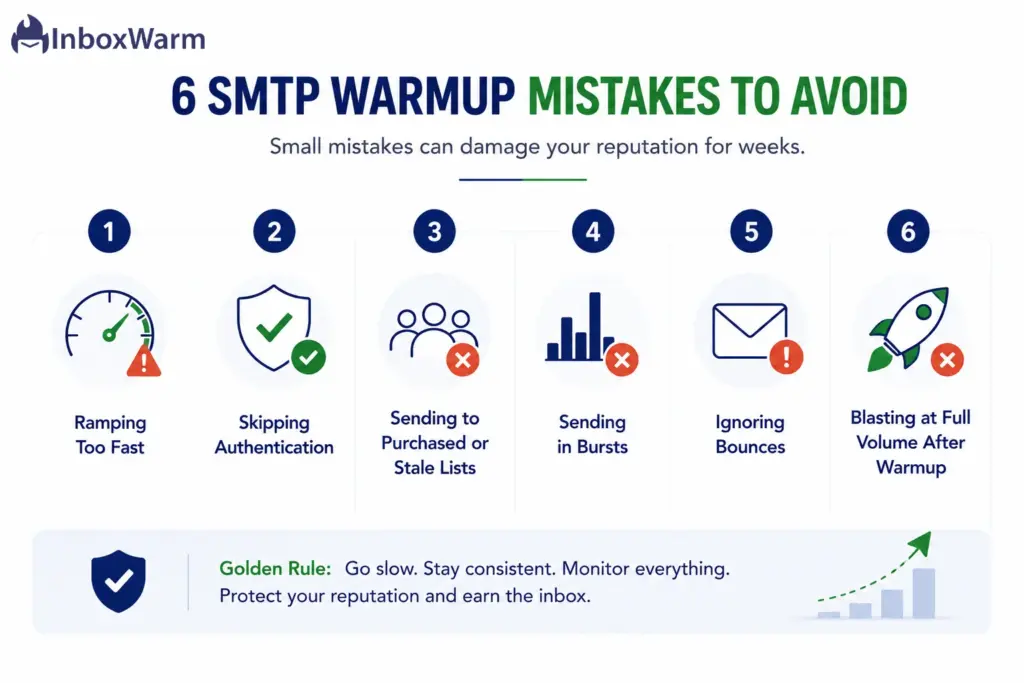
Ramping Too Fast
A sudden spike in volume looks like a spam campaign and trips filters, even when your content is perfectly clean. The fix is patience. Grow your daily count in small steps and only when your metrics support it, since the time you save by rushing is rarely worth the reputation you lose.
Skipping Authentication
Without SPF, DKIM, and DMARC in place, providers cannot confirm who you are, so they default to distrust. This single gap can sink an otherwise careful warmup. Set up all three records before your first send, and verify they pass.
Sending to Purchased or Stale Lists
Bad addresses drive bounces and spam complaints, which are two of the worst signals you can send during warmup. Purchased lists are especially dangerous because they are full of traps and dead inboxes. Send only to contacts you have verified and who expect to hear from you.
Sending in Bursts
Sending heavily one day and going quiet the next creates an unpredictable pattern that undermines the steady history you are trying to build. Providers reward consistency. A smaller daily volume sent every working day beats a large batch followed by silence.
Ignoring Bounces
A rising bounce rate is a clear sign of a dirty list, and it drags your reputation down with it. Left unchecked, bounces compound and can stall your entire ramp. Clean your list, remove invalid addresses, and keep your bounce rate low throughout warmup.
Blasting at Full Volume After Warmup
Many senders run a careful ramp, then jump straight to a full campaign the day it ends. That cliff between warm volume and full volume can erase your progress in a single day. Step up to your target gradually and keep monitoring even after warmup is technically complete.
Manual SMTP Warmup vs. Automated Warm-Up Tools: Which Should You Use?
You can warm up your server by hand or with an automated tool. The right choice depends on how many mailboxes you run and how much time you can spend managing the ramp.
Manual warmup gives you full control and costs nothing but your time. You send a handful of emails each day, track the numbers, and raise volume yourself. It works fine for a single mailbox, but it gets slow and error-prone the moment you manage several at once, and one missed day or one wrong jump can set you back.
Automated tools use a network of real inboxes that send, open, reply to, and rescue your mail from spam. The tool ramps your volume on a schedule, generates the engagement signals providers look for and tracks your metrics so you do not have to. For agencies and teams running many mailboxes, that automation saves hours every week.
Be honest about the limits, though. An automated tool supports good sending, it does not replace clean lists, solid authentication, or content people want to read. It cannot save a domain you keep abusing, so treat it as a force multiplier on top of good habits, not a substitute for them.
Here is a quick verdict by use case.
| Use Case | Better Fit | Why |
|---|---|---|
| Single mailbox, low volume | Manual | Easy to manage by hand, no cost |
| Agency with many mailboxes | Automated | Scales across accounts without manual effort |
| Recovering a damaged domain | Automated plus manual care | Steady signals while you fix root issues |
| Tight budget, one domain | Manual | Time is the main cost, not money |
If you are warming several mailboxes at once, doing it by hand eats hours you do not have. InboxWarm.ai is an AI-powered email warm-up tool for improving inbox placement and sender reputation. It ramps your volume, generates real engagement, and flags problems before they hurt your deliverability.
Frequently Asked Questions (FAQs)
How Long Should SMTP Warmup Last?
Plan for two to eight weeks. Lower volume goals on a shared IP can finish closer to two or three weeks. Higher volume targets and dedicated IPs usually need the full eight weeks or more to stay safe. Let your metrics, not the calendar, decide when it is safe to scale.
Can I Send Real Campaigns During Warmup?
You can, but only at low volume and only to engaged recipients. Do not launch a full cold campaign in the middle of warmup. A sudden spike in volume can erase the trust you spent weeks building. Treat your early sends as part of the ramp, not a separate launch.
Do I Need to Warm Up Both a New Domain and a New IP Address?
If both are new, then yes, warm up both. Domain reputation follows you across IP addresses, so it usually carries the most weight. On a shared IP pool, the provider manages much of the IP reputation, so put your effort into domain warm-up and authentication. On a dedicated IP, you own the IP reputation and must warm it deliberately.
Does SMTP Warmup Guarantee Inbox Placement?
No. Warmup improves your odds, but no method can promise the inbox. You still need clean lists, working SPF, DKIM, and DMARC, and content people actually want to read. Think of warmup as the foundation that makes everything else work, not a guarantee on its own.
Conclusion
SMTP warmup is the quiet work that decides whether your campaigns ever get read. A new server, IP, or domain starts as a stranger to Gmail and Outlook, and strangers do not get the benefit of the doubt. The only way to change that is to ramp your volume slowly, send mail people actually want, and let your sender reputation grow on the providers’ timeline instead of your own.
The method is not complicated. Set up SPF, DKIM, and DMARC first, start with five to ten emails a day, lean on engaged recipients, and raise volume only while your spam rate and bounces stay low. Most servers reach inbox-ready in two to eight weeks. That patience is cheap next to the weeks of recovery a damaged domain costs you.
What separates inbox from spam is rarely the tool or the copy. It is the decision to warm up properly before the first campaign and to keep a light warm-up running after launch, whether through a trusted email warmup tool or a disciplined manual process. Do that, and deliverability becomes something you control.
Skip the Daily Grind, Not the Warm-Up
Running an SMTP ramp by hand means tracking volume, engagement, and reputation every day across every mailbox. InboxWarm.ai runs that schedule for you and shows your inbox placement climb in real time.