

TL;DR
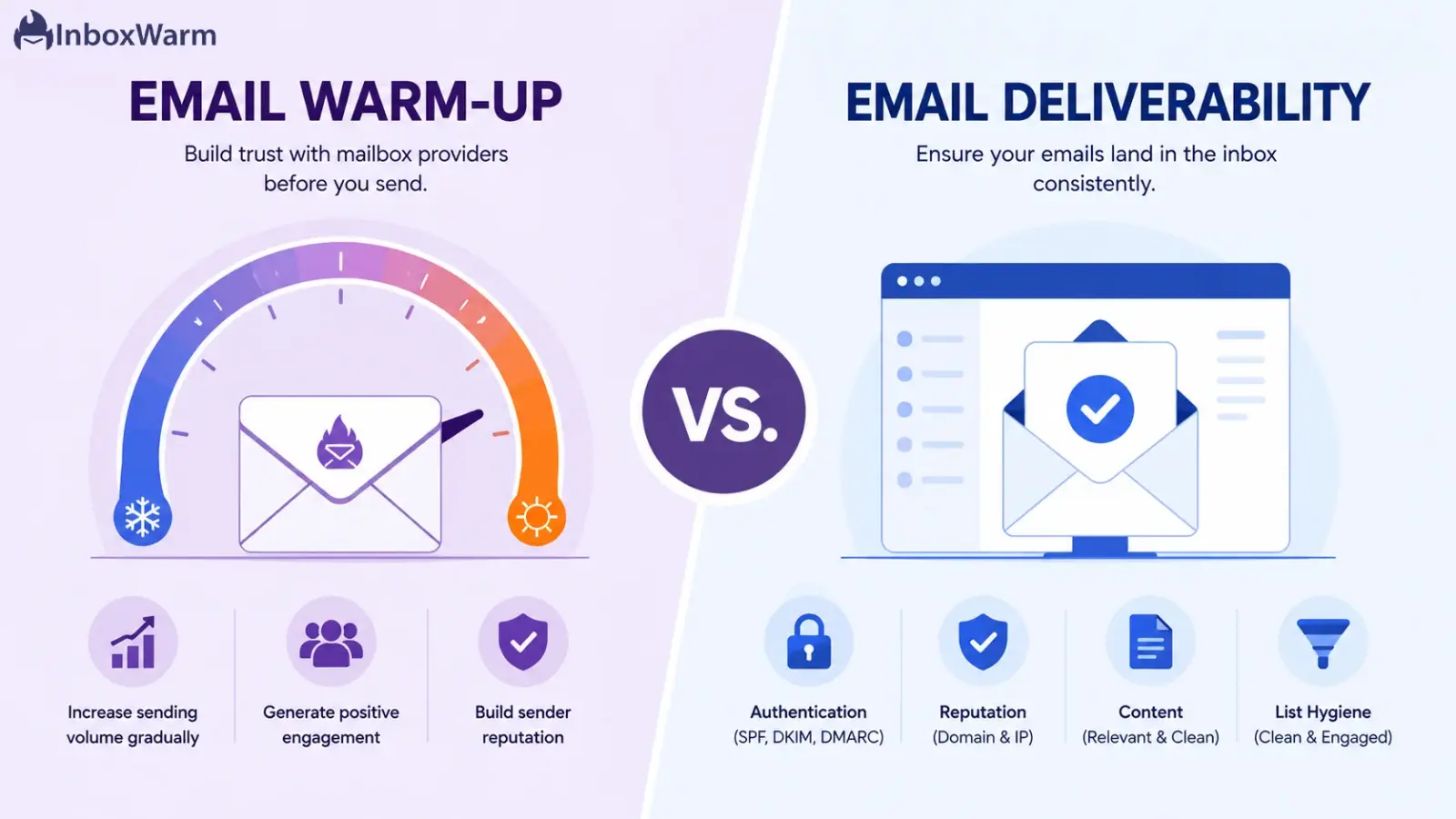
Email warmup and email deliverability are not interchangeable. Warmup is one specific technique: gradually sending and receiving realistic emails to build trust with mailbox providers. Deliverability is the outcome that warmup, authentication, content quality, and list hygiene all feed into together. You need warmup to build reputation, but warmup alone cannot fix a broken deliverability setup.
- Email warmup is one input. Email deliverability is the combined result of several inputs working together.
- A domain can complete a full warmup cycle and still land in spam if SPF, DKIM, or DMARC are misconfigured.
- Google’s Postmaster Tools v2 replaced the old High/Medium/Low/Bad reputation grades with a Compliance Status view (Pass or Needs Work) tied to bulk sender requirements.
- Cold email teams need both a warm-up to establish sender reputation and deliverability practices to sustain inbox placement over time.
Most teams launch a cold outreach campaign, watch open rates crawl, and reach for the nearest email warmup tool, assuming it will fix everything on its own. A week later the emails are still landing in spam, and the frustration sets in. That happens because email warmup and email deliverability are two related but distinct things, and mixing them up wastes both budget and sending reputation.
The confusion is not harmless. Teams that treat warmup as a cure-all skip the authentication setup, ignore list hygiene, and keep sending weak content, then blame the warmup tool when nothing improves. Other teams invest heavily in deliverability audits without ever warming a new domain, and they burn a fresh sending identity within days. Either mistake costs pipeline, and a damaged domain can take months to recover its standing with Gmail and Outlook.
This guide breaks down what email warmup actually does, what email deliverability measures, and exactly where the two overlap. You will also get a practical breakdown of how to improve email deliverability for cold email, how Gmail and Outlook weigh sender reputation differently, and how to choose an email warmup tool that supports deliverability instead of standing in for it.
Table of Contents
What Is Email Warmup?
Email warmup is the process of gradually increasing the sending volume from a new or dormant email account while generating real engagement, opens, replies, and rescues from spam, so mailbox providers learn to see that account as trustworthy before it starts sending real outreach at volume.
New domains and mailboxes start with no sending history, and Gmail and Outlook both treat unfamiliar senders with caution by default. Send a cold email at a meaningful volume from a brand-new account, and it is likely to land in spam, often without you ever knowing it happened. Warmup exists to close that trust gap before your real campaigns depend on it.
How The Warmup Process Actually Works
A structured warmup cycle runs through the same five actions, whether you do it manually or through an automated email warmup tool.
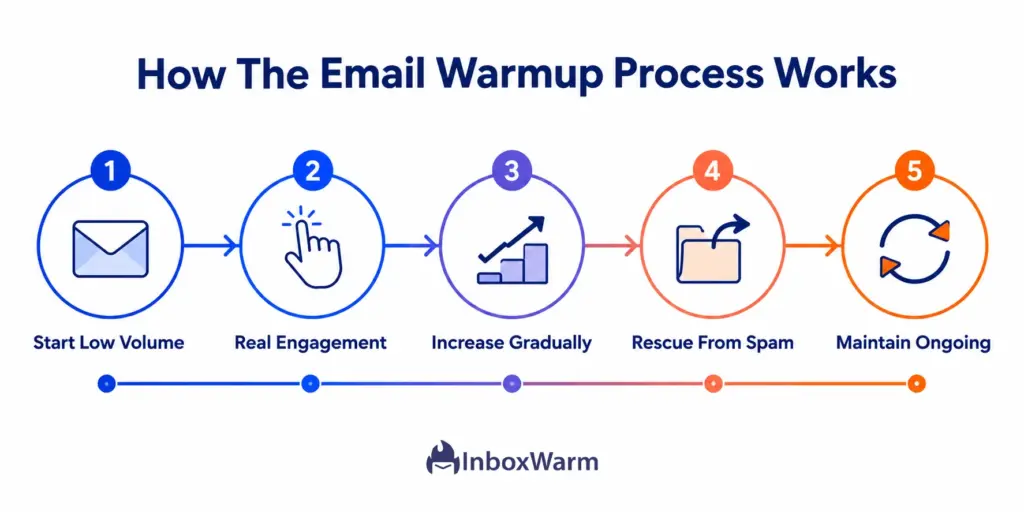
- Start At Low Volume: Send a small number of emails per day from the new mailbox to build an observable sending history.
- Generate Real Engagement Signals: Use a network of genuine inboxes to open, reply to, and mark warm-up emails as important, teaching filters the mail is wanted.
- Increase Volume Gradually: Add a few emails per day rather than jumping straight to campaign volume, so the sending pattern looks organic instead of a sudden blast.
- Rescue Misclassified Mail From Spam: Move any warmup emails that land in spam back to the inbox, which signals to the provider that the message was flagged in error.
- Maintain Warmup After Launch: Keep it running in the background once real campaigns start, since sending pauses or irregular volume can erode reputation again.
Warmup works best as an ongoing background process rather than a one-time step before launch. For the full mechanics, phases, and timelines, see our guide to email warm-up.
What Is Email Deliverability?
Email deliverability is the measure of whether your emails actually reach the primary inbox, not just whether they get delivered somewhere on the recipient’s server. It is shaped by four things working together, authentication, sender reputation, content quality, and list hygiene, rather than any single tool or setting.
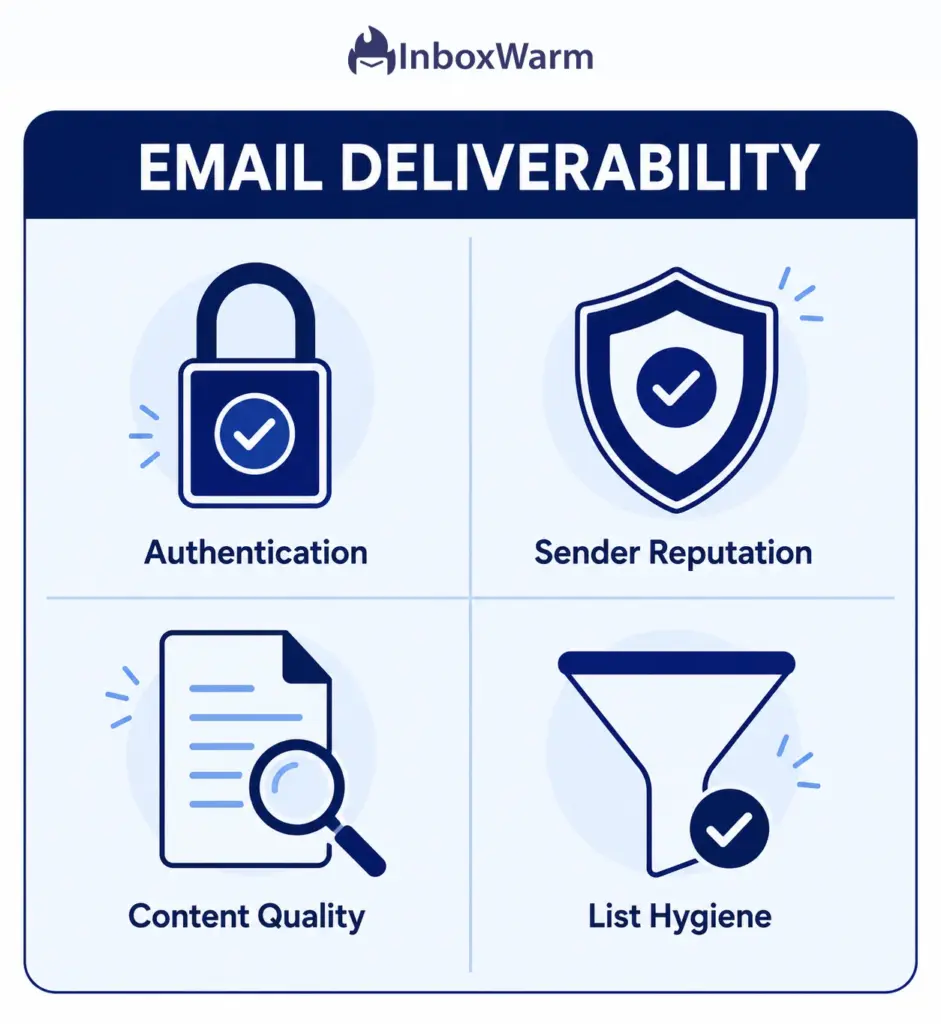
- Email Authentication: SPF, DKIM, and DMARC prove you are who you claim to be. Without alignment across all three, mailbox providers can reject or quarantine your mail outright.
- Sender and Domain Reputation: A trust score built from bounce rates, spam complaints, and engagement history, tracked through tools like Google Postmaster Tools and Microsoft SNDS.
- Content Quality: Spam-trigger phrasing, broken links, and image-heavy templates trip spam filters regardless of how warm the sending account is.
- List Hygiene: Sending to invalid, inactive, or purchased addresses inflates bounce and complaint rates, the two fastest ways to damage a domain’s reputation.
Deliverability is not a single dashboard number. It is the combined result of every one of those factors, which is exactly why a domain can look fine in one area and still miss the inbox because of a gap in another.
Email Warmup vs. Email Deliverability: Side-by-Side Comparison
The core difference is scope. Email warmup is a single technique that builds engagement history for one sending account. Email deliverability is the broader outcome of your entire sending program, covering authentication, reputation, content, and list quality together. Warmup feeds deliverability, but it is not the whole picture.
| Aspect | Email Warmup | Email Deliverability |
|---|---|---|
| What It Is | A technique that builds sender trust for one account or domain. | The overall outcome and measurement of inbox placement. |
| Primary Focus | Engagement signals: opens, replies, spam rescues. | Authentication, reputation, content, and list hygiene combined. |
| Time Frame | Roughly two to four weeks per new account, then ongoing maintenance. | Continuous, monitored for the life of the domain. |
| What It Fixes | Cold sending history and low trust on new accounts. | Broken SPF, DKIM, or DMARC records, weak content, dirty lists, complaint spikes. |
| What It Cannot Fix | Misconfigured authentication, spammy content, bad lists. | A brand-new account that has never sent a single email. |
| How You Measure It | Inbox placement rate on warmup sends and spam-folder rescues. | Compliance Status, spam rate, bounce rate, authentication pass rate. |
Think of warmup as one input into deliverability, not a substitute for it. A domain can pass every warmup cycle and still get flagged if DMARC is not aligned or the list is full of dead addresses.
Does Email Warmup Improve Email Deliverability?
Yes, warmup improves deliverability, but only the reputation-building piece of it. It cannot repair a failing SPF or DKIM record, rewrite spam-triggering content, or clean an old contact list, so warmup should run alongside the rest of your deliverability setup, not instead of it.
This is where a lot of budget warmup tools fall short. Some only send on a fixed schedule without generating real opens, replies, or spam-folder rescues, which means the account looks active without actually earning trust. The moment a real campaign puts pressure on that account, the thin engagement history does not hold up, and the sender lands back in spam.
What Warmup Directly Improves
- Engagement history for a specific sending account or domain.
- Gradual, human-looking sending patterns instead of a sudden volume spike.
- Recovery signals, since rescuing warmup mail from spam retrains filters over time.
What Warmup Cannot Fix
- A missing or misaligned DMARC record.
- A purchased or unverified contact list.
- Content that trips spam filters regardless of sender trust.
- A spam complaint rate that is already above Google’s threshold for bulk senders.
How To Improve Email Deliverability For Cold Email
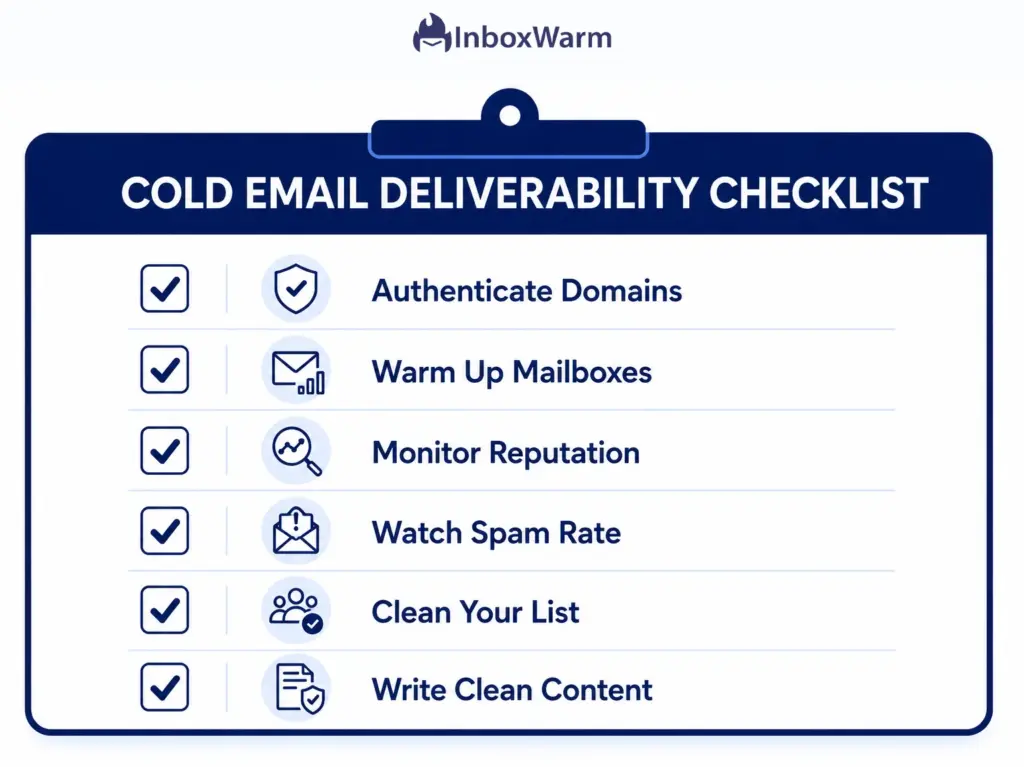
Improving deliverability for cold email starts with authentication, then sender reputation, content, and list hygiene, in that order, because none of the later steps matter if mailbox providers cannot verify who is sending the mail in the first place.
Authenticate Every Sending Domain
Set up SPF, DKIM, and DMARC with full alignment, since Gmail and Outlook now enforce these at the bulk-sender level rather than treating them as optional. Use a free SPF Generator and SPF Checker to confirm your record, a DKIM Checker to verify signing, and a DMARC Generator or DMARC Checker to confirm alignment and policy.
Warm Up Every New Domain And Mailbox
Run a structured warmup cycle before sending real outreach volume, and keep it running in the background afterward. Skipping this step is the single fastest way to burn a brand-new domain in its first week.
Monitor Sender Reputation Continuously
Check Google Postmaster Tools’ Compliance Status dashboard and Microsoft SNDS on a weekly basis, not just before a big send. Compliance data in Postmaster Tools can lag up to seven days after you apply a fix, so catching issues early matters more than reacting fast.
Keep Your Spam Complaint Rate Below Google’s Threshold
Stay under the 0.1% spam complaint rate Google recommends, and never approach the 0.3% hard limit, since exceeding it triggers active message rejection at the SMTP level for bulk senders sending 5,000 or more messages a day to Gmail addresses.
Clean Your List Before Every Campaign
Verify addresses, remove hard bounces immediately, and drop contacts who have not engaged in months. Bounce and complaint rates compound fast, and a single bad list can undo weeks of careful warmup.
Write Content That Passes Spam Filters On Its Own
Avoid spam-trigger phrasing, keep a healthy text-to-link ratio, and skip image-only emails, regardless of how warm the sending account is. Content-based filtering happens independently of reputation checks, so a warmed account can still lose a send to a bad subject line.
Gmail vs. Outlook: Do Sender Reputation Rules Differ?
Yes, in emphasis. Gmail leans on Postmaster Tools’ compliance status and a strict spam-rate threshold for bulk senders, while Outlook relies more on Microsoft SNDS reputation data and its own junk-mail filtering signals, so a domain can be compliant on one provider and still need work on the other.
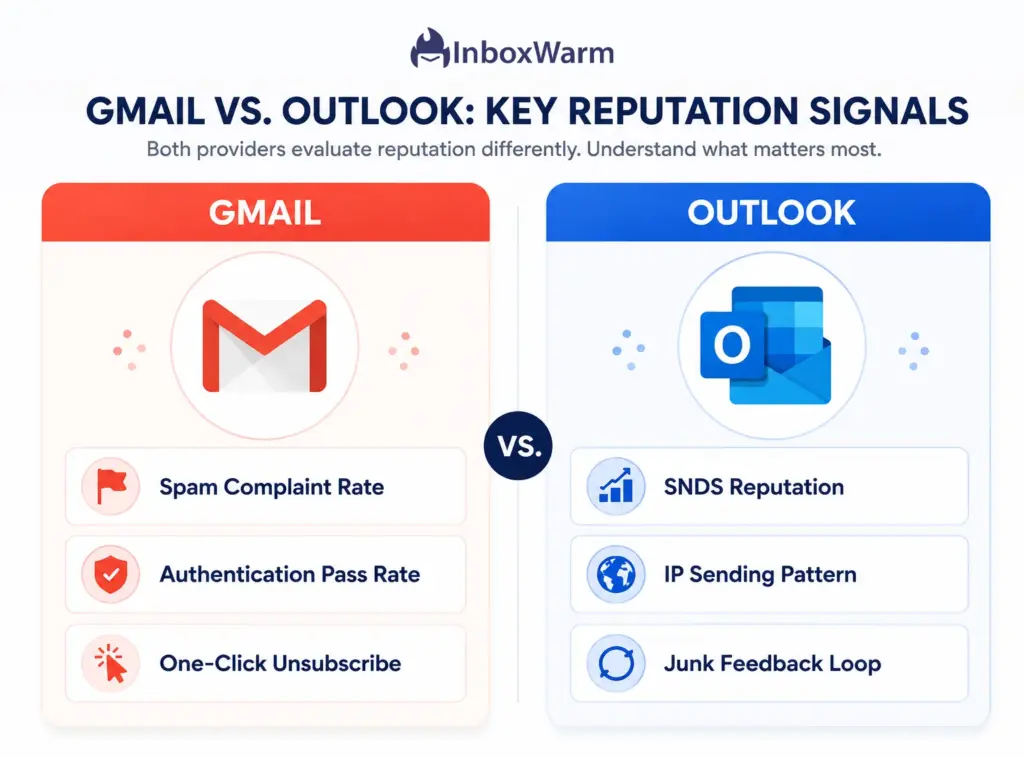
- Gmail Sender Reputation: Tracked in Postmaster Tools, driven heavily by spam complaint rate, authentication pass rate, and one-click unsubscribe compliance for bulk senders sending 5,000 or more messages a day to Gmail accounts.
- Outlook Email Deliverability: Tracked through Microsoft SNDS and the Junk Email Reporting Program, weighted more toward IP-level sending patterns and complaint feedback loops.
- Practical Takeaway: Warm up and monitor each provider separately. A domain in good standing with Gmail can still be flagged by Outlook’s filters if send patterns or list quality differs across providers.
InboxWarm.ai runs dedicated warm-up tracks for Gmail and Outlook rather than blending both into a single generic score.
How To Choose An Email Warmup Tool That Also Supports Deliverability
The right email warmup tool does more than send filler emails on a schedule. Look for real engagement actions, provider-specific monitoring, authentication checks, and inbox placement visibility, because a warmup tool without deliverability visibility only tells you it is sending, not whether it is working.
- Real Engagement, Not Just Volume: Opens, replies, and spam rescues from a genuine inbox network, not scheduled sends alone.
- Authentication Visibility: Built-in SPF, DKIM, and DMARC checks so you catch misconfigurations before they tank a campaign.
- Provider-Specific Monitoring: Separate visibility into Gmail and Outlook sending patterns, not one blended score.
- Gradual, Controllable Ramp: The ability to set your own volume increase instead of a fixed, one-size schedule.
- Inbox Placement Testing: Visibility into where your mail actually lands, not just whether it sent successfully.
InboxWarm.ai is an AI-powered email warm-up tool that improves inbox placement and sender reputation, which is why it pairs warmup with authentication checks and inbox placement visibility instead of treating warmup as a standalone fix.
Conclusion
Email warmup vs. email deliverability is not a competition between two tools. They are layers of one system. Warmup builds trust for a single sending account, while deliverability is the sum of authentication, reputation, content, and list quality that decides whether any of your accounts, warmed or not, actually land in the inbox.
Skipping either piece guarantees problems eventually. A domain with flawless authentication and a clean list but zero warmup still looks like a stranger to Gmail and Outlook on day one. A well-warmed domain with a broken DMARC record still gets bounced or rejected outright, no matter how many replies its warmup emails generated.
Pairing structured warmup with ongoing deliverability monitoring is the only durable path to inbox placement. Treat warmup as the reputation-building layer and deliverability as the full system it feeds into, and you stop guessing why campaigns underperform and start fixing the actual cause.
Frequently Asked Questions
Does Email Warmup Improve Deliverability?
Yes, but only the reputation-building part of deliverability. Warmup builds engagement history and a believable sending pattern, which helps mailbox providers trust the account. It cannot fix broken authentication, clean a bad contact list, or rewrite spam-triggering content, so it needs to run alongside the rest of your deliverability setup.
What Is The Difference Between Email Warmup And Email Deliverability, Explained Simply?
Warmup is one technique that builds trust for a single account. Deliverability is the broader outcome of your entire sending program, covering authentication, reputation, content, and list hygiene together. Warmup feeds into deliverability, but deliverability depends on several other factors warmup does not touch.
How Long Does Email Warmup Take Before I Can Send Real Campaigns?
Most structured warmup cycles run two to four weeks before an account is ready for meaningful outreach volume, though the exact timeline depends on how new the domain is and how aggressively volume ramps. Warmup should keep running in the background after that point rather than stopping once campaigns launch.
Can I Skip Warmup If My Authentication Is Already Set Up Correctly?
No. SPF, DKIM, and DMARC prove you are who you claim to be, but they say nothing about whether mailbox providers already trust the account's sending pattern. A brand-new account with perfect authentication still has zero engagement history, and that gap is exactly what warmup closes.
What's A Good Spam Complaint Rate To Aim For?
Google recommends keeping your spam complaint rate below 0.1% for bulk senders, with 0.3% as a hard threshold that triggers active message rejection at the SMTP level. Staying well under 0.1% gives you a buffer before a single bad campaign pushes you into compliance trouble.
Do I Need Separate Warmup For Gmail And Outlook?
It helps significantly. Gmail and Outlook track sender reputation through different systems, Postmaster Tools' Compliance Status for Gmail and Microsoft SNDS for Outlook, and each weighs different signals. A domain can be in good standing with one provider and still need work on the other, so provider-specific warmup and monitoring catch issues a blended approach would miss.
How Do I Improve Email Deliverability For Cold Email Specifically?
Start with full SPF, DKIM, and DMARC alignment, then warm up every new domain and mailbox before sending at volume. Monitor Compliance Status and spam rate weekly, keep your list clean before every send, and write content that would pass spam filters even without warmup behind it. Cold email carries more risk than opt-in mail, so each of these steps matters more, not less.
Still Guessing Why Your Cold Email Lands In Spam?
InboxWarm.ai combines AI-powered email warm-up with authentication checks and inbox placement monitoring, so you build sender reputation and catch deliverability issues in the same place.