

TL;DR
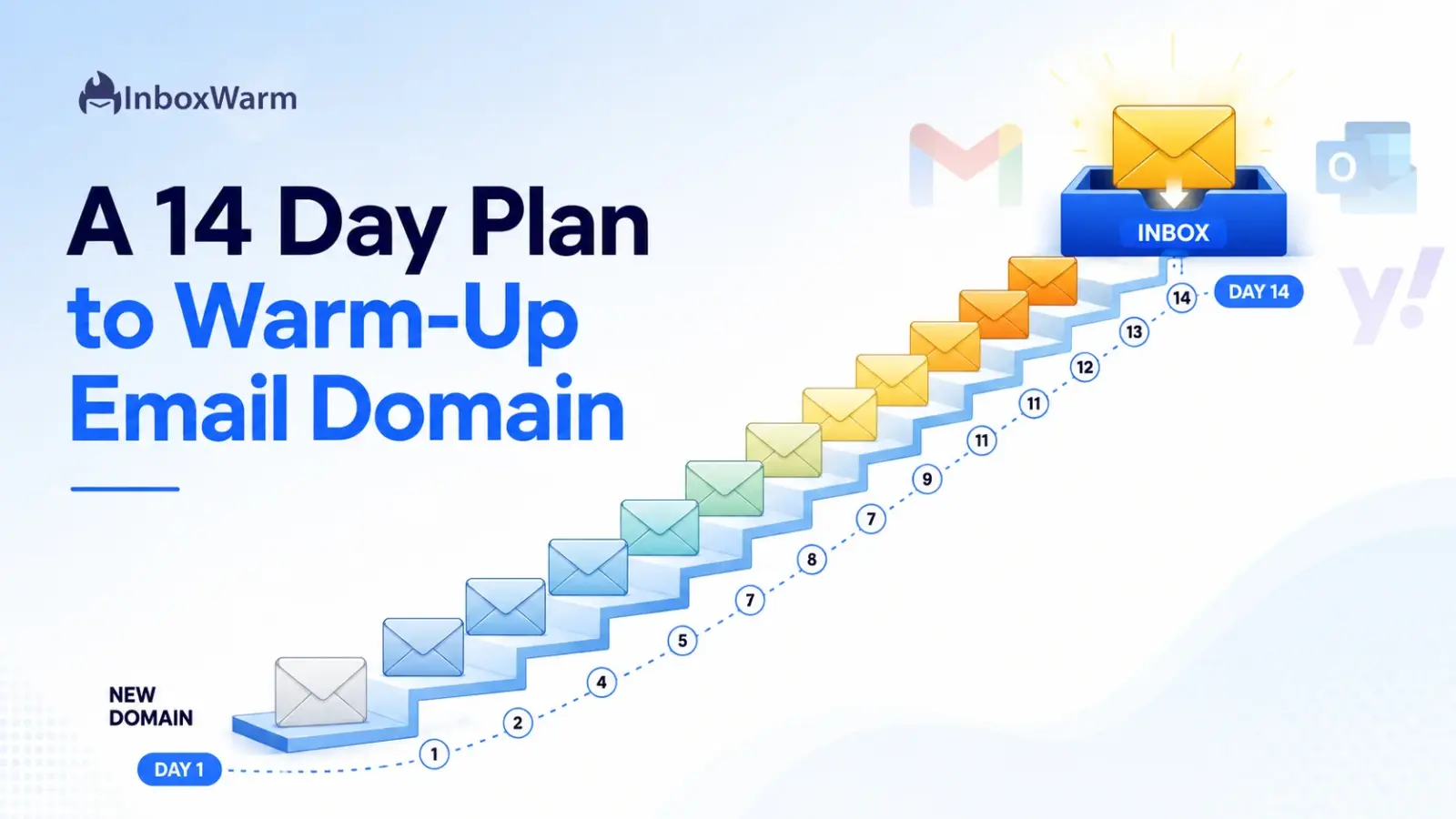
To warm up an email domain, authenticate it with SPF, DKIM, and DMARC, let it rest for a day, then send a small number of real, engaged emails and increase volume by about 20 percent per day for 14 days. Start near five sends per inbox and ramp toward 50 while watching bounces and spam complaints.
- What it is: Domain warm-up gradually builds sender reputation so mailbox providers trust your mail and place it in the inbox.
- How long: 14 days gets a domain ready for low-volume cold outreach. Brand-new domains often need three to six weeks for full maturity.
- The lever that matters: Engagement (opens and replies) plus a spam complaint rate below 0.1 percent, not raw volume.
- Fastest path: An automated warm-up tool runs the daily ramp and engagement for you while you focus on the campaign.
You buy a clean new domain for outreach, connect it to your sequencer, load a few hundred leads, and hit send. Within a day you are staring at a wall of bounces and a pile of messages sitting in spam. The domain was never the problem. The problem is that mailbox providers had no reason to trust it yet, and you gave them every reason to be suspicious.
Mailbox providers judge a brand-new domain the way a bank judges someone with no credit history. There is no track record, so the safe assumption is caution. Push too much mail too fast and you trip spam filters, tank your email deliverability, and sometimes burn the domain before your first reply.
This guide gives you a concrete, day-by-day plan to warm up an email domain over 14 days. You will learn what domain warm-up actually is, how long it really takes, and the authentication you must set up before Day 1.
Follow it in order, and your domain reaches outreach-ready in two weeks.
Table of Contents
What Is Email Domain Warm-Up, and Why Does It Matter?
Email domain warm-up is the process of gradually increasing the volume of mail sent from a new or dormant domain so that mailbox providers like Gmail, Outlook, and Yahoo build trust in it over time. Instead of blasting volume from day one, you send a small amount of well-received mail and grow steadily, proving to filters that real people want your messages.
That trust is your email domain reputation, a score each provider assigns to your sending domain based on how recipients react to your mail.
- A strong reputation means consistent inbox placement.
- A weak reputation means the spam folder, throttling, or outright rejection.
- Warm-up exists to build that reputation deliberately rather than leaving it to chance.
The stakes are concrete. According to Google’s email sender guidelines, senders should keep their user-reported spam complaint rate below 0.1 percent and must never reach 0.3 percent, or they risk losing access to delivery mitigation.
Google’s FAQ confirms that, starting in November 2025, messages failing the requirements face temporary and permanent rejections. Microsoft followed suit: per its Outlook sender requirements, high-volume mail to outlook.com, hotmail.com, and live.com that fails authentication is rejected with a 550 5.7.515 error. A warmed, authenticated domain is how you stay on the right side of those rules.
How Long Does Domain Warm-Up Take?
The timeline of a warm-up typically takes two to six weeks. A focused 14-day plan is enough to make a domain ready for low-volume cold outreach, while a brand-new domain with zero history usually benefits from three to six weeks before it carries heavier daily volume safely. The 14 days build the foundation; reputation keeps maturing after that.
Three factors decide where you land in that range. Domain age and history come first: a domain that has sent legitimate mail before warms faster than one registered yesterday. Target volume is second: ramping to 30 sends per inbox is quicker and safer than ramping to 300. Engagement quality is third and most important: high open and reply rates from real recipients compress the timeline, while ignored or complained-about mail stretches it out.
Treat 14 days as a confident minimum, not a hard finish line. The plan below gets you to outreach-ready, but you should keep warm-up running in the background even after you launch campaigns. Reputation is earned continuously, and a domain that stops sending good mail starts to cool off again.
| Domain Type | Realistic Warm-Up Time | Safe Starting Volume |
|---|---|---|
| Brand-new domain | 3 to 6 weeks | 5 emails per inbox |
| Domain with some history | 2 to 3 weeks | 10 emails per inbox |
| Reactivated dormant domain | 2 to 4 weeks | 5 to 10 emails per inbox |
What Should You Set Up Before Day 1?
Before you send a single warm-up email, get the foundation right: authenticate the domain, let it rest briefly, and configure clean sending inboxes. Skipping this step is the single most common reason warm-up fails, because no amount of careful ramping fixes a domain that providers cannot verify.
Authenticate Your Domain With SPF, DKIM, and DMARC
Email authentication is a set of DNS records that prove you are allowed to send mail from your domain. There are three, and providers now treat them as mandatory for any serious sending.
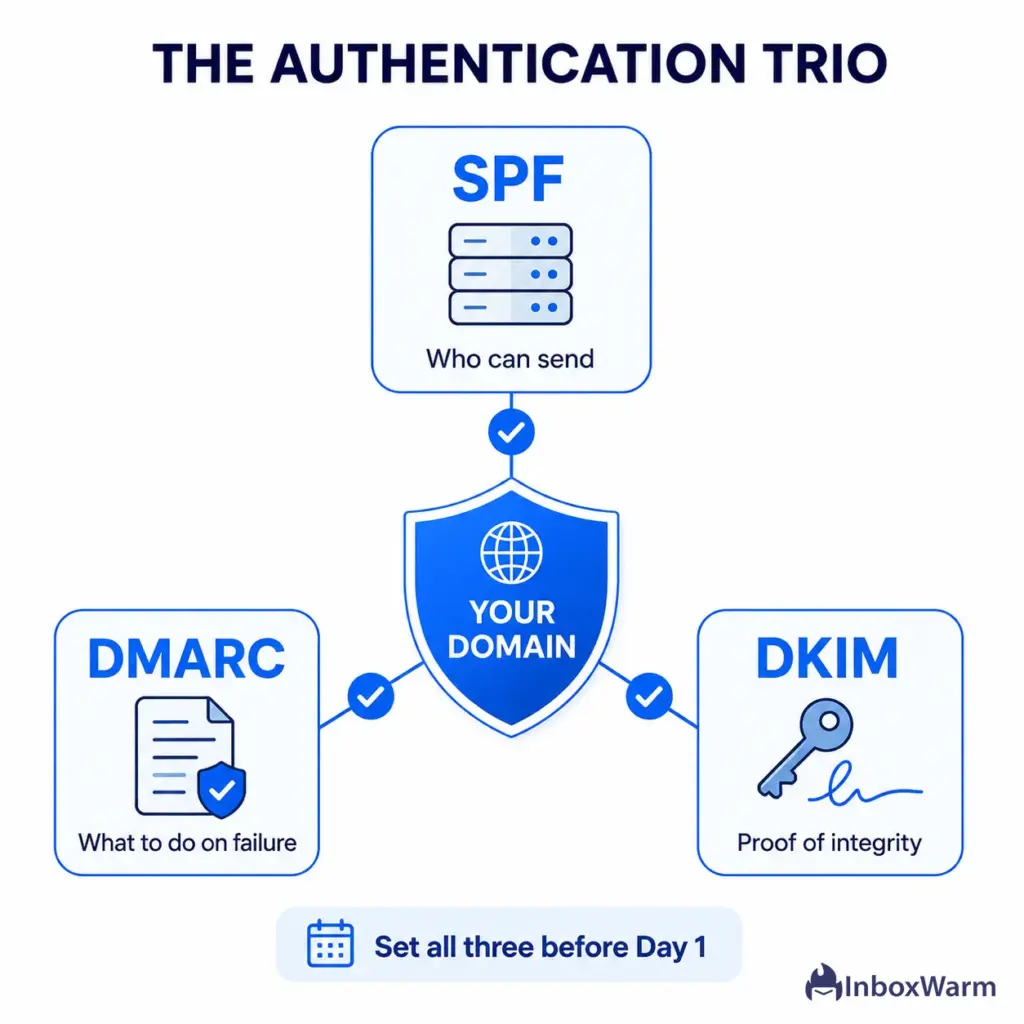
- SPF (Sender Policy Framework): a DNS record listing the servers allowed to send for your domain, defined in RFC 7208. Generate one with the SPF record generator, then confirm it with the SPF checker.
- DKIM (DomainKeys Identified Mail): a cryptographic signature that proves a message was not altered in transit, defined in RFC 6376. Verify yours with the DKIM checker.
- DMARC (Domain-based Message Authentication, Reporting, and Conformance): a policy that tells providers what to do when SPF or DKIM fails, defined in RFC 7489. Start at p=none with the DMARC record generator, then tighten to p=quarantine once your reports look clean.
Set all three before Day 1. Both Google and Microsoft now require authentication for bulk mail, and an unauthenticated domain will not warm up no matter how patient you are.
Let the New Domain Rest
After you register a domain and publish DNS records, wait at least 24 to 72 hours before sending. This gives records time to fully propagate and avoids the worst signal of all: a freshly registered domain firing mail within minutes. A short rest costs nothing and removes an obvious red flag.
Set Up Clean Sending Inboxes
Create two to three sending inboxes on the domain rather than one. Spreading volume across a few inboxes keeps any single one from looking aggressive and gives you a more resilient setup. For each inbox, add a real display name, a professional profile photo, and an email signature. If you send from Google Workspace, the practical mechanics differ slightly from Microsoft, so match your steps to your provider’s Gmail warm-up or Outlook warm-up setup.
The 14-Day Email Domain Warm-Up Plan
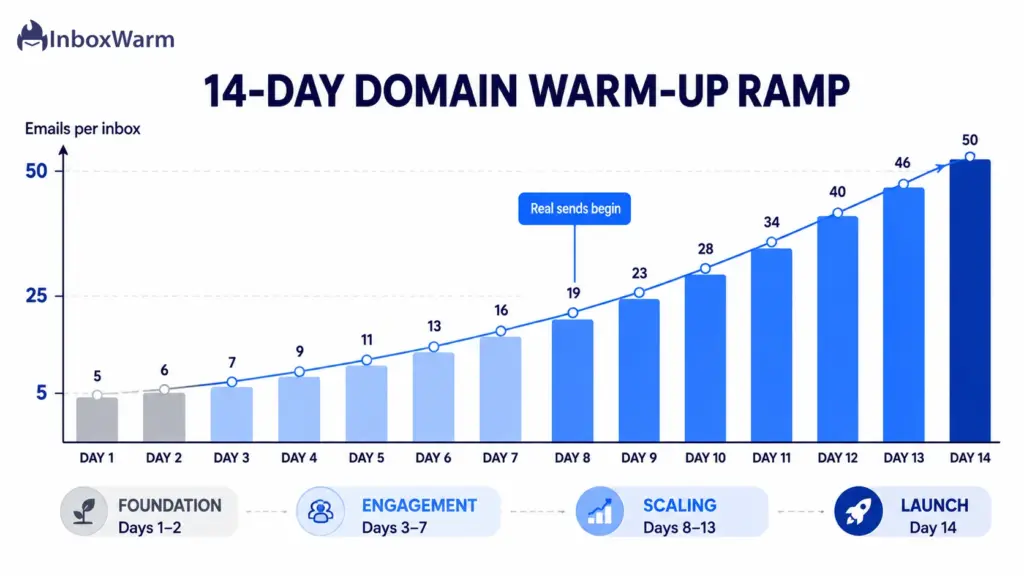
The plan ramps each inbox from roughly five sends to 50 over 14 days, increasing volume by about 20 percent per day and never spiking. Days 1 and 2 lay the foundation, Days 3 to 7 build pure engagement, Days 8 to 13 introduce real outreach alongside warm-up, and Day 14 transitions you to live campaigns.
All numbers are per inbox, so multiply by the number of inboxes on your domain.
| Day | Phase | Warm-Up / Inbox | Real Sends / Inbox | Daily Focus |
|---|---|---|---|---|
| 1 | Foundation | 0 | 0 | Authenticate, publish DNS, rest |
| 2 | Foundation | 5 | 0 | Configure inboxes, start warm-up |
| 3 | Engagement | 10 | 0 | Warm-up sends only |
| 4 | Engagement | 14 | 0 | Warm-up sends only |
| 5 | Engagement | 18 | 0 | Check first deliverability data |
| 6 | Engagement | 22 | 0 | Hold pattern, watch replies |
| 7 | Engagement | 26 | 0 | Week 1 review |
| 8 | Scaling | 30 | 5 | First real personalized emails |
| 9 | Scaling | 34 | 8 | Watch reply rate |
| 10 | Scaling | 38 | 12 | Check spam complaint rate |
| 11 | Scaling | 42 | 16 | Hold if any metric dips |
| 12 | Scaling | 46 | 20 | Steady, measured ramp |
| 13 | Scaling | 48 | 25 | Pre-launch review |
| 14 | Transition | 50 | 30 | Transition to live outreach |
Note: These are per-inbox figures for a typical new B2B domain. If you run three inboxes, Day 14 totals roughly 150 warm-up emails plus 90 real sends across the domain. Adjust down for very fresh domains and never increase a day’s volume by more than 20 to 25 percent.
Days 1 to 2: Build the Foundation
Spend Day 1 on DNS only. Publish SPF, DKIM, and DMARC, then walk away and let everything propagate. On Day 2, finish your inbox profiles, connect your warm-up tool or warm contacts, and send the first five low-key emails per inbox to people who will actually open and reply. No campaigns yet.
Days 3 to 7: Build Engagement Only
This week is about teaching providers that your mail gets opened, read, and answered. Send only warm-up traffic, increasing from 10 to roughly 26 emails per inbox per day. Aim every message at recipients who will engage, keep content varied and conversational, and reply to anything that comes back. By Day 5 you should have your first deliverability data; if anything looks off, hold volume flat for a day rather than pushing higher.
Days 8 to 13: Introduce Real Outreach
Now layer genuine outreach on top of warm-up. Start with five highly personalized, one-to-one emails per inbox on Day 8 and grow to around 25 by Day 13, while warm-up traffic continues climbing toward 48. Keep these first real sends manual and specific, not templated blasts. If your spam complaint rate creeps up or replies dry up, pause the increase and hold until the numbers recover.
Day 14: Transition to Live Campaigns
By Day 14 each inbox handles about 50 warm-up and 30 real sends. Do a final review of bounce rate, spam complaints, and inbox placement. If they are healthy, begin scaling structured campaigns slowly, adding no more than 20 percent volume per day. Critically, leave warm-up running underneath your campaigns so the domain keeps a steady base of positive signals.
Which Signals Actually Build Domain Reputation?
Engagement signals build domain reputation faster than volume ever will. Providers watch how recipients treat your mail, and positive interactions like opens, replies, and being moved out of spam tell them your domain is wanted. Negative signals like complaints, bounces, and deletions without opening tell them the opposite.
The signals that move your reputation, ranked by impact:
- Replies: the strongest positive signal. A real back-and-forth conversation is hard to fake and tells providers a human values your mail.
- Opens and reading time: consistent opens from engaged recipients show your sender name is trusted.
- Marked ‘not spam’ / moved to inbox: rescuing a message from the spam folder is a powerful trust signal during warm-up.
- Spam complaints: the most damaging negative signal. Keep this below 0.1 percent, the rate Google recommends, and never let it reach 0.3 percent.
- Hard bounces: sending to invalid addresses signals a poorly maintained list. Verify addresses before you send.
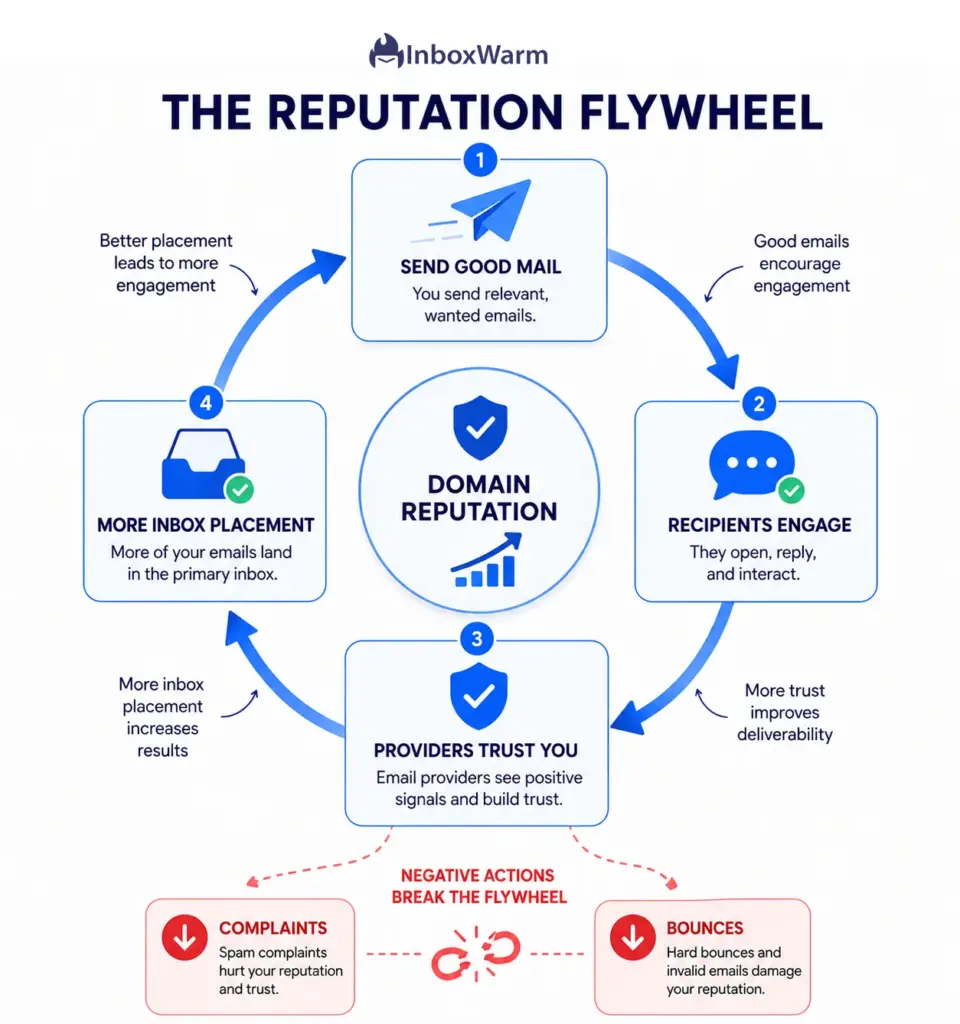
This is why list quality and personalization matter so much in the first two weeks. A small list of real, interested recipients generates the positive signals that grow sender reputation. A large scraped list generates bounces and complaints that destroy it.
How Do You Monitor Domain Reputation During Warm-Up?
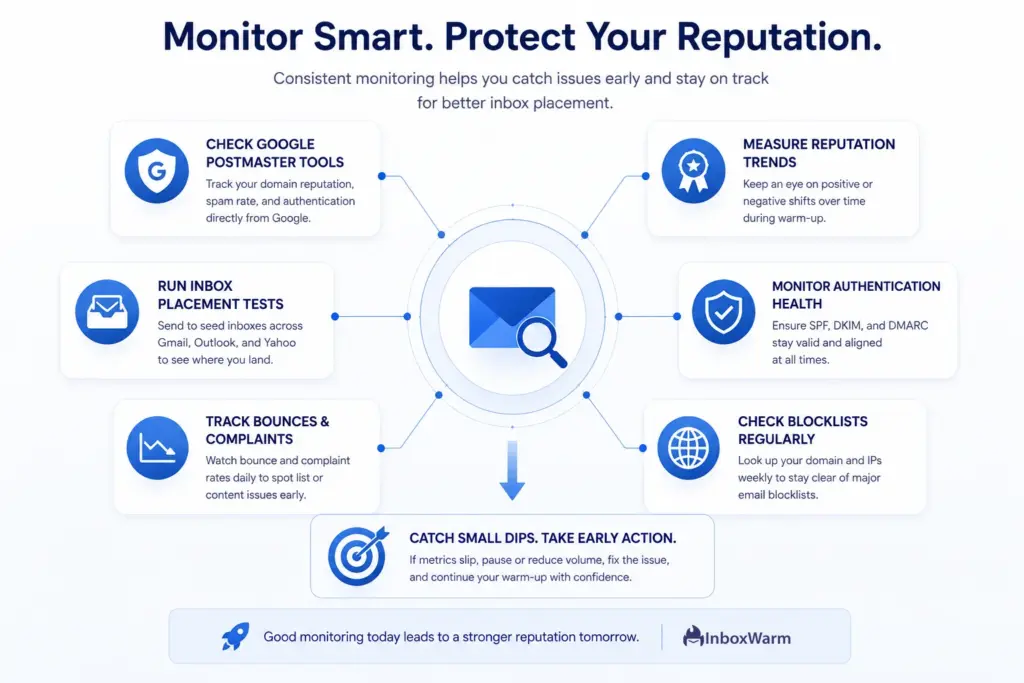
Monitor your domain with Google Postmaster Tools and a small set of deliverability checks throughout warm-up. Postmaster Tools reports your domain reputation, spam complaint rate, and authentication results straight from Gmail, which makes it the single most useful free signal for any sender targeting Google inboxes.
A practical monitoring routine for the 14 days:
- Google Postmaster Tools: Verify your domain on Day 1 and check the spam rate and reputation dashboards every few days. Spam rates update daily.
- Inbox placement (seed) tests: send to a spread of Gmail, Outlook, and Yahoo seed inboxes mid-week to see where you actually land, not just whether mail was accepted.
- Bounce and complaint rates: Track these in your sending platform daily. A rising bounce rate usually means a list problem; a rising complaint rate means a content or targeting problem.
- Blocklist checks: Look up your domain and sending IP against major blocklists like Spamhaus weekly so a listing never surprises you.
The point of domain reputation monitoring is to catch a dip while it is small. If spam complaints climb or placement drops, hold or reduce volume for a day or two and diagnose before you push higher. Reacting early keeps a small wobble from becoming a burned domain.
Manual or Automated Warm-Up: Which Should You Use?
Manual warm-up works for a single inbox if you have the time; automated warm-up is the practical choice for anyone running multiple inboxes or domains. Both follow the same logic of gradual ramping and real engagement, but they differ sharply in effort, consistency, and scale.
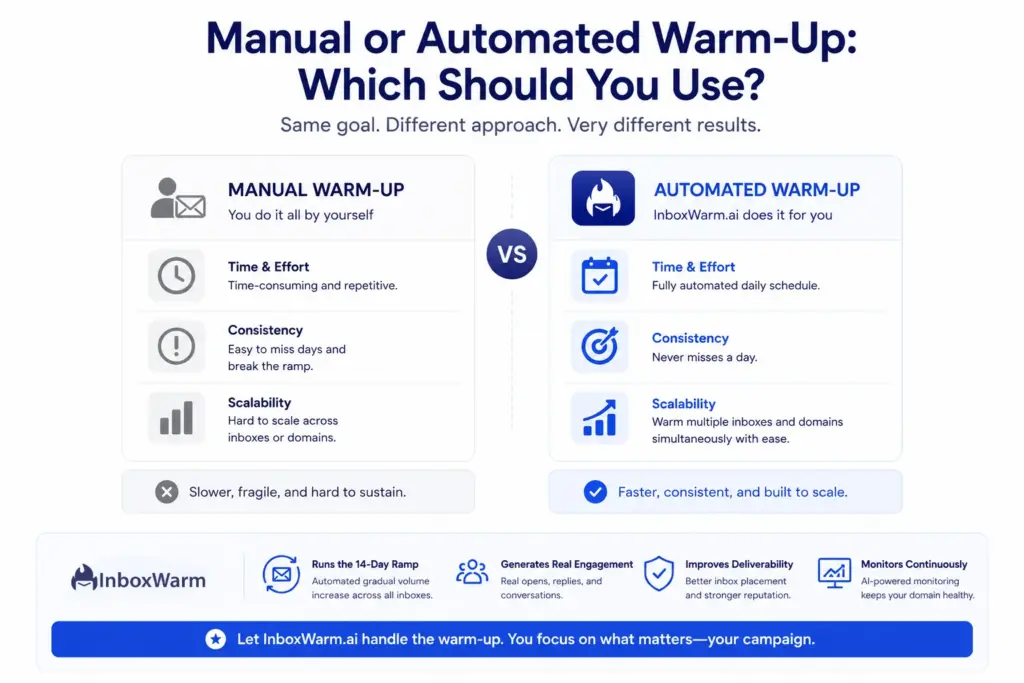
Manual warm-up means you personally send and reply to emails on the ramp schedule, day after day.
- Cost: free, with full control over every send.
- Effort: hours of daily sending and replying.
- Weakness: slow and fragile. Miss a few days and the ramp breaks.
- Best for: a single low-volume inbox.
Automated warm-up runs the daily schedule for you across a network of real inboxes.
- Cost: a paid tool, but it removes the manual workload.
- Effort: runs in the background once configured.
- Strength: steady, consistent signals with no gaps; scales across many inboxes and domains.
- Best for: agencies, sales teams, and multi-domain outreach.
InboxWarm.ai automates the full 14-day ramp for you. It exchanges genuine mail across all your inboxes to generate opens and replies, rescues messages from the spam folder so providers learn to trust your domain, and tracks deliverability throughout, so you can focus on the campaign instead of babysitting a schedule.
What Is the Best Warm-Up Strategy for Cold Outreach?
The best email warm-up strategy for cold outreach keeps warm-up running permanently underneath your campaigns and holds real sending at a conservative ceiling per inbox. Warm-up is not a one-time setup you finish and switch off; for cold email, it is ongoing reputation maintenance.
Three rules separate durable cold email programs from domains that burn out:
- Keep a one-to-one balance. Match warm-up mail to real outreach per inbox, so positive signals keep pace with your cold sends.
- Cap volume per inbox. Hold real sending around 20 to 50 emails per inbox per day, and add more inboxes instead of overloading one.
- Send from a separate domain. Use a close variant of your primary domain for cold mail, so a deliverability problem never touches your main address.
Follow these three habits and you keep cold email deliverability stable for the long run.
What Are the Most Common Domain Warm-Up Mistakes?
Most warm-up failures come from impatience and skipped fundamentals, not bad luck. Avoid these and you avoid the large majority of burned domains.
- Sending too much, too soon: jumping to 50 or more cold emails on Day 1 spikes volume and trips filters instantly, regardless of how good your copy is.
- Skipping authentication: no SPF, DKIM, or DMARC means rejection at providers that now require them. This is non-negotiable in 2026.
- Warming up a scraped or unverified list: bounces and complaints from bad addresses sabotage the exact signals warm-up is meant to build.
- Using one identical template everywhere: filters fingerprint repetitive content. Vary subject lines and body copy so your mail reads as human.
- Quitting warm-up after Day 14: stopping cold removes the steady positive signals that keep the reputation high. Keep a base of warm-up running.
- Ignoring the data: not watching spam rate or placement means you find out about a problem only after the domain is already damaged.
Quick gut check
Before you launch on Day 15, confirm all three are true: authentication passes on every inbox, your spam complaint rate sits below 0.1 percent, and your bounce rate is low and stable. If anyone fails, hold volume and fix it first.
Conclusion:
Warming up an email domain is not a formality you rush through to reach the fun part. It is the work that decides whether your outreach lands in the inbox or disappears into spam. The 14-day plan in this guide gives you a clear path: authenticate first, rest the domain, build pure engagement for a week, layer in real sends in week two, and transition to campaigns only once your numbers are healthy.
Keep your eyes on the signals that matter. A spam complaint rate below 0.1 percent, clean authentication, real replies, and low bounces will carry a new domain further than any volume trick. Mailbox providers reward patience and consistency, and they punish shortcuts faster every year as enforcement tightens.
Do this email domain warm-up properly once, and you build an asset that delivers for months. Rush it and you start over with a burned domain and a worse reputation than when you began.
Two weeks of discipline is the cheapest deliverability insurance you can buy.
Stop guessing whether your domain is ready.
InboxWarm.ai automates the entire 14-day ramp across all your inboxes, builds genuine engagement, and rescues your mail from spam, so you spend your time on the campaign instead of the schedule.
Frequently Asked Questions
How long does it take to warm up a domain?
Most domains take two to six weeks. A focused 14-day plan makes a domain ready for low-volume cold outreach, while a brand-new domain with no history usually benefits from three to six weeks before carrying heavier volume. Domain age, target volume, and engagement quality all shift where you land in that range. Treat 14 days as a confident minimum and keep warm-up running afterward.
Is 14 days enough to warm up a new domain?
Yes, for low-volume cold outreach. Fourteen days is enough to build the foundation, prove engagement, and reach a safe starting volume of around 50 sends per inbox. For high-volume sending, extend the ramp to three or four weeks and continue increasing slowly. The key is to keep warm-up traffic running underneath your campaigns rather than stopping on Day 14.
What is the difference between domain warm-up and IP warm-up?
Domain warm-up builds the reputation of your sending domain, while IP warm-up builds the reputation of the IP address that delivers your mail. Most senders on shared infrastructure, like Google Workspace or Microsoft 365, only need to warm the domain because the provider manages the IP. You warm up an IP yourself only when you use a dedicated IP. For cold outreach, domain reputation is usually the bigger lever.
How many emails should I send per day during warm-up?
Start at roughly five emails per inbox and increase by about 20 percent per day, reaching around 50 per inbox by Day 14. Never spike volume by more than 20 to 25 percent in a single day, even if engagement looks strong. Spread sending across two or three inboxes per domain rather than overloading one. If any metric dips, hold volume flat until it recovers.
Do I need SPF, DKIM, and DMARC to warm up a domain?
Yes. SPF, DKIM, and DMARC are required before you send anything. Google and Microsoft both treat authentication as mandatory for bulk senders, and unauthenticated mail can be rejected outright. Publish all three records, start DMARC at a p=none policy, and verify them with a checker before Day 1. Without authentication, no amount of careful ramping will warm the domain.
Can I warm up a domain manually, or do I need a tool?
You can warm a single inbox manually if you have the time to send and reply on schedule every day, but it is slow and breaks the moment you miss days. Automated warm-up tools run the daily ramp across multiple inboxes, generate real engagement, and rescue messages from spam without manual effort. For agencies, sales teams, or anyone running several inboxes, automation is the practical choice.
What spam complaint rate is safe during warm-up?
Keep your user-reported spam complaint rate below 0.1 percent, the level Google recommends, and never let it reach 0.3 percent. At 0.3 percent, you risk losing access to delivery mitigation and damaging your domain reputation. Monitor the rate in Google Postmaster Tools, where it updates daily, and pause your ramp if it starts climbing.