
TL;DR
- A cold email template cannot repair an authentication failure or guarantee that sales emails avoid spam.
- Before changing the copy, check actual delivery evidence, sender authentication, contact quality, reputation signals, and recipient feedback.
- The main template uses verified prospect context, one clear product capability, an identifiable sender, and a small request.
- Five alternative emails help you simplify the workflow, offer an example, replace hype, share evidence, or confirm responsibility.
- Removing optional links may simplify a message. It does not replace authentication or required unsubscribe functionality.
- Use follow-ups only after reviewing the sending issue. Stop after a refusal or opt-out, and do not increase volume to compensate for poor delivery.
Your sales emails are landing in spam, and the first thing you want to change is the message. That is understandable: the copy is visible and easy to edit. But a better opening line cannot fix a broken sending setup, an inaccurate list, or recipients who do not want the outreach.
This cold email template for sales emails going to spam gives you a clearer message to use after reviewing those issues. It helps you remove unnecessary clutter, explain the relevance, and make a proportionate request. It is a writing starting point—not an inbox-placement guarantee.
Table of Contents
The Cold Email Template for Sales Emails Going to Spam
Use this message when you have a verified reason to contact the recipient and have investigated the delivery problem. Do not tell a cold prospect that your earlier emails went to spam. Keep the conversation focused on their work.
Replace every placeholder with information you can support. Use your real sender identity and your organization’s appropriate signature and unsubscribe mechanism. A conversational opt-out sentence does not replace technical unsubscribe requirements where those apply.
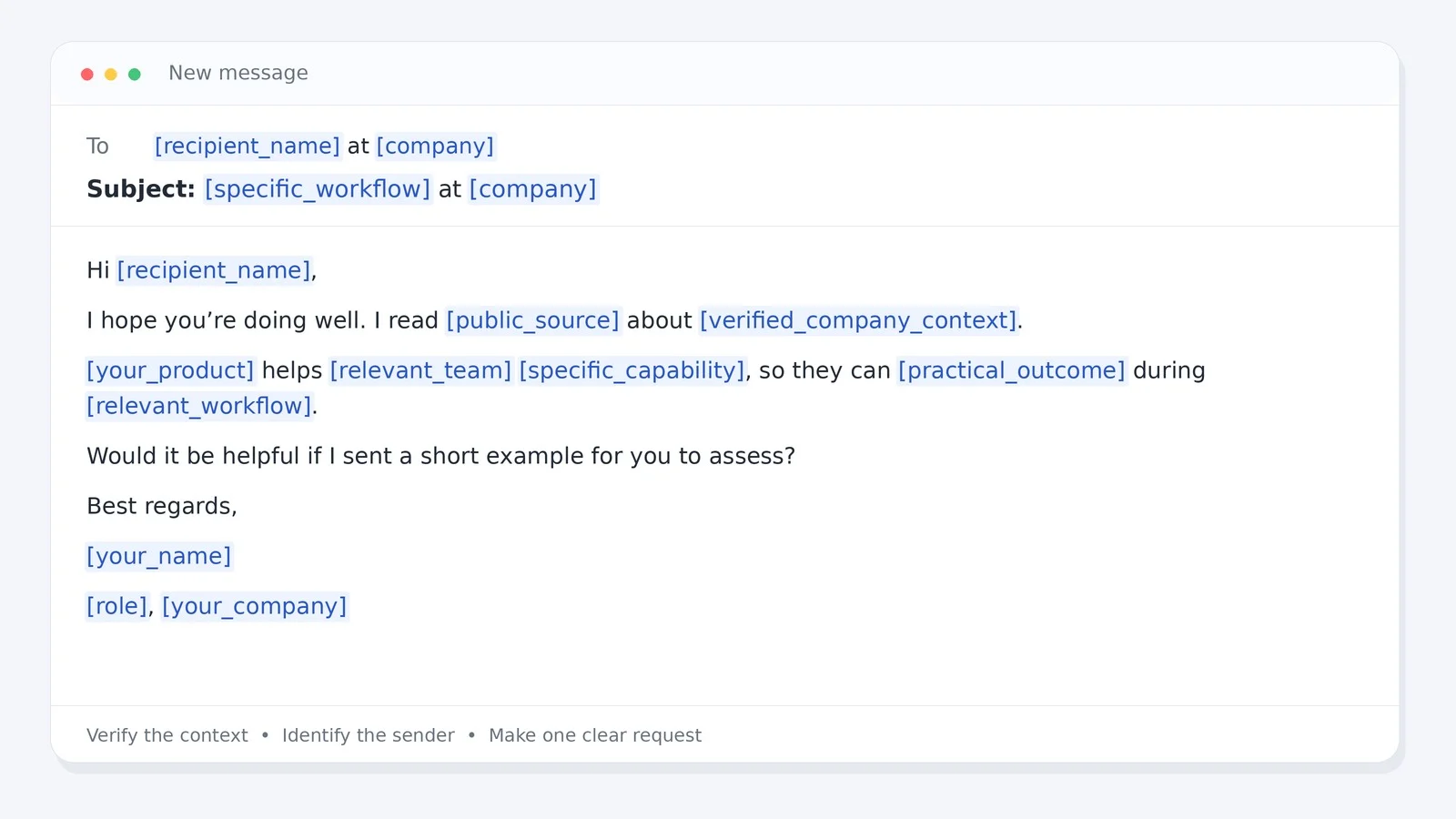
Why This Is a Clearer Sales Email
- A specific reason for contact: the opening points to a real source rather than invented familiarity.
- One relevant capability: the reader can understand what the product does without sorting through a feature list.
- A small next step: you offer an example before asking for a meeting.
- A recognizable sender: the signature explains who is contacting them.
- No unsupported delivery promise: the template gives you a clearer message to evaluate alongside the sending setup.
Check These Issues Before Rewriting Your Email
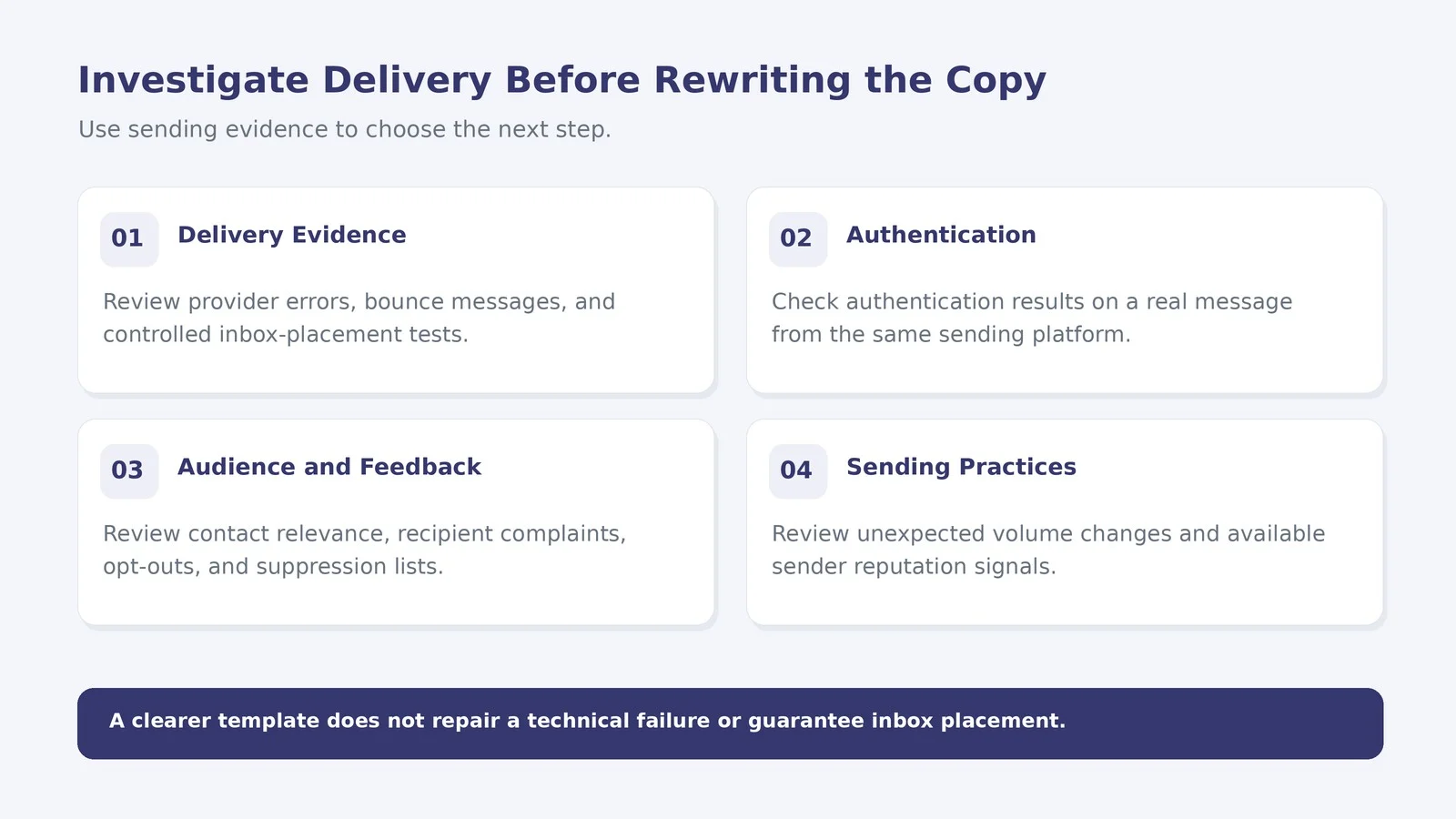
| Check | What to Review | What Copy Cannot Fix |
|---|---|---|
| Delivery evidence | Provider errors, bounce messages, and controlled inbox-placement tests. A lack of replies alone does not prove spam placement. | A message rejected by the receiving server. |
| Authentication | The authentication results on a real message from the same sending platform. Ask your provider to investigate failures or alignment issues. | An authentication failure caused by the sending configuration. |
| Audience and contact quality | Whether contacts are current, relevant to the use case, and appropriate to contact. Honor suppression lists. | A list of people who do not need or want the offer. |
| Sending practices and feedback | Unexpected volume changes, recipient complaints, opt-outs, and available reputation data. | An unresolved reputation or unwanted-mail problem. |
| Message and destinations | Accurate identity, truthful subject, clear copy, and the URLs used by the campaign. | A broken or untrusted destination merely hidden behind different wording. |
Start with evidence from your sending platform and provider. A seed test is a useful observation under its test conditions; it does not show where every prospect’s message landed. If you only know that replies are low, use the low-reply-rate template and diagnostic checklist to investigate the wider campaign.
What Google’s Sender Guidelines Mean for This Template
For mail sent to personal Gmail accounts, Google requires SPF or DKIM for all senders. Bulk senders must meet additional requirements, including SPF, DKIM, DMARC, and alignment. Google recommends SPF, DKIM, and DMARC more broadly. Applicable marketing and subscribed messages from bulk senders also need one-click unsubscribe and a visible unsubscribe link.
A plain-text sentence offering to stop emails is not the same as one-click unsubscribe support in the message headers. Your email platform must handle the applicable technical setup. These requirements concern personal Gmail recipients; do not assume every business mailbox has identical rules. Check Google’s current sender guidelines and sender guidelines FAQ for the scope that applies to your mail.
Subject Lines That Describe the Actual Conversation
Choose a truthful subject that matches the email. Avoid fake reply prefixes, fabricated deadlines, or wording that implies an existing relationship.
| Subject Line | Use It When |
|---|---|
| [specific_workflow] at [company] | The workflow is recognizable and relevant to the recipient. |
| An example for [specific_task] | You are offering an example you can actually provide. |
| A question about [verified_initiative] | You have a genuine question about a public initiative. |
| An option for [relevant_team] | The email explains a specific option for that team. |
| Does [workflow] sit with your team? | Research suggests role relevance, but ownership is unconfirmed. |
There is no subject line that universally bypasses spam filtering. Changing a subject does not resolve a known sending failure.
When to Use This Template—and When to Pause
Use this template when your existing email is crowded, vague, exaggerated, or asking for too much before establishing relevance. It is especially useful when you want a straightforward baseline after reviewing your delivery setup.
Pause campaign expansion when delivery errors, complaints, or opt-outs point to an unresolved issue. Do not move to another mailbox or domain simply to continue sending the same unwanted messages. Do not contact someone again after they have declined or opted out.
Five Sales Email Variations to Use After Reviewing Deliverability
These are alternative initial emails, not five touches in one sequence. Select the version that addresses the weakness in your existing message. They are not tested performance claims, and none guarantees delivery.
1. Start With a Specific Workflow
When to Use It: Use this when the original email introduced several features without making the use case clear.
Personalization Tip: Name the workflow the recipient actually handles. A job title alone does not establish a need.
2. Offer an Example Without an Unnecessary First-Email Link
When to Use It: Use this when the previous message included several resources before the reader had shown interest.
Personalization Tip: Send the promised example if they agree. Removing an optional link simplifies the message; it does not establish inbox placement. Keep required unsubscribe functionality.
3. Replace an Unsupported Claim With a Clear Capability
When to Use It: Use this when the original pitch relied on exaggerated outcomes or language such as “guaranteed results.”
Personalization Tip: Describe what the product does and the conditions in which it helps. Do not substitute an invented number for an exaggerated adjective.
4. Use an Approved Customer Example
When to Use It: Use this when a documented customer story closely matches the prospect’s work.
Personalization Tip: Use approved evidence and preserve its conditions. If you have no customer evidence, use a clearly described product demonstration instead.
5. Confirm Responsibility Before Making a Larger Ask
When to Use It: Use this when research suggests the person’s team may own the workflow, but responsibility is unconfirmed.
Personalization Tip: Research ownership first. Do not use this variation to justify sending the same question to many unrelated people.
A Filled-In Sales Email Example
Illustrative example: Northwind, Dana, and ClearLedger below are fictional. The capability and prospect context demonstrate the writing structure, not verified customer results.
In a real campaign, verify the update, the recipient’s responsibility, and the product capability before sending. The useful change is specificity: the email names a process and explains one action. It does not promise that a cleaner message will reach every inbox.
What to Personalize Before Sending
| Field | Where to Verify It | Avoid |
|---|---|---|
| [verified_company_context] | A current company announcement, public interview, or relevant company page. | Inventing an internal challenge from a broad industry trend. |
| [relevant_team] | A current role description or company team information. | Assuming every person with a similar title owns the workflow. |
| [specific_capability] | Current product documentation or a verified demonstration. | Promising a feature that is planned but unavailable. |
| [practical_outcome] | The workflow the capability actually supports. | Unsubstantiated time, revenue, or reply-rate numbers. |
| [public_source] | The source URL and date in your research notes. | Claiming you read a source you did not review. |
Changes That Simplify the Message Without Promising Inbox Placement
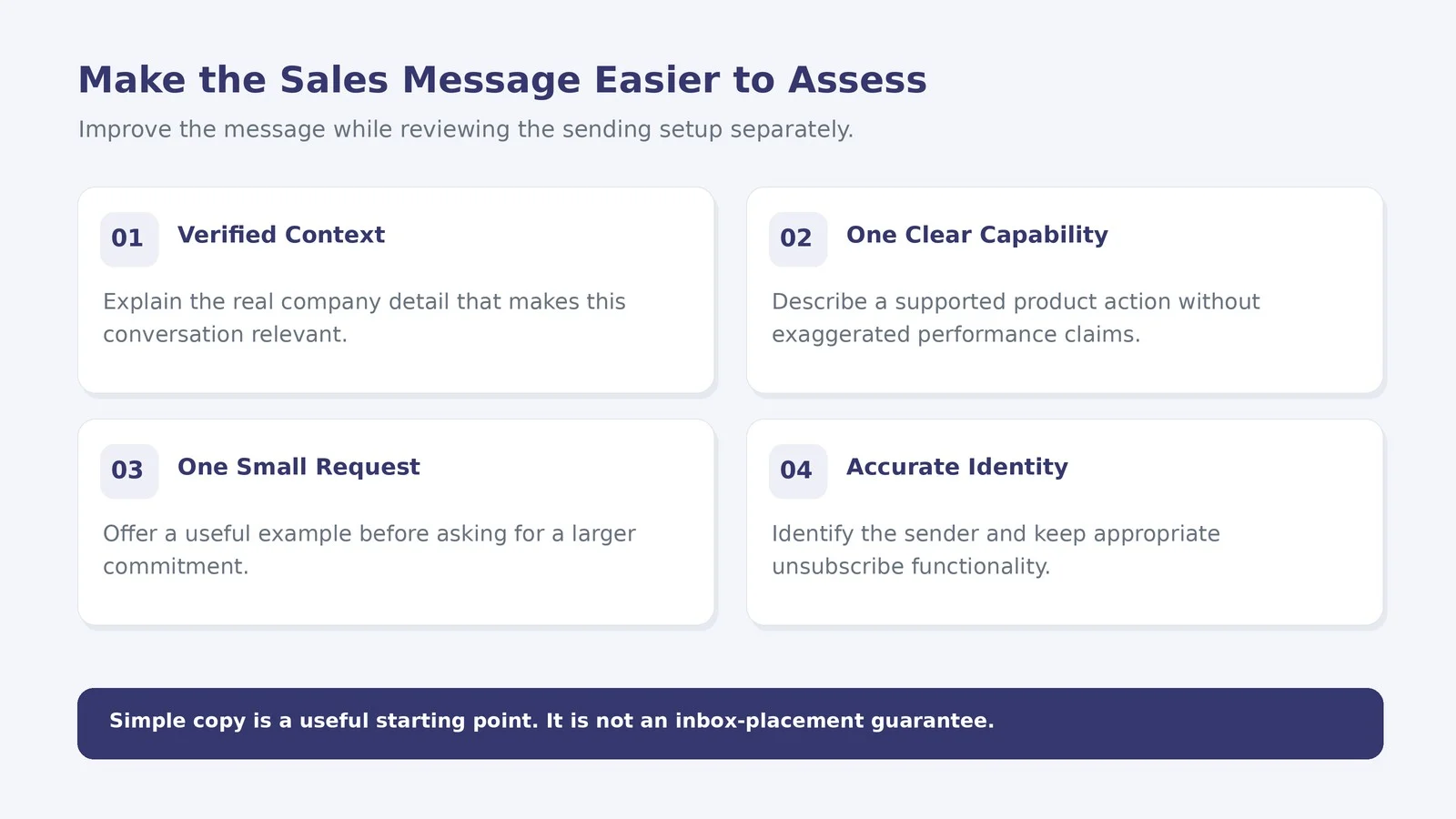
- Reduce competing asks. Let the recipient make one clear decision instead of choosing between a call, a trial, a download, and a demo.
- Review optional links and attachments. Keep resources that serve the conversation. Inspect the destinations and retain required unsubscribe functionality.
- Use accurate identity and context. Do not imitate an internal email, a reply thread, or a relationship that does not exist.
- Replace hype with an action. Say what the product lets a relevant team do. Do not rely on a universal list of forbidden words.
- Keep the message readable. Use actual text and accessible formatting rather than an image-only pitch. Neither plain text nor HTML is a delivery guarantee.
Follow-Up Emails After You Have Reviewed the Sending Issue
First decide whether another message is appropriate. A follow-up is not a way to diagnose spam placement or compensate for it. Use reasonable spacing for your audience, follow provider guidance, and stop when the recipient responds, declines, or opts out. No fixed cadence is right for every campaign.
Follow-Up 1: Add One Useful Detail
Follow-Up 2: Offer Relevant Evidence
Follow-Up 3: Close the Loop
Use “Re:” only when replying within the original conversation. Keep the same appropriate sender identification and opt-out functionality across the sequence. Do not ask cold recipients to mark your messages as safe, manufacture replies, or bypass their organization’s protections.
How to Evaluate the Revised Campaign
Separate delivery observations from sales outcomes. Review provider responses, available reputation and authentication signals, controlled tests, bounces, complaints, and opt-outs. Then evaluate positive replies and useful conversations. Delivery acceptance is not the same as inbox placement; an open-tracking event is not proof that someone read the email.
Document the audience, platform, sending conditions, message version, and observation window. If a technical failure requires several fixes, resolve it first rather than preserving a broken setup for an experiment. Once the sending foundations are stable, compare one meaningful copy change at a time with reasonably comparable audiences.
Frequently Asked Questions
Can a Cold Email Template Stop Sales Emails From Going to Spam?
No template can guarantee inbox placement. Clear, accurate copy can improve the message, but authentication, reputation, recipient feedback, list quality, and sending practices still need attention.
Should I Remove Every Link From My Sales Email?
No. Remove unnecessary links, check the destinations you keep, and retain unsubscribe functionality where applicable. There is no universal link count that guarantees delivery.
Is Plain Text Better Than HTML for Avoiding Spam?
Neither format guarantees inbox placement. Use a readable message with accurate sender information, working links where needed, and a technically valid email structure. An image-only pitch is also less accessible than a message with real text.
Should I Ask a Cold Prospect to Check Their Spam Folder?
Do not make delivery troubleshooting the first request in a cold pitch. Diagnose your sending setup with controlled test accounts and your provider. Do not manufacture engagement or ask recipients to bypass their organization’s protections.
Does Passing SPF, DKIM, and DMARC Guarantee Delivery?
No. Authentication is an important technical foundation, but it does not establish recipient interest or guarantee inbox placement. Review actual sent-message results alongside reputation, feedback, and targeting.
How Soon Should I Restart a Campaign After a Deliverability Problem?
Use evidence rather than a universal waiting period. Investigate the cause, complete the relevant fixes, review controlled tests and provider guidance, and monitor carefully. Do not increase volume simply because you changed the template.
Can InboxWarm Guarantee That My Sales Emails Reach the Inbox?
No warmup tool can guarantee inbox placement or replies. Evaluate your domain setup alongside authentication results, sending practices, audience relevance, and recipient feedback.
Check Your Sending Setup Before Rewriting Another Sales Email
Review your domain’s email configuration alongside your audience, message, and sending practices. Clear copy is one part of a better-informed deliverability review.