
TL;DR
- Low cold email reply rates can come from delivery problems, the wrong audience, weak relevance, unclear value, or a difficult ask.
- Check delivery signals and list quality before assuming that rewriting the subject line will solve the problem.
- The template below connects one verified prospect detail to one product capability and asks permission to share a short example.
- Use the five variations to test a narrower role, a smaller request, relevant evidence, timing, or responsibility.
- Keep test audiences comparable and change one meaningful element at a time. Track positive replies separately from total replies.
- No template, subject line, or warmup tool can guarantee a reply-rate increase. Stop after a refusal or opt-out.
You have sent a cold email campaign, but the replies are sparse. The first instinct is often to write a stronger subject line or send another follow-up. Either change might help, but neither tells you whether the real problem is delivery, targeting, relevance, or the size of the request.
This cold email template for low reply rates gives you a clearer starting message to test after checking those foundations. It does not tell the prospect that your campaign is struggling. It makes the email about their work, explains one useful capability, and gives them a small decision to make.
Table of Contents
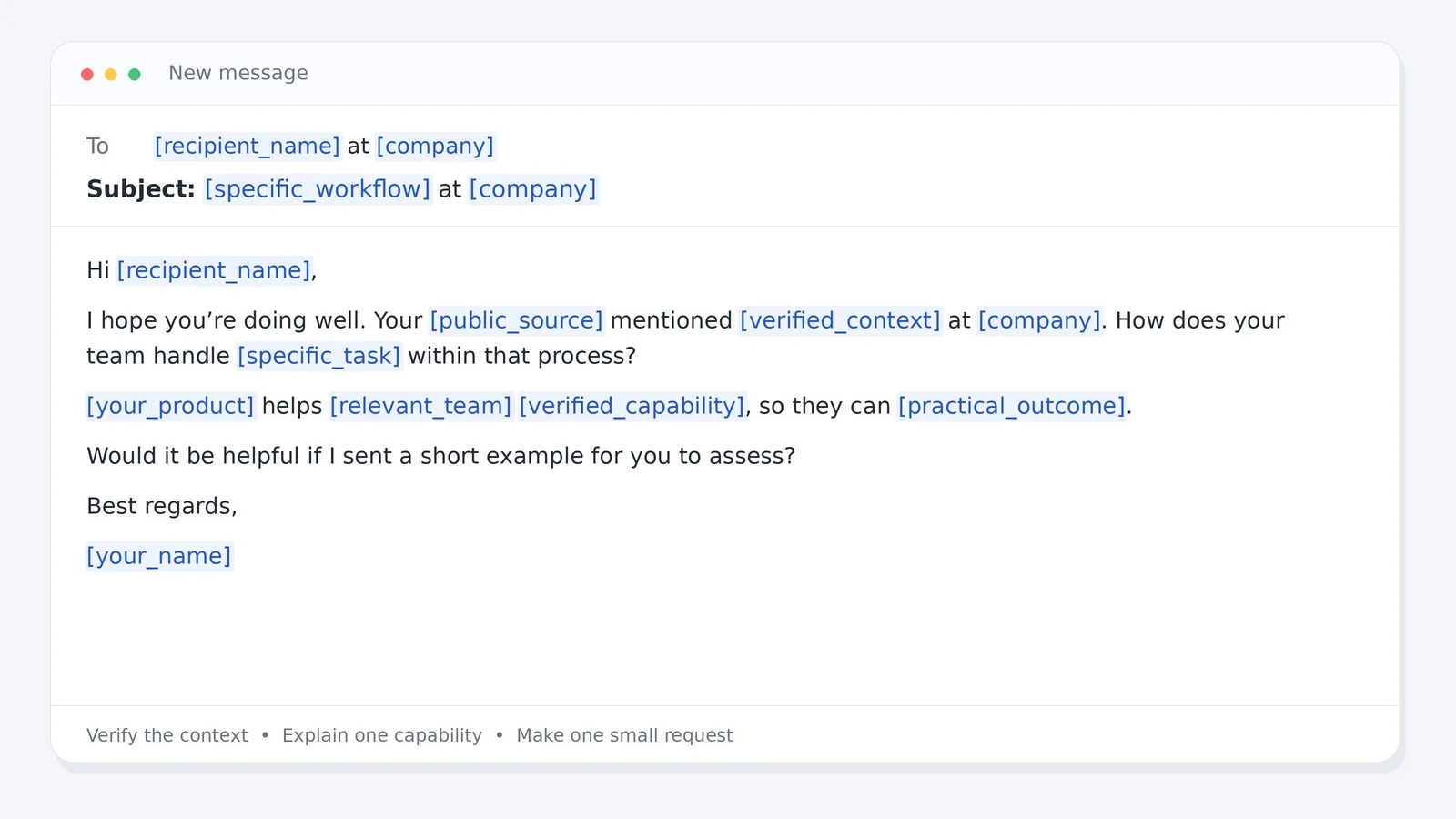
The Cold Email Template for Low Reply Rates
Use four parts: a verified context, a relevant question, one clear capability, and a permission-based ask. Keep unrelated features and a long company introduction out of the first message.
The opening explains why you contacted this person. The product sentence connects an action to a practical outcome. The ask is smaller than an immediate demo request. None of these elements guarantees a reply; together they create a more specific message you can evaluate.
Check These Four Things Before Rewriting Your Campaign
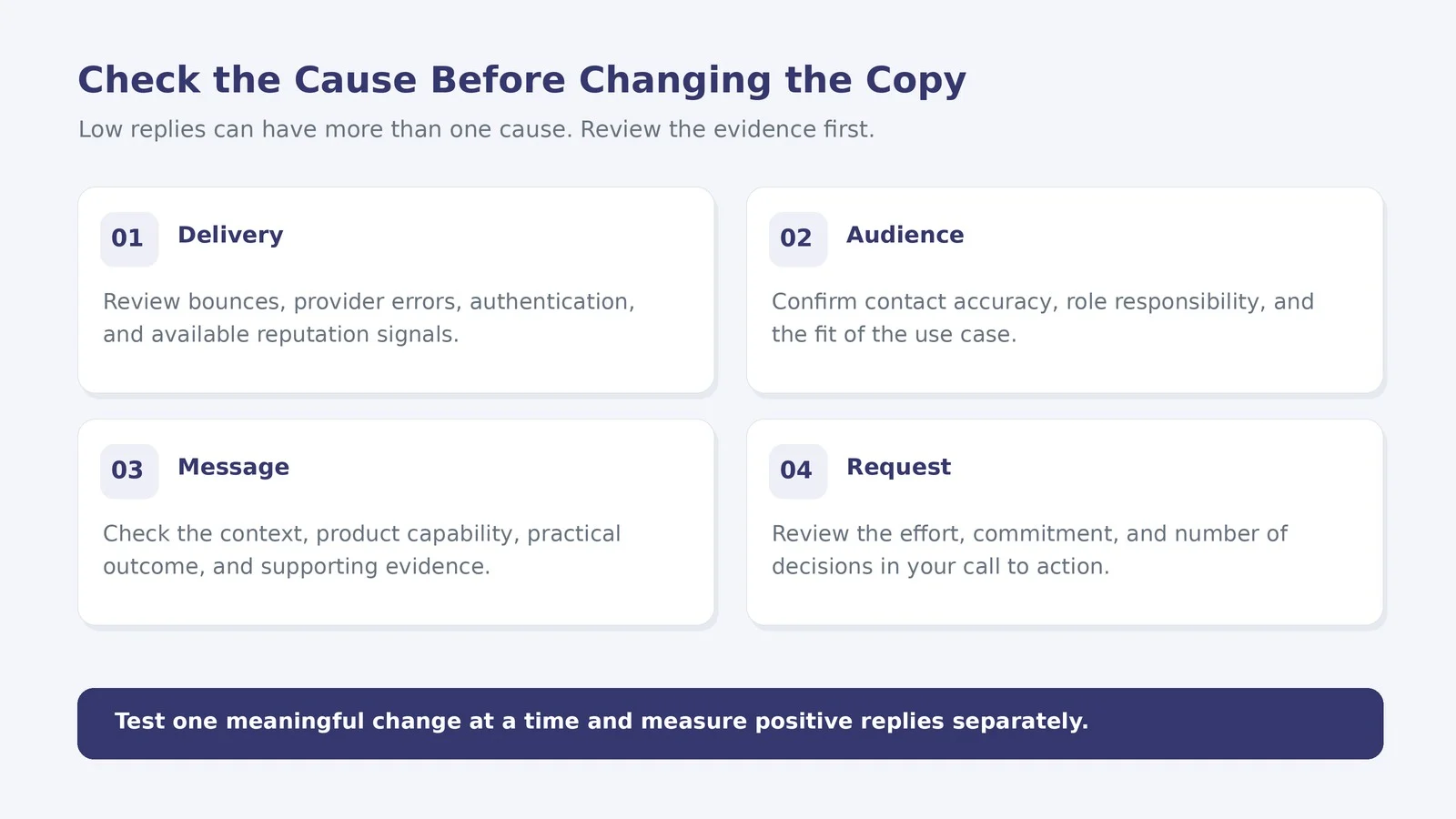
| Area | What to Check | What It May Change |
|---|---|---|
| Delivery | Bounces, provider errors, authentication, and available reputation or inbox-placement signals. | Whether the message is reaching recipients as intended. |
| Audience | Contact accuracy, role responsibility, and whether the use case fits the company. | Whether you are asking the right people about relevant work. |
| Message | The context, capability, outcome, and supporting evidence. | Whether the reader can understand why the email matters. |
| Request | The effort, commitment, and number of decisions your CTA asks for. | Whether the next step is proportionate to their interest. |
A campaign can have more than one issue. Review the evidence before deciding what to change. A low bounce rate alone does not prove that messages reached the primary inbox, and an open-tracking signal does not prove that the recipient read or understood the email.
Subject Lines to Test With a More Relevant Message
Use the subject to describe the actual conversation. Avoid a false “Re:” on a new thread, an invented deadline, or a claim you cannot support.
| Subject Line | Useful When |
|---|---|
| [specific_workflow] at [company] | The workflow is recognizable to the recipient. |
| A question about [specific_task] | You are opening a genuine question about their process. |
| Would a [use_case] example help? | A short example is the next step you are actually offering. |
| An option for [verified_initiative] | The company has publicly discussed the initiative. |
| Does [workflow] sit with your team? | The role appears relevant but responsibility is unconfirmed. |
When Should You Use This Template?
Use it when you have a plausible audience fit but the existing message is generic, difficult to understand, or asking for too much at first contact. It is also useful when you want to establish a clearer baseline before testing one specific improvement.
- You can verify the opening. The source belongs to the company or recipient and genuinely supports the context.
- You can explain the use case. The capability applies to the recipient’s work and is supported by the product.
- You have reviewed delivery and contact quality. You are not treating copy as a substitute for resolving known sending issues.
- You can measure the next step. Decide what counts as a positive reply before comparing messages.
When Should You Not Use This Template?
Do not send a rewritten version to everyone immediately after a weak campaign. If the list is inaccurate or the use case does not fit, different wording does not solve the underlying problem. If delivery errors are increasing, investigate them before increasing volume.
Do not restart outreach to someone who declined or opted out. Avoid writing “I saw you opened my email” or using tracking activity as proof of interest. If a recipient replies with a question, answer it directly instead of adding them to another generic sequence.
Cold Email Variations to Test When Replies Are Low
Choose one variation based on the problem you are investigating. These are alternative first messages, not five consecutive touches. Replace every placeholder and keep test audiences comparable.
1. Make the Role and Workflow More Specific
When to Use It: Use this when the old message addressed the whole company rather than the person responsible for the work.
Personalization Tip: Use a current, relevant responsibility. A matching job title alone does not establish a need.
2. Make the First Request Smaller
When to Use It: Use this when your initial message asked for a meeting before establishing enough relevance.
Personalization Tip: Offer the example you can actually send. A smaller ask cannot compensate for an irrelevant offer.
3. Add One Relevant Reason to Believe
When to Use It: Use this when the value statement is clear but the original email provides no credible support.
Personalization Tip: Use approved customer evidence. If you do not have it, offer a documented product example rather than inventing proof.
4. Connect the Message to a Verified Initiative
When to Use It: Use this when the original pitch had a plausible use case but no reason to start the conversation now.
Personalization Tip: Use the actual announcement. Do not invent urgency, a budget, or an internal problem.
5. Check Responsibility Without Assuming a Need
When to Use It: Use this when the person’s role appears relevant but you cannot confirm who owns the workflow.
Personalization Tip: Use this only after reasonable role research. Do not ask an unrelated person to do your prospecting for you.
What It Looks Like Filled In
Fictional example for illustration: The names, product, and scenario below demonstrate the structure. They are not a real customer case study or a verified product claim.
The example is specific about the task and offers one next step. It does not promise more replies, invent customer savings, or assume the team dislikes its current process. In real outreach, verify both the public reference and the capability before sending.
What to Personalize and Where to Find It
| Detail | What to Verify | Source |
|---|---|---|
| [verified_context] | A relevant workflow, initiative, or responsibility. | The company’s website, announcements, interviews, or the recipient’s posts. |
| [specific_task] | The work in language the recipient recognizes. | Role descriptions, product documentation, or first-party explanations. |
| [verified_capability] | The exact action your product supports and any conditions. | Current documentation, a working demonstration, or the product team. |
| [practical_outcome] | The workflow change that follows from the capability. | A demonstrated process or approved customer evidence. |
| Next step | The example or information you can provide immediately. | Your approved sales materials or an accurate walkthrough. |
Keep source notes for important claims and the date you checked them. Personalization should make the message more accurate and relevant. A compliment about an unrelated post does not explain why the offer belongs in the recipient’s inbox.
Check Deliverability Before Increasing Volume
If recipients are not seeing the message as intended, a clearer CTA will not resolve the delivery issue. Review authentication, provider errors, sending patterns, contact quality, and available reputation signals. Follow Google’s email sender guidelines and your provider’s requirements.
InboxWarm’s domain email health checker can support a review of your domain configuration. The spam word checker and subject line tester are copy-review aids. None can guarantee inbox placement or a reply.
If you use email warmup, keep it alongside authentication, relevant targeting, provider requirements, and monitoring. Do not assume that connecting a warmup tool makes an unwanted campaign appropriate or makes more volume the right response.
How to Follow Up Without Adding More Noise
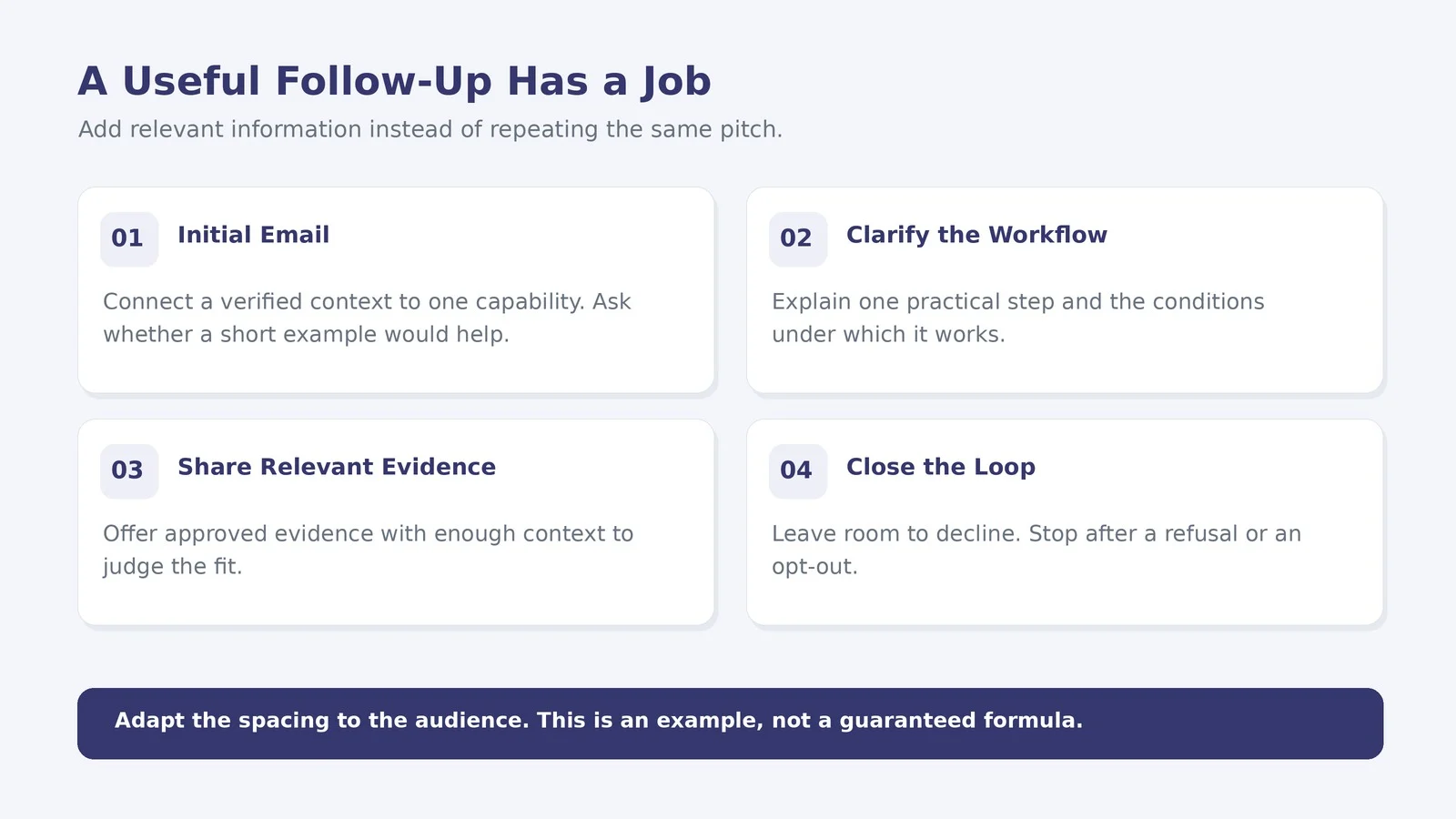
Each follow-up should help the reader assess the original offer. You can clarify one workflow detail, share relevant evidence, and later close the loop. Leave reasonable gaps based on the audience and context. The sequence below is an example to adapt, not a proven optimum.
Follow-Up 1: Clarify One Useful Detail
Follow-Up 2: Share a Relevant Evidence Angle
Follow-Up 3: Close the Loop
Use “Re:” only inside the original thread. Stop after a refusal or opt-out. Do not keep sending a sequence once someone has answered; respond to what they actually said.
How to Measure Whether the New Template Helps
Define a positive reply before testing. For example, an expression of interest, a relevant question, or a request for the offered example can count as positive. A refusal or an automatic out-of-office message should not be treated as buying interest.
Choose a consistent denominator, such as unique prospects with delivered initial emails, and document how your sending platform defines delivery and replies. If you calculate positive replies divided by delivered initial emails, use the same definition across both versions.
Keep audiences and observation windows comparable. Test one meaningful change at a time, such as a smaller CTA or a more specific relevance angle. Compare positive replies, total replies, qualified conversations, bounces, and opt-outs. A rise in total replies caused by refusals is not the same as better sales engagement.
Frequently Asked Questions
Why Are My Cold Emails Getting So Few Replies?
Possible causes include delivery issues, inaccurate contacts, weak audience fit, an unclear offer, an oversized request, or timing. Review the evidence across these areas before assuming the subject line is the main problem.
Can a Better Template Fix Low Reply Rates?
A clearer template may help recipients understand the offer and next step. It cannot fix every delivery, list-quality, targeting, or product-fit issue, and it cannot guarantee a reply-rate increase.
Should I Send More Emails When Reply Rates Are Low?
Do not increase volume automatically. Review delivery signals, list quality, relevance, and complaints or opt-outs first. Scaling an unresolved problem can create more unwanted messages without improving useful conversations.
Should I Ask for a Meeting in the First Email?
These templates start with a smaller request, such as permission to send a relevant example. Choose a next step proportionate to the recipient’s interest and the context. There is no single CTA that works for every audience.
What Is the Difference Between Reply Rate and Positive Reply Rate?
Reply rate includes responses under the definition you use. Positive reply rate counts responses that show relevant interest or a useful next step. Define both consistently and separate automatic replies and refusals from genuine interest.
Does Email Warmup Guarantee More Replies?
No. Warmup cannot guarantee delivery or recipient interest. Authentication, sending behaviour, list quality, relevance, timing, and the offer still matter.
Check Your Sending Setup Before Rewriting Another Campaign
Review your domain’s email configuration alongside your audience, message, and request. A useful diagnosis starts with more than the copy.