
TL;DR
- Open the article and click the exact link a reader would click. Confirm where it leads before calling it broken.
- Find out what the original link promised. A checklist, calculator, or source citation each needs a different kind of replacement.
- Email the editor with the article URL, section or linked words, broken URL, and one working replacement. Disclose your connection to the resource.
- Follow up once if you can add something useful. If you lack a close match, send the broken link as a helpful heads-up.
You click “Download the onboarding checklist” and land on a missing page. The editor can fix that quickly if your email shows exactly where the link sits and offers a checklist their readers can actually use. That’s the job of a broken link building email.
To ask for a replacement link, give the editor the page containing the dead link, the words readers click, the broken destination, and one relevant working URL. Explain in a sentence how your suggestion serves the same reader need. Use the templates below for a resource list, a link inside an article, a broken citation, or a follow-up.
Table of Contents
What Is Broken Link Building?
Broken link building is the practice of finding a dead outbound link on another website and suggesting a working resource that serves the same purpose. The requesting site may earn a backlink if the publisher chooses to use its resource. The publisher gets a specific fix for a link its readers already use.
How Do You Find and Verify a Broken Link Before You Email?
Start with relevant resource pages, guides, or articles. A link checker can surface candidates, but open the publishing page and verify each link yourself before reaching out.
- Find the exact link. Record the article URL, section heading, and linked words. The linked words are the anchor text. If the same phrase appears twice, note which paragraph contains the dead link.
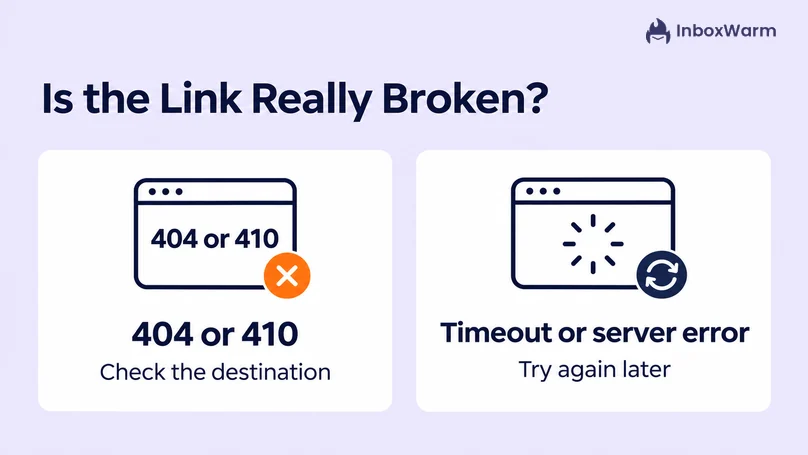
- Open the destination in a regular browser. A clear 404 or 410 is a good lead. A timeout, temporary server error, or failed check from a single tool calls for a recheck.
- Check what readers actually see. A redirect to the resource’s working new URL usually needs no outreach. A redirect to a generic homepage can leave the reader without the promised resource. A page can also return a success status while showing an error, which Google calls a soft 404.
- Keep a note of your check. Save what you saw and when. Recheck the original and replacement links before sending, especially if some time has passed.
Once you’ve confirmed the link is broken, the next step is to understand why the editor included it in the first place.
What Makes a Replacement Link Worth Suggesting?
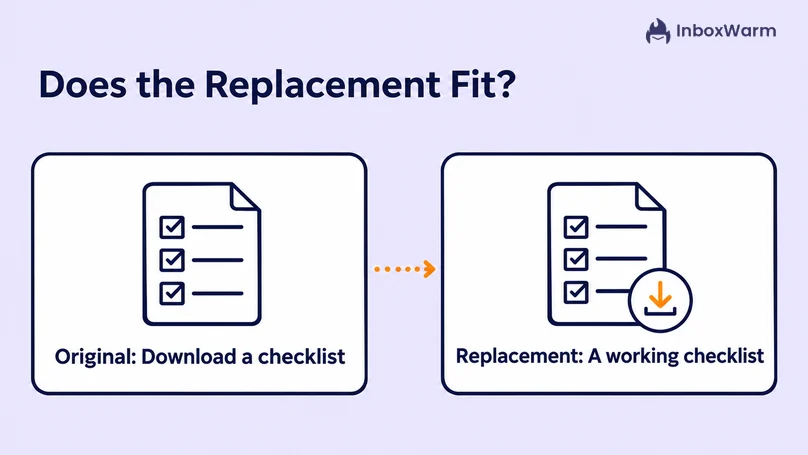
A good replacement lets readers do or verify what the original link promised. Read the sentence around the link and ask what you would expect to see after clicking. If the old page has a working copy on its original publisher’s site, that’s often the best suggestion, especially for a specific citation.
| What the Original Link Promised | What to Suggest | What to Check |
|---|---|---|
| A downloadable checklist | A working checklist for the same task | Readers can access or download it as described. |
| A calculator | A calculator that performs the same calculation | It accepts comparable inputs and returns the expected result. |
| The source of a statistic | The original study at an official working URL | The figure, population, and timeframe match the article. |
If the only source you can find reports a different number, flag the dead citation and explain that the article claim may need review. If your resource is a close match, use the same approach as when offering a resource in a cold email and explain exactly what someone can do with it.
What Should a Broken Link Building Email Include?
Give the editor enough information to verify the issue and make the edit in one pass.
- The article title and URL so they can open the right page.
- The section and exact anchor text so they can locate the link.
- The broken URL and what you saw so they can reproduce the issue.
- One replacement URL and a reason it fits. Say if your team made the resource.
- One low-pressure request. Ask whether the editor would consider updating the link. Let them choose the destination and wording.
Keep the request editorial. Google’s link spam policies list buying links for ranking purposes and excessive link exchanges as examples of link spam.
Which Broken Link Building Email Template Should You Use?
Choose the template based on where the broken link appears and what it was meant to do. Use the follow-up only after a first email and when you can make the fix easier to review.
1. How Do You Suggest a Replacement on a Resource Page?
Use this email when a curated list points to a missing resource. Explain how your replacement fits the purpose of that list.
Subject: Broken [Resource Name] link on [Page Title]
Hi [Recipient’s Name],
I was using your [Page Title] at [Article URL] and noticed that “[Exact Anchor Text]” under [Section Heading] leads to [Broken URL]. It showed [What You Saw] when I checked.
My team maintains [Resource Name] at [Replacement URL]. It gives readers [Specific Deliverable], which fits the [Task or Topic] section.
Would you consider using it as a replacement if it fits your list?
Thanks,
[Your Name], [Role or Organization]
2. How Do You Flag a Broken Link Inside an Article?
Use this version when the link sits inside a paragraph. Quote the linked words and name the section so the editor can find it quickly.
Subject: Quick link fix in [Article Title]
Hi [Recipient’s Name],
In [Article Title] at [Article URL], the link on “[Exact Anchor Text]” in the paragraph about [Topic] points to [Broken URL]. I reached [What You Saw].
[Resource Name] at [Replacement URL] covers the same [Task or Topic], including [Specific Feature]. [If applicable: I work with the team that made it.]
Would this be a suitable replacement for that paragraph?
Best,
[Your Name]
3. How Do You Flag a Broken Research Citation?
Use this when you’ve found a working copy of the same study. Point to the table or section that supports the article’s claim.
Subject: Working source for [Study Name] in [Article Title]
Hi [Recipient’s Name],
I noticed the source link for [Claim or Figure] in [Article URL] points to [Broken URL]. The link appears on “[Exact Anchor Text]” under [Section Heading].
The original publisher has a working copy at [Official Source URL]. [Table or Section] contains the figure your article cites and explains [Relevant Context].
Would you consider updating the citation to that URL?
Thanks,
[Your Name]
4. How Do You Follow Up on a Broken Link Request?
Check the link again before replying. If it still fails, add a detail that helps the editor locate the link or verify your suggestion.
Subject: Reply in the original thread
Hi [Recipient’s Name],
One detail that may save you time: “[Exact Anchor Text]” is the [First/Second] link under [Section Heading] on [Article URL]. I checked again today and it still points to [Broken URL].
The suggested replacement is [Replacement URL]. [Specific section, page, or feature] is where readers can [Take the intended action].
Thanks for taking a look,
[Your Name]
What Do Filled-In Broken Link Outreach Emails Look Like?
These two fictional examples use reserved .example addresses. The first proposes the sender’s own resource. The second returns readers to the original source.
How Would You Suggest a Replacement Checklist?
In this example, Hana explains what the checklist covers and confirms that readers can open it without creating an account.
Subject: Broken checklist link in your client onboarding guide
Hi Aisha,
In “Onboarding Your First Agency Client” at agencydesk.example/guides/client-onboarding, the “client kickoff checklist” link under “Before the Kickoff Call” points to oldbrief.example/kickoff-checklist. It returned a 404 when I opened it.
My team at Fieldnote maintains a free checklist at fieldnote.example/resources/client-kickoff-checklist. It covers the agenda, access requests, owners, and next steps your section walks through. Readers can open it without an account.
Would you consider it as a replacement for that checklist?
Thanks,
Hana, Fieldnote
How Would You Help an Editor Restore a Citation?
Here, Sam locates the original survey and tells the editor exactly where to verify the figure.
Subject: Working link for the Northline survey in your approvals guide
Hi Jordan,
The “Northline Finance Survey” link in your “Where Approvals Stall” section at operationsweekly.example/guides/invoice-approvals points to northline.example/reports/old-finance-survey. I reached a missing-page notice.
The same survey is available at northline.example/research/finance-survey. Table 2 contains the figure in your paragraph and defines how the researchers counted a delay.
Would you consider updating the citation to that page?
Thanks,
Sam
Both examples give the editor a clue about the specific fix in the subject line. That same approach works for other types of broken links too.
What Subject Line Should You Use for Broken Link Outreach?
Use the article or resource name so the editor can recognize the page before opening your email. A few options you can adapt:
- Broken [Resource Name] link on [Page Title]
- Quick link fix in [Article Title]
- Working source for [Study Name]
- [Tool Name] link in your [Topic] guide
When Should You Follow Up With the Editor?
Follow the publisher’s timeline if they provide one. Otherwise, about a week is a reasonable starting point for a single follow-up when you can add a better locator or confirm the link still fails. If it’s been fixed, the editor declines, or that message goes unanswered, close the loop.
If you’ve confirmed deliverability problems across several campaigns, review your sending setup before resending.
Will the Editor See Your Broken Link Email?
You verified the dead link and found a resource that fits. If your message lands in spam, the editor may never see the fix. Warm up your sending inbox with InboxWarm before your next outreach campaign.
Frequently Asked Question
Use these answers to decide who to contact, when to suggest your own resource, and what to do if a close replacement is unavailable.
What’s the Difference Between a Broken Link and an Unlinked Brand Mention?
A broken link is clickable but leads to a missing or unusable destination. An unlinked brand mention names a company or resource without a clickable link. In the first case, you’re suggesting an update to an existing link. In the second, you’re asking whether adding a link would help readers.
Who Should You Contact About a Broken Link?
Use the publication’s corrections form if it has one. Otherwise, contact the editor responsible for the article or the person who maintains the resource page.
Can You Suggest Your Own Content as a Replacement?
Yes, if it serves the same reader need. Disclose that you or your team created it. If there’s a better official source or a working copy of the original, send that URL.
What if You Find a Broken Link but Have No Good Replacement?
Send a short heads-up with the article URL, linked words, and dead destination. If no source verifies the original claim, leave the citation and wording decision with the editor.