
TL;DR
- Choose a curated resource page that serves the same readers as your tool, guide, or checklist.
- Read the whole list. Pitch your resource if it fills a specific gap, offers a useful format, or supports a reader task the page already covers.
- Identify the page and section, share one direct URL, and say what readers can actually do with it. Disclose your relationship to the resource.
- Use the editor’s submission process. If a follow-up would add useful information, send it once and leave the listing decision with the editor.
You built a free calculator that helps freelancers estimate a project rate. You find a resource page that already has four rate calculators, but none shows how nonbillable time affects the estimate. That’s a specific reason to contact the editor, assuming your calculator actually handles it.
To ask to be added to a resource page, contact the editor with the page URL, the section where your resource fits, one direct link, and a short explanation of what readers gain. The templates below cover a free tool, a practical guide, and a downloadable checklist.
Table of Contents
What Is Resource Page Link Building?
Resource page link building means suggesting a useful tool, guide, or other resource for an existing curated list. The editor decides whether the addition would help their readers. Ahrefs’ resource page glossary describes these pages as curated collections that can include links to external articles and tools.
What you’re asking the editor to do depends on what’s already there. An existing link that sends readers to a missing page calls for a broken link replacement request. A resource page pitch proposes an addition to a list that already works.
Start by finding a page where the addition would make sense even if there were no backlink to earn.
How Do You Find a Resource Page Worth Pitching?
Look for lists maintained by organizations that already help the same audience. Trade associations, professional communities, and publishers with practical guides can be good starting points.
- Search for the reader’s task. Try searches such as
freelance pricing toolsorclient onboarding resources for agencies. An audience plus a task usually gives you more relevant pages to review than a search for “resources” alone. - Check whether the list includes outside resources. Read several entries. A page that only lists member benefits or the publisher’s own tools may have different inclusion criteria.
- Look for an editorial route. Check for a “Suggest a resource” form, an editor’s name, or submission guidelines. Follow any eligibility rules, including restrictions on commercial resources.
- Check what the list already covers. Read the descriptions and open close alternatives. Record the section title, one thing the existing resources do well, and the specific task your resource adds.
After finding a relevant page, test the pitch against a simple question. What could a reader do with your resource that would otherwise be harder?
How Do You Tell Whether Your Resource Fits the List?
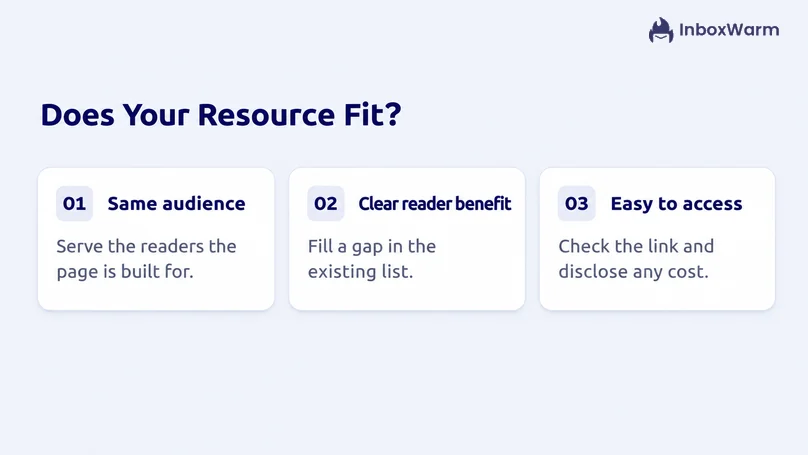
Your resource fits when its audience, task, and access requirements match the page. A strong fit can be a missing step, a useful format, or a tool that handles a specific need the current entries leave open.
| What the List Already Offers | What You Could Add | What You Should Verify |
|---|---|---|
| Articles about pricing freelance work | A calculator that accounts for billable hours and overhead | Visitors can use it without unexpected sign-up requirements or fees. |
| Introductory guides to evaluating vendors | A walkthrough with a worked comparison between two proposals | The example makes assumptions clear and works for the page’s audience. |
| Tips on starting a client project | A downloadable checklist for requesting access and assigning owners | The file opens and readers can use it in the format described. |
Open the exact URL in a signed-out browser and check whether the content, download, or tool works as described. If the page serves beginners, use language a beginner can understand and disclose any cost, account requirement, or other access restriction. The same principle applies when offering a resource in a cold email: describe what the recipient can actually use.
That gives you the main line of the pitch. Name the gap and explain how the resource fills it.
What Should a Resource Page Outreach Email Include?
Give the editor the details needed to assess the suggestion without searching for your resource or guessing where it belongs.
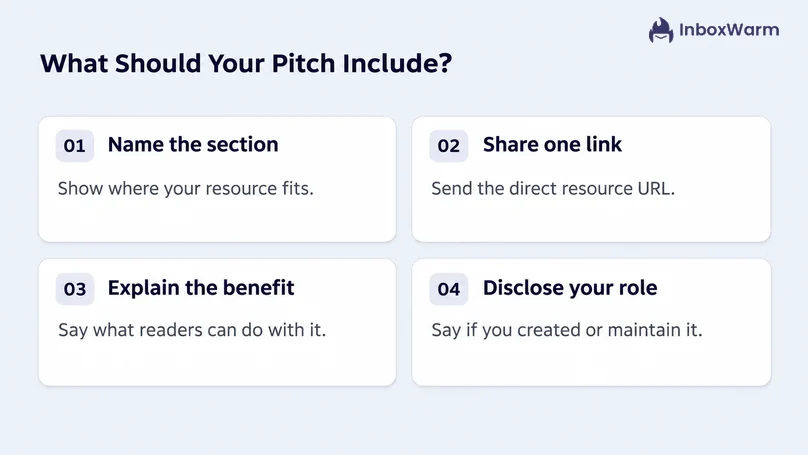
- Page title and URL. Identify the specific resource page you read.
- Section and reader benefit. Name the section where the resource fits and say what new task or format it adds.
- One direct link. Send the relevant calculator, guide, or download page. Mention any access requirements.
- Your connection to the resource. Say if you created it, maintain it, or represent the team that does.
- A low-pressure request. Ask if the editor would consider it. Leave wording and placement up to them.
Use an editorial request based on reader value. Google’s link spam policies identify buying links for ranking purposes and excessive link exchanges as examples of link spam. Avoid offering payment or a reciprocal link for editorial inclusion.
Which Resource Page Link Building Email Template Should You Use?
Use the template that matches what the reader will find after clicking. Replace the placeholders with details you verified on the page.
How Do You Pitch a Free Tool to a Resource Page?
Use this when the tool helps readers perform a task that the list already talks about. Specify what someone can enter, calculate, or check.
Subject: Free [Tool Type] for [Resource Page Name]
Hi [Recipient’s Name],
On [Resource Page Name] at [Page URL], your [Section Heading] section helps [Audience] with [Task]. My team maintains [Tool Name] at [Direct URL]. Readers can enter [Relevant Inputs] to [Get a Specific Result]. [State any account requirement or cost.]
Would you consider it for the [Section Heading] section if it fits your criteria?
Thanks,
[Your Name], [Organization]
How Do You Pitch a Practical Guide?
Use this when the guide adds a worked example, concrete process, or reader perspective the existing entries leave open.
Subject: Worked example for your [Topic] resource list
Hi [Recipient’s Name],
Your [Section Heading] section on [Page URL] covers [Existing Topic]. I wrote [Guide Name] at [Direct URL] to help [Audience] do [Specific Task]. It includes [Worked Example or Step] that readers can adapt to [Scenario].
Would you consider adding it as a practical example in that section?
Best,
[Your Name], [Organization]
How Do You Pitch a Downloadable Checklist?
Use this when readers need something they can put to work during a real task. Explain the format and what the checklist helps them remember or complete.
Subject: [Task] checklist for [Resource Page Name]
Hi [Recipient’s Name],
I noticed [Page Name] at [Page URL] includes [Existing Entry or Section]. My team created [Checklist Name] at [Direct URL]. It’s available as [Format and Access Details] and helps readers [Complete a Specific Task] by checking [Two Useful Items].
Would you consider it for the [Section Heading] section?
Thank you,
[Your Name], [Organization]
Notice how each version gives the editor a specific place to evaluate the resource. Here’s how that reads when all the details are filled in.
What Does a Filled-In Resource Page Pitch Look Like?
This fictional example pitches a calculator to a freelance business resource list. The names and .example addresses are illustrative.
Subject: A billable-hours calculator for your freelance pricing resources
Hi Leena,
I saw that the “Set Your Rates” section of your Freelance Studio Starter Kit at studiofieldnotes.example/resources/starter-kit links to guides on hourly and project pricing.
My team at Hourbench built a free calculator at hourbench.example/tools/project-rate. Readers can enter their income target, overhead, and estimated billable hours to compare an hourly rate with a project quote. It works in the browser without an account.
Would you consider it as a calculator alongside the pricing guides in that section?
Thanks,
Maya, Hourbench
The pitch shows what the list already does and what the calculator adds. It also lets the editor verify the tool from a single URL and decide whether it belongs.
When Should You Follow Up on a Resource Page Pitch?
Follow the publisher’s instructions. If no timeline is given, consider one brief follow-up after about a week when you can share a useful detail, such as a direct link to the worked example. If you have no new information or the editor declines, leave the request there.
Before you reply, open the resource page again. If the editor added the link or the section changed, your original request may already be resolved or need a different approach.
Frequently Asked Questions
Use these answers to handle common decisions about who to contact, what to pitch, and how to describe a resource accurately.
Who Should You Contact About Being Added to a Resource Page?
Use the submission form if the publisher provides one. Otherwise, contact the named page owner, editor, or team that maintains the list.
Can You Suggest a Paid Resource?
Yes, if the page includes paid resources and your resource meets its criteria. State the cost or access requirements accurately so the editor knows what readers will encounter.
Should You Ask for Specific Anchor Text?
Give the editor the resource name and direct URL. Leave the linked wording, placement, and link attributes to their editorial judgment.
What if the Resource Page Already Lists a Similar Tool?
Pitch only if you can point to a meaningful difference for that audience, such as a calculation or format the list lacks. If readers already have an equivalent option, look for a better-fit page.
Will the Editor See Your Resource Suggestion?
You found a gap in the list and wrote a relevant pitch. If it lands in spam, the editor may never see what your resource adds. Warm up your sending inbox with InboxWarm before your next round of outreach.