

TL;DR
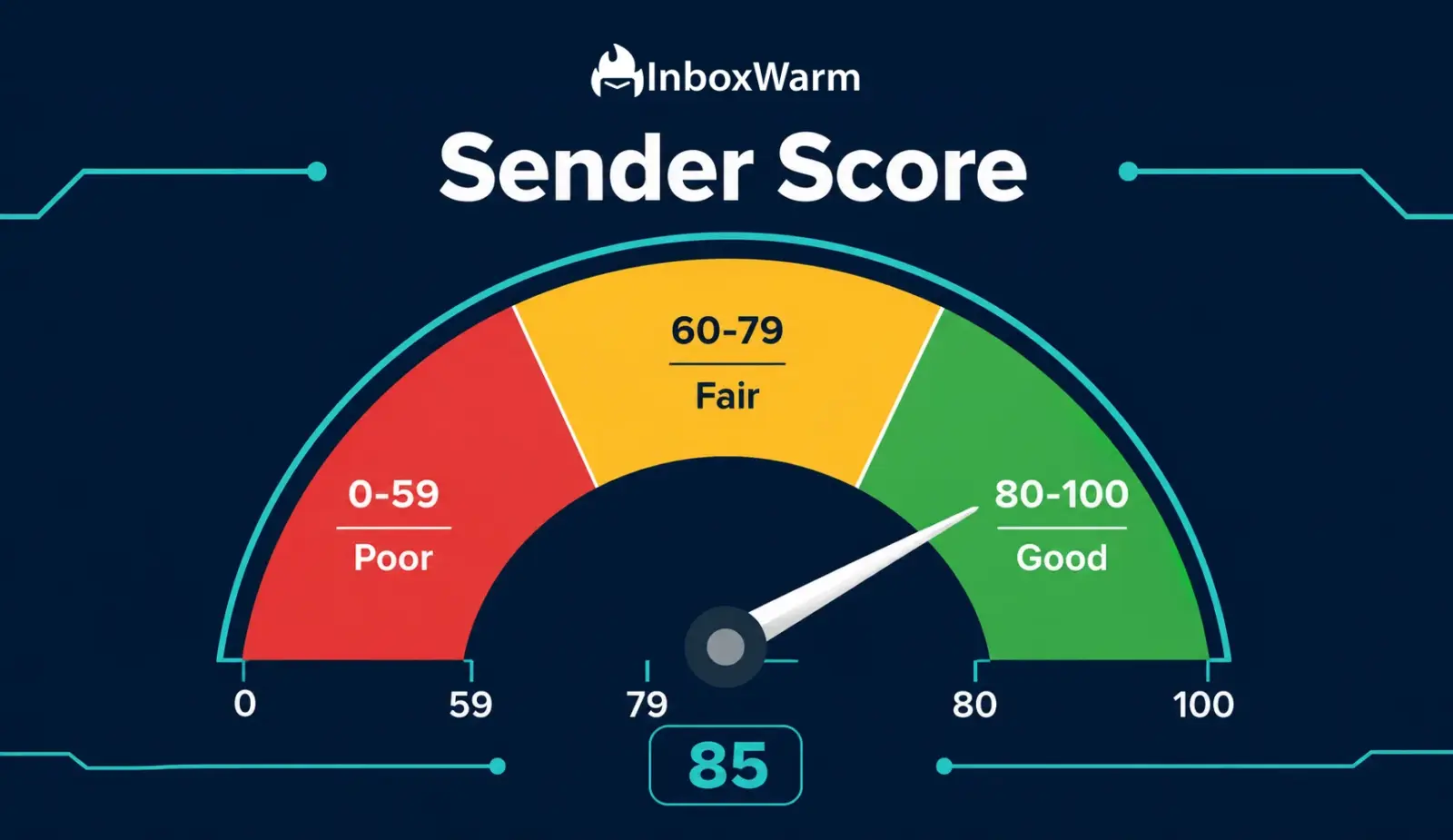
Sender Score is a 0-100 reputation metric assigned to your sending IP by Validity (formerly Return Path).
A Sender Score below 70 correlates strongly with poor inbox placement; above 80 is the target for reliable delivery.
Key factors include spam complaint rate, bounce rate, sending volume consistency, and blacklist status.
Email warm-up is one of the fastest ways to build a strong Sender Score before launching cold campaigns.
Sender Score is one of many reputation signals: domain reputation, DMARC alignment, and engagement rate also matter.
You can check your Sender Score for free at senderscore.org using your sending IP address.
Sender Score is a numerical reputation metric, ranging from 0 to 100, that Validity assigns to every email sending IP address based on its historical sending behavior. The higher your score, the more inbox providers trust your IP when deciding where to route your emails. A Sender Score in the 80s and 90s is associated with strong inbox placement. A score below 70 is a direct warning sign that your campaigns are likely landing in spam.
Inbox providers like Gmail, Outlook, and Yahoo do not use Sender Score as a direct filtering input, but they run their own internal reputation systems using identical signals: spam complaints, bounce rates, sending volume patterns, blacklist status, and engagement history.
Sender Score is the closest publicly accessible window into how those internal systems are likely to evaluate your IP. For cold email senders, SaaS founders, and agencies managing multiple client mailboxes, tracking Sender Score is one of the most actionable ways to diagnose and fix deliverability problems before they kill a campaign.
According to Validity’s State of Email Deliverability report, senders with a Sender Score above 80 achieve inbox placement rates of over 91%, while senders below 70 see inbox placement drop to under 60%. That gap represents the difference between a functioning cold email program and one that generates zero replies simply because no one sees the emails.
Table of Contents
What Is Sender Score and Who Calculates It?
Sender Score is a free email reputation service provided by Validity, a data and email intelligence company that operates one of the largest email data networks in the world. Validity monitors billions of emails sent to its probe network of seed inboxes, tracking how senders behave, how recipients interact with their email, and whether sending patterns match those of trusted senders or spammers.
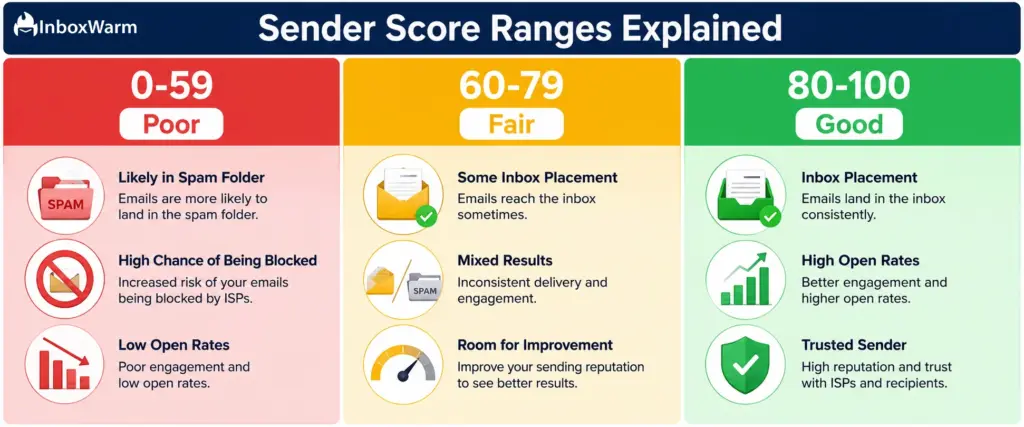
Every IP address that sends email gets assigned a Sender Score between 0 and 100. The score is calculated on a rolling 30-day window, meaning it reflects your recent sending behavior rather than a permanent record. This is both reassuring (a damaged score can recover) and unforgiving (consistent bad behavior keeps dragging the score down).
Sender Score is IP-based, not domain-based. If you send email from multiple IPs, each IP has its own independent score. If you send from a shared IP pool (as most small senders do through ESPs like SendGrid or Mailgun), your score reflects the collective behavior of everyone on that pool, which is one reason dedicated IPs and careful warm-up matter so much for serious cold email senders.
What Factors Determine Your Sender Score?
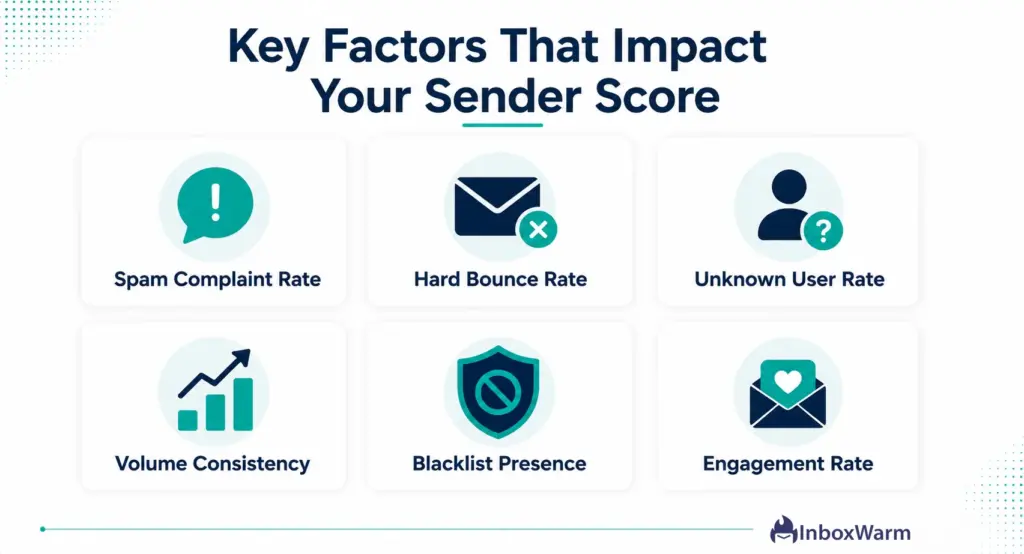
Validity calculates Sender Score from a composite of behavioral signals gathered across its probe network.
Understanding each factor gives you a direct action plan for improvement.
1. Spam Complaint Rate
Spam complaints are the single most damaging signal in any reputation system. When a recipient clicks ‘Mark as Spam,’ that complaint is reported to inbox providers and tracked against your sending IP.
A complaint rate above 0.1% (1 complaint per 1,000 emails) triggers deliverability problems with Gmail. Above 0.3%, you are in serious trouble across most major providers. Complaint rate is the fastest path to a Sender Score crash.
2. Bounce Rate
Hard bounces occur when email is sent to addresses that do not exist. A high hard bounce rate signals to inbox providers and Validity that you are sending to unverified or purchased lists, a behavior strongly associated with spam senders.
Keep your hard bounce rate below 2%. Above 5% and your Sender Score and inbox placement both deteriorate rapidly. Scrub your lists before every campaign send.
3. Sending Volume Consistency
Sudden spikes in sending volume are a classic spam indicator. A domain or IP that sends 50 emails per day for three weeks and then suddenly blasts 5,000 in a single day looks exactly like a compromised account or a spam operation.
Inbox providers and reputation systems penalize volume spikes heavily. Consistent, gradually increasing volume is the behavioral pattern of a legitimate sender.
4. Unknown User Rate
Unknown user rate measures the percentage of your emails that hit non-existent addresses, triggering a ‘user unknown’ SMTP response. This differs slightly from hard bounces in that it specifically tracks addresses that have never existed, rather than addresses that were deleted.
A high unknown user rate is one of the clearest signals that a list was purchased, scraped, or not validated, and it drags Sender Score down quickly.
5. Blacklist Status
If your sending IP or domain appears on major blacklists such as Spamhaus, Barracuda, or SURBL, Validity factors that into your Sender Score. Blacklist listings are both a symptom of reputation problems and an accelerant: once listed, more email gets rejected, which creates more bounce signals, which worsens reputation further. Regular blacklist monitoring is a basic hygiene requirement for any sending operation.
6. Engagement Signals
Positive engagement such as opens, replies, clicks, and inbox folder placement tells inbox providers that recipients actually want your email. Low engagement over time, especially a pattern of sends with near-zero opens, is a signal that your list is unresponsive or that your email is irrelevant, both of which are associated with spam-like behavior.
Engagement rate does not directly feed Sender Score the way it feeds Gmail’s internal algorithms, but the underlying signal quality does matter.
| Signal | Safe Threshold | Impact If Exceeded |
|---|---|---|
| Spam Complaint Rate | Below 0.1% | Fastest single cause of Sender Score drops and inbox provider filtering. |
| Hard Bounce Rate | Below 2% | Signals dirty lists; triggers filtering and IP reputation damage. |
| Unknown User Rate | Below 1% | Indicates purchased or unvalidated lists; major negative signal. |
| Volume Consistency | Gradual ramp-up only | Sudden spikes trigger spam filters and reputation penalties. |
| Blacklist Presence | Zero listings | Direct Sender Score reduction and ISP-level blocking. |
| Engagement Rate | Above 20% open rate | Low engagement trains algorithms that your email is unwanted. |
How Do You Check Your Sender Score?
Checking your Sender Score is free and takes about 60 seconds.
Here is the process:
Step 1: Find Your Sending IP Address
Your sending IP is the IP address of the server that sends your outbound email. If you use an ESP like SendGrid, Amazon SES, or Mailgun, log in to your account and look in the sending settings or IP management section. If you use Google Workspace or Microsoft 365, open a sent email, view the full headers, and look for the ‘Received: from’ line. The IP in that header is your sending IP.
For Gmail headers: open a sent email, click the three-dot menu, select ‘Show original,’ and search for the first ‘Received’ line. The IP address in brackets is your sending IP.
Step 2: Enter It at SenderScore.org
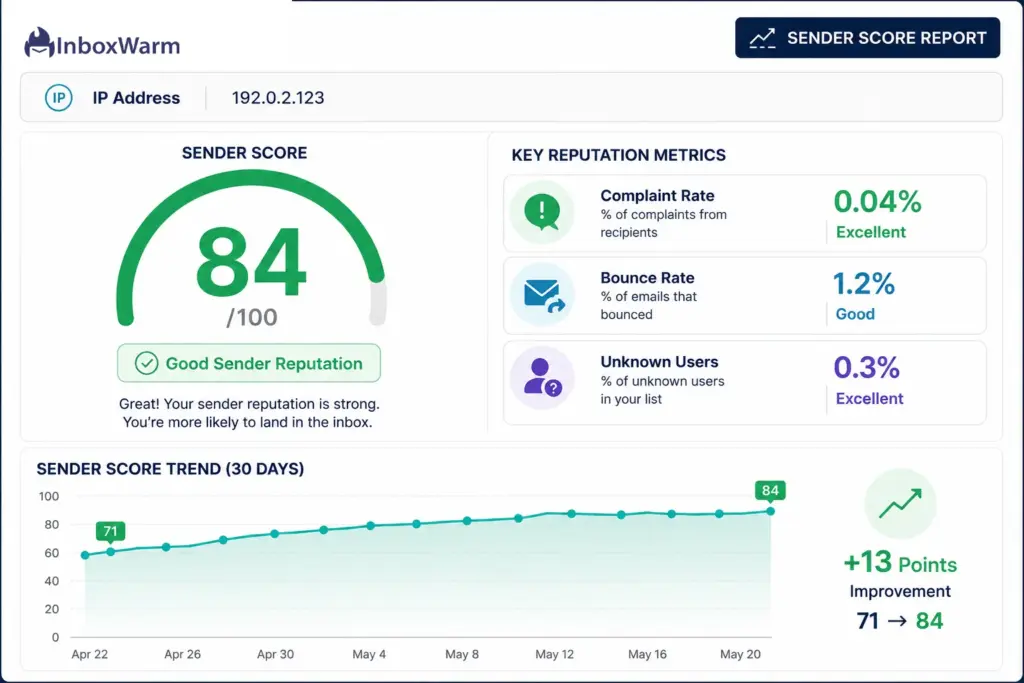
Go to senderscore.org, enter your sending IP address, and your Sender Score is returned instantly. The report also shows your score trend over the past 30 days and flags any probe network complaints or blacklist issues Validity has detected for that IP.
Step 3: Interpret Your Score
Use this benchmark framework to understand what your score means for deliverability:
| Score Range | Status | What It Means for Your Inbox Placement |
|---|---|---|
| 90-100 | Excellent | Strong inbox placement across all major providers. Maintain current practices. |
| 80-89 | Good | Reliable inbox placement. Minor issues may cause occasional spam routing. |
| 70-79 | Fair | Inconsistent deliverability. Some providers are likely filtering your email. |
| 60-69 | Poor | Significant spam filtering. Campaigns likely landing in spam on major providers. |
| Below 60 | Critical | Most email is being blocked or filtered. Immediate remediation needed. |
Low Sender Score?
Warm up your inbox and rebuild your reputation automatically.
How Do You Improve Your Sender Score?
Improving Sender Score is a systematic process. There are no quick fixes or shortcuts, but the actions below have a direct and measurable impact on the signals Validity tracks. Most senders see meaningful score improvement within 30 to 60 days of implementing these practices consistently.
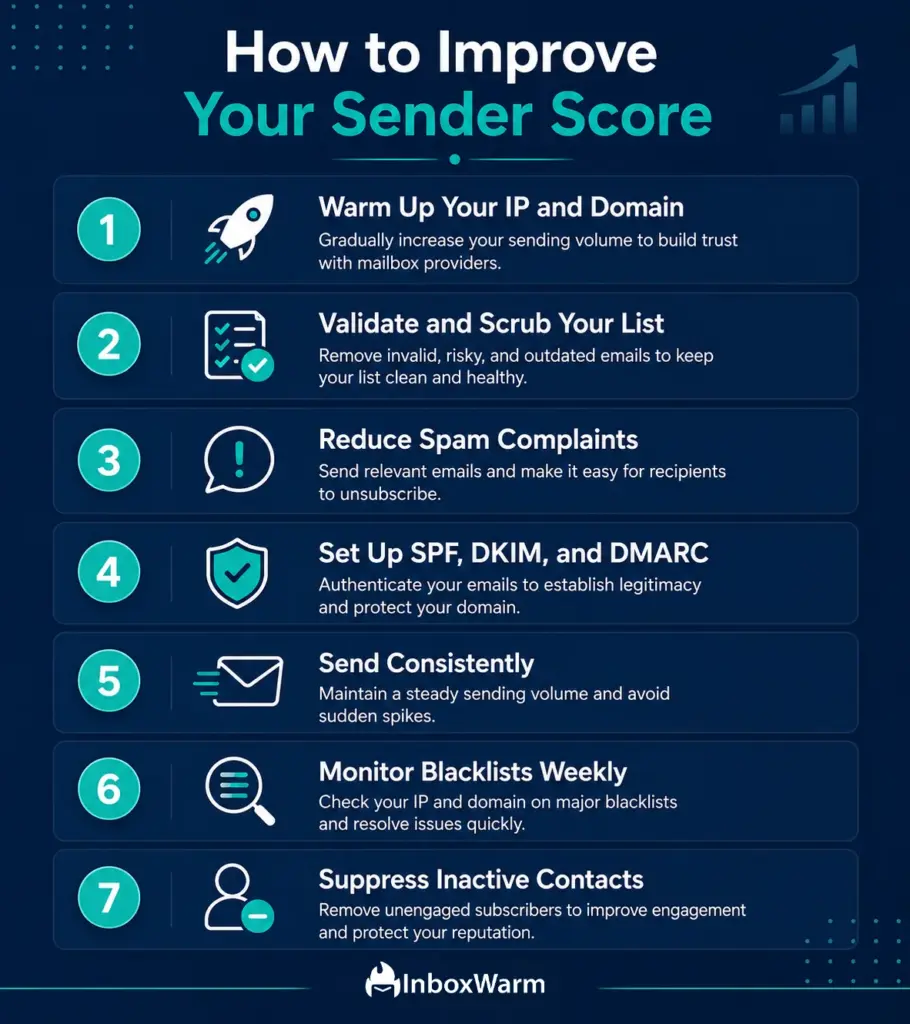
1. Warm Up Your Sending IP and Domain
Sender Score is built on behavioral history. A brand-new IP or domain has no history, which makes inbox providers nervous and often results in a low starting score or immediate spam filtering. Email warm-up is the process of gradually building that history through consistent, engagement-rich sending before you launch a high-volume campaign.
Warm-up works by sending email in gradually increasing volumes to a seed inbox network that opens, replies, and moves emails to the inbox. These positive engagement signals build a track record of trusted sending behavior that raises both your IP reputation and your Sender Score over four to six weeks. InboxWarm automates this entire process across Gmail, Outlook, SendGrid, Amazon SES, and any SMTP provider.
2. Eliminate Hard Bounces With List Validation
Before sending to any list, whether purchased, organically built, or imported from a CRM, run it through an email validation service. Tools like ZeroBounce, NeverBounce, or Millionverifier remove invalid addresses, role-based emails (info@, support@), catch-all domains, and known spam traps. A list scrubbed to below 2% bounce rate causes measurably less reputation damage than an unvalidated list.
For ongoing list hygiene, suppress hard bounces immediately after every send. Never retry a hard-bounced address. Build a suppression list and check every new import against it before sending.
3. Reduce Spam Complaints With Better Targeting
The fastest way to lower your complaint rate is to send email that recipients actually want. For cold email senders, this means tightly defining your ICP (Ideal Customer Profile), writing highly personalized sequences that reference the recipient’s specific context, and keeping send volumes manageable enough that you can genuinely personalize.
Operationally: always include a clear, one-click unsubscribe mechanism in cold email sequences. Replying to ‘unsubscribe’ requests within 24 hours is now a Google and Yahoo requirement for bulk senders. A recipient who unsubscribes is far less damaging than one who clicks ‘Report Spam.
4. Authenticate Your Email With SPF, DKIM, and DMARC
Email authentication does not directly raise Sender Score, but unauthenticated email is far more likely to generate complaints and land in spam, both of which drag your score down. SPF tells receiving servers which IPs are authorized to send for your domain.
DKIM proves the email content has not been tampered with. DMARC ties both together and gives you control over what happens to unauthenticated email claiming to be from your domain.
Google and Yahoo now require SPF and DKIM for all bulk senders and DMARC for senders exceeding 5,000 daily emails. If you do not have all three configured, fix that before working on any other deliverability improvement.
5. Send Consistently, Not Sporadically
Reputation systems reward consistent senders. If your sending volume fluctuates wildly, sending 10,000 emails one week and nothing for three weeks, then 8,000 again, those spikes look suspicious. Build a consistent daily or weekly cadence. If you need to scale volume, increase it gradually: no more than 20 to 30% week-over-week.
6. Monitor and Remove Blacklist Listings Immediately
Check your sending IP and domain against major blacklists at least weekly using free tools like MXToolbox Blacklist Check or InboxWarm’s domain health monitoring.
If you find a listing, act immediately: identify the root cause (a spam complaint surge, a compromised account, a bad list segment), fix it, and submit a delisting request to the blacklist operator. Most legitimate blacklists process delisting requests within 24 to 48 hours if the underlying issue has been resolved.
7. Re-Engage or Suppress Inactive Subscribers
Sending to a list segment that has not opened or clicked in six or more months generates near-zero engagement, which trains inbox algorithms that your email is unwanted. Run a re-engagement campaign to inactive subscribers with a clear subject line asking if they want to stay on your list. Anyone who does not engage with that campaign should be suppressed permanently. Keeping your active list small and engaged is better for Sender Score than keeping a large, disengaged list.
How Does Sender Score Relate to Email Warm-Up?
Email warm-up and Sender Score are directly connected. Warm-up is the mechanism by which new or damaged IPs build the positive behavioral history that produces a high Sender Score. Without warm-up, a new sending IP starts with no score or a very low score, and inbox providers treat it with suspicion until it earns a track record.
Here is how the relationship works in practice: when InboxWarm runs a warm-up sequence on your mailbox, it sends emails to a network of real seed inboxes that open them, reply to them, and move them out of spam into the primary inbox.
Each of those interactions generates positive engagement signals: high open rates, reply rates, and inbox placement rates. Validity’s probe network picks up these signals. Over 30 to 45 days of consistent warm-up, those accumulated positive signals translate into a rising Sender Score.
The reverse is also true. A damaged Sender Score, caused by a spam complaint surge or a blacklist hit, can be repaired using warm-up. By generating clean, high-engagement sending behavior on the same IP, warm-up gradually overwrites the negative history within Validity’s 30-day rolling window. Most InboxWarm users see measurable Sender Score improvement within two to three weeks of starting a recovery warm-up sequence on a previously penalized mailbox.
Is Sender Score the Only Reputation Signal That Matters?
No, and this is an important nuance for anyone building a deliverability strategy around a single metric. Sender Score is a useful, publicly accessible proxy for IP reputation, but inbox providers use a much broader set of signals to make filtering decisions. Understanding the full picture prevents over-indexing on one number.
| Reputation Signal | Scope | Why It Matters |
|---|---|---|
| Sender Score (Validity) | IP address | Publicly accessible; useful diagnostic proxy for IP reputation. |
| Gmail Postmaster Tools | Domain | Google's own domain reputation score; directly impacts Gmail filtering. |
| Microsoft SNDS | IP address | Microsoft's Smart Network Data Services; shows complaint data for Outlook/Hotmail. |
| Spamhaus DBL / ZEN | Domain + IP | Industry-standard blacklists; listings cause immediate widespread blocking. |
| DMARC Alignment | Domain | Required for policy enforcement; misalignment causes authentication failures. |
| Engagement Rate | Domain + IP | Gmail and Outlook weight opens, replies, and folder actions heavily. |
A complete deliverability stack monitors all of these signals, not just Sender Score. Gmail Postmaster Tools is free and gives you Google’s direct view of your domain reputation, spam rate, and authentication compliance. Microsoft SNDS provides the same visibility for Outlook and Hotmail inboxes. Use Sender Score as your first diagnostic check, then dig deeper into the platform-specific tools when you need to understand exactly where filtering is happening.
Build a strong Sender Score before your next campaign launch.
Frequently Asked Questions
How long does it take to improve a Sender Score?
Because Sender Score uses a rolling 30-day window, you can see meaningful improvement in four to six weeks if you address the root causes of your score drop. Email warm-up accelerates this: by generating positive engagement signals daily, warm-up actively rebuilds the reputation history that feeds into your score. Most InboxWarm users report noticeable score improvement within two to three weeks of starting a warm-up sequence.
Does Sender Score affect Gmail delivery directly?
Not directly. Gmail uses its own internal reputation systems rather than pulling Sender Score from Validity. However, the signals that drive Sender Score- complaint rate, bounce rate, engagement, and blacklist status- are the same signals Gmail's algorithms evaluate. A high Sender Score is a strong indicator that your sending behavior is consistent with what Gmail rewards. Use Gmail Postmaster Tools alongside Sender Score for direct visibility into Gmail-specific domain reputation.
Can I have a high Sender Score and still land in spam?
Yes. Sender Score measures IP reputation specifically. If your domain reputation is poor (check Gmail Postmaster Tools), your SPF or DKIM authentication is misconfigured, or your email content triggers spam filters, you can land in spam even with a strong Sender Score. Sender Score is one input into the deliverability picture, not the complete answer.
What destroys a Sender Score fastest?
Spam complaint spikes are the fastest single cause of Sender Score drops. A complaint rate above 0.1% triggers immediate reputation damage. Blacklist listings are a close second, particularly Spamhaus listings, which are respected by almost every major inbox provider. Sending to a list full of invalid addresses that generate hard bounces and unknown user errors also drops scores quickly.
Does email warm-up improve Sender Score?
Yes. Email warm-up generates the positive engagement signals (opens, replies, inbox placements) that build IP and domain reputation over time. Because Sender Score reflects a 30-day rolling window of behavioral data, a consistent warm-up sequence that produces clean engagement data will raise your Sender Score within four to six weeks. InboxWarm's spam recovery engine also actively moves emails from spam to inbox during warm-up, creating additional positive signals that accelerate score recovery.
How do I check my Sender Score for free?
Go to senderscore.org and enter your sending IP address. The score is returned immediately at no cost. You will also need to know your sending IP, which you can find in your ESP account settings or in the 'Received' headers of any email you send. InboxWarm's domain health dashboard also surfaces key reputation metrics alongside warm-up progress.
Is Sender Score the same as domain reputation?
No. Sender Score is an IP-level metric. Domain reputation is tracked separately by inbox providers like Google (via Gmail Postmaster Tools) and Microsoft (via SNDS). Both matter: IP reputation and domain reputation are independent signals that inbox providers weigh together. You can have a strong Sender Score on your IP and still have poor domain reputation if your domain has accumulated spam complaints or authentication failures.
Bottom Line
Sender Score is one of the clearest indicators of your email reputation and a useful benchmark for understanding why messages reach the inbox or get filtered into spam. While it is only one piece of the deliverability puzzle, a low score often points to deeper issues such as high complaint rates, poor list hygiene, inconsistent sending patterns, or weak engagement.
Improving your Sender Score comes down to following proven deliverability practices: validating email lists regularly, keeping complaint and bounce rates low, authenticating your domain with SPF, DKIM, and DMARC, and maintaining a consistent sending schedule.
These habits help build trust with mailbox providers and support long-term inbox placement. Many of the same factors also influence overall email deliverability, which is why issues such as spam folder placement, low engagement, and filtering often appear alongside a declining Sender Score.
By regularly monitoring your reputation and addressing issues early, you can maintain stronger inbox placement over time. If you’re troubleshooting broader deliverability challenges, Email Deliverability offers additional strategies to improve inbox placement and reduce the likelihood of emails being filtered.