
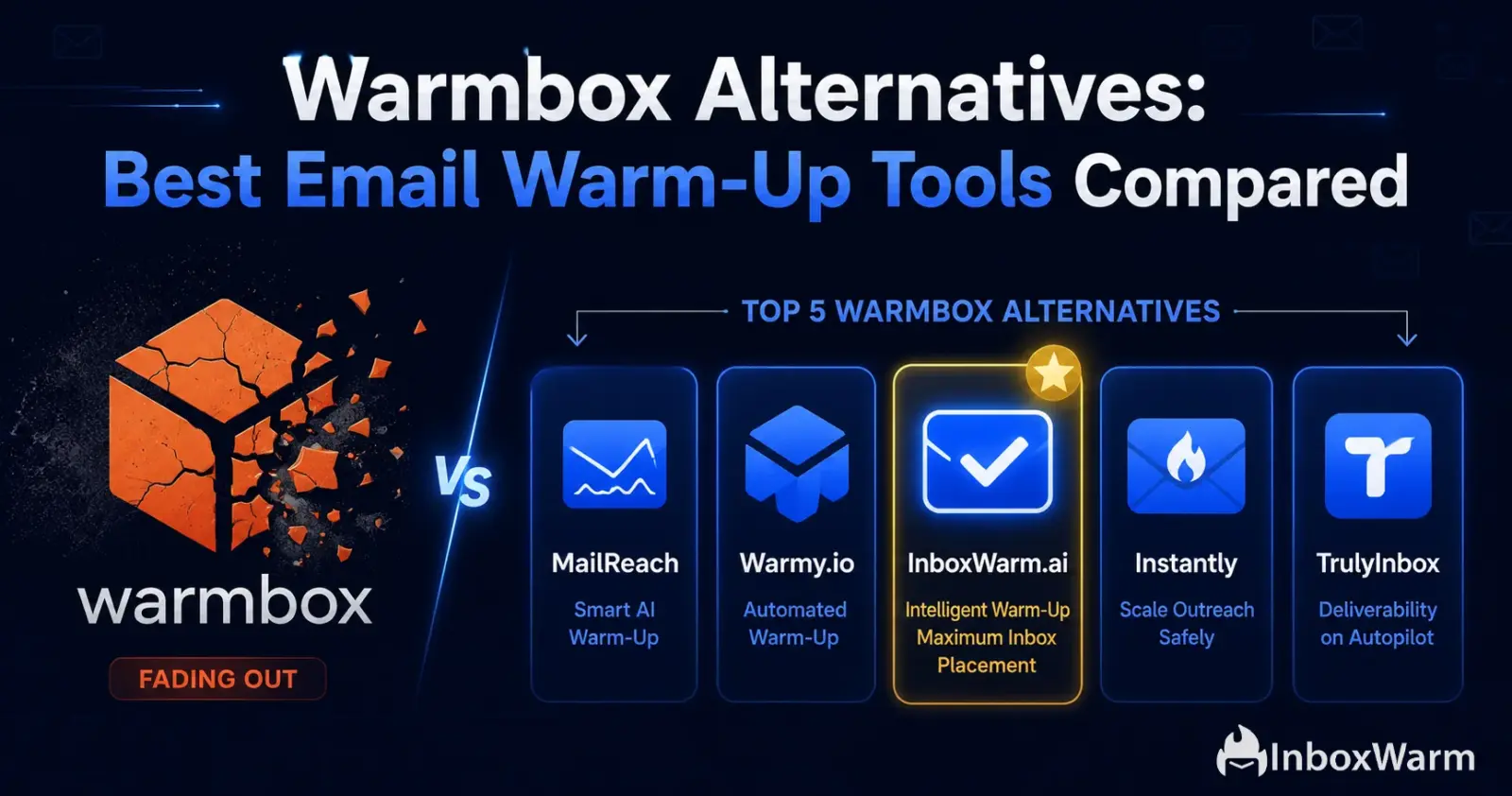

| TL;DR |
|---|
| Warmbox starts at $15/month for 1 inbox (Solo plan). At 3 inboxes the cost jumps to $79/month ($26.33 per inbox), making it one of the pricier per-inbox options at scale. |
| Warmbox has no free trial: payment is required before you can test any results. |
| Inbox placement sits at 90% in 2026 independent testing, the lowest score among major warm-up tools compared here. |
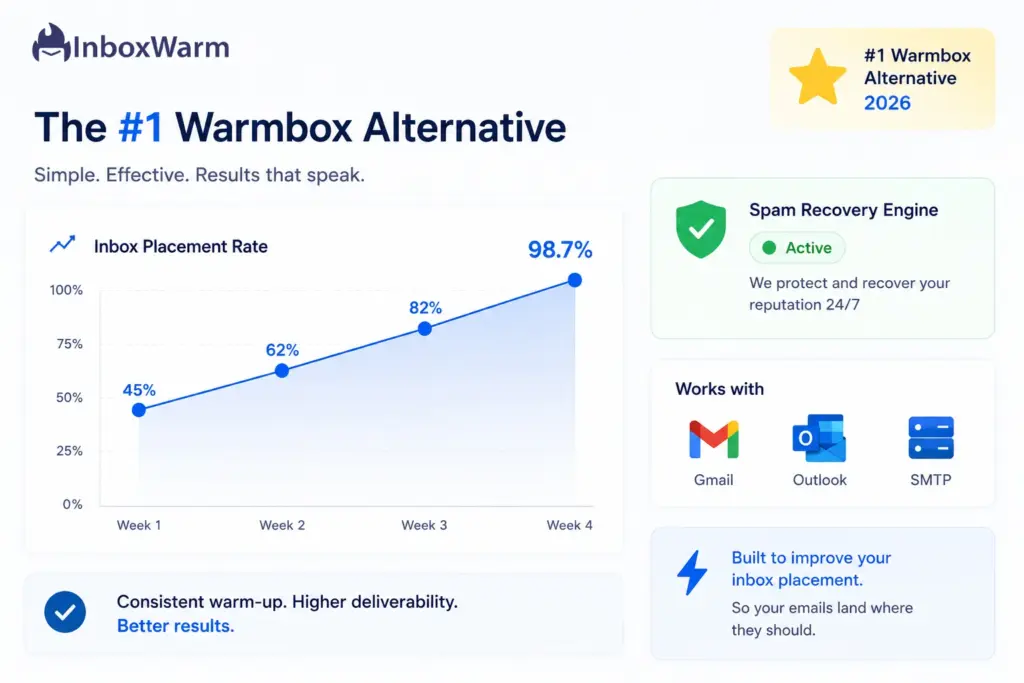
| InboxWarm.ai (top pick): $25/inbox/month, dropping to $10/inbox at 51 to 100 inboxes. 10-day free trial, active spam recovery, 98.7% inbox placement. |
| TrulyInbox: flat $29/month for unlimited inboxes. Best budget option for 3 or more accounts. |
| MailReach: $25/inbox/month with ISP-level diagnostics. Best for teams who need to understand why emails land in spam. |
| Instantly: $37/month flat with unlimited warm-up bundled inside outreach. Best for agencies consolidating tools. |
| Warmup Inbox: $19/inbox/month with auth checks and a 7-day free trial. Best like-for-like Warmbox swap. |
Warmbox is one of the most searched email warm-up tools in 2026, but not always for the right reasons. At $15 per month for a single inbox, it may look affordable, but that price does not hold up as you scale. Move to three inboxes, and you are on the Start-up plan at $79 per month, an effective rate of $26.33 per inbox.
There is no free trial. Independent testing puts its inbox placement at 90%, the lowest of any major tool evaluated this year. And its default daily send volumes are aggressive enough to trigger Google Workspace suspensions on fresh domains without manual adjustments from day one.
The good news: the warm-up tool market in 2026 has better options at every price point. Whether you need active spam recovery, volume-friendly pricing, ISP-level diagnostics, or simply a free trial before committing, the alternatives in this guide outperform Warmbox in the dimensions that matter for real outreach operations.
This guide covers 5 verified Warmbox alternatives with pricing pulled directly from each tool’s official pricing page as of June 2026.
Table of Contents
What Are Warmbox’s Real Limitations?
Warmbox does one thing: automated email warm-up. Within that scope, it is functional. It runs a 35,000-inbox network, uses GPT-4 to generate warm-up email content, offers customizable warm-up recipes (progressive, flat, randomized), and includes a basic DNS and blacklist checker. For a single inbox on the Solo plan at $15 per month, the value is defensible.
The limitations become clear the moment your use case expands beyond a single account. Here is where teams consistently run into problems:
1. Pricing Cliff at 3 Inboxes
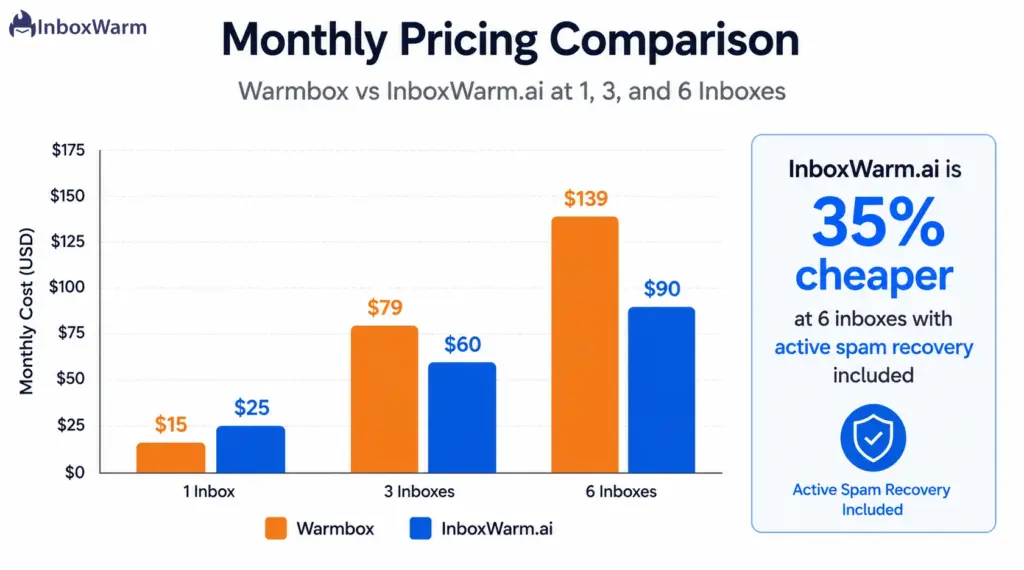
Warmbox’s Solo plan covers one inbox at $15/month. The Start-up plan is $79/month for three inboxes, an effective rate of $26.33 per inbox. The Growth plan charges $139/month for six inboxes ($23.17 per inbox). There is no per-inbox volume discount and no middle ground between fixed tiers. At six inboxes, InboxWarm.ai’s volume pricing brings the total to $90/month ($15 per inbox), which is 35% cheaper and includes active spam recovery.
2. No Free Trial
Warmbox requires payment before you can test any results. Every other tool in this comparison offers at least 7 days of full access. InboxWarm.ai offers 10 days with all features included and no credit card.
3. 90% Inbox Placement: Last in Independent Testing
Multiple 2026 benchmarks recorded Warmbox at 90% inbox placement after four weeks of warm-up, consistently the lowest among all major tools compared. InboxWarm.ai reports 98.7% placement. Instantly reaches 95% in Skylead testing. MailReach lands at 92 to 93%. The gap between 90% and 95% means approximately 50 extra emails landing in spam for every 1,000 sent.
4. No Diagnostic Depth
Warmbox’s reporting shows delivery trends but does not break down placement by ISP (Gmail vs. Outlook vs Yahoo separately), identify content triggers, or validate SPF, DKIM, and DMARC records beyond a basic DNS check. Teams troubleshooting deliverability issues get a dashboard but not the answers they need to act.
5. Aggressive Default Volumes on Fresh Domains
Multiple users report Warmbox’s default daily volumes triggering Google Workspace and Outlook account flags on new domains. The fix is manually capping to around five emails per day for fresh accounts. A warm-up tool should handle this automatically based on domain age and reputation, which tools like InboxWarm.ai do.
With those gaps in mind, here is how the top alternatives compare on verified pricing and features.
What Does Warmbox Actually Cost vs. Alternatives?
Before picking a tool, it helps to see exactly where your money goes at different inbox counts.
Here is how the 4 main options stack up:
| Inboxes | InboxWarm.ai | Warmbox | MailReach | Warmup Inbox |
|---|---|---|---|---|
| 1 | $25/mo | $15/mo (Solo) | $25/mo | $19/mo |
| 3 | $60/mo | $79/mo (Start-up) | $75/mo | $57/mo |
| 6 | $90/mo | $139/mo (Growth) | $150/mo | $114/mo |
| 10 | $150/mo | Custom/Agency | $250/mo | $190/mo |
| 25 | $300/mo | Custom/Agency | $625/mo | $475/mo |
| 50 | $600/mo | Custom/Agency | $1,250/mo | $950/mo |
Warmbox plans: Solo $15/mo (1 inbox), Start-up $79/mo (3 inboxes), Growth $139/mo (6 inboxes). Beyond 6 inboxes, Warmbox moves to custom agency pricing. Annual billing reduces rates on most tools. InboxWarm.ai also offers 50% off the first payment as a welcome discount.
The gap widens fast as inbox count grows. Now that you have the numbers, here is what each tool actually delivers for that price.
Why Is InboxWarm.ai the Best Warmbox Alternative in 2026?
1. Active Spam Recovery:
The most important difference between InboxWarm.ai and Warmbox is what happens after an email lands in spam. Warmbox’s recipes include an auto-remove-from-spam setting, but it is a passive mechanism.
InboxWarm.ai’s Spam Recovery Engine is active and real-time: it detects when a warm-up email lands in spam, opens it, marks it Not Spam, and moves it to the primary inbox automatically. This sends corrective training signals directly to Gmail, Outlook, and Yahoo’s filtering algorithms, rescuing reputation damage as it happens rather than waiting for a scheduled report.
For cold email agencies managing client inboxes or SDR teams where a deliverability drop means lost pipeline, the distinction is not minor. Passive monitoring means you discover the problem after damage is done. Active recovery means the tool fixes it continuously while you focus on your campaigns.
2. InboxWarm Verified Pricing
Pricing sourced directly from inboxwarm.ai/pricing. All plans include the full feature set with no add-ons required:
| Mailboxes | Per Inbox / Month | Discount vs 1 Inbox |
|---|---|---|
| 1 | $25.00 | No discount |
| 2 to 5 | $20.00 | 20% OFF |
| 6 to 20 | $15.00 | 40% OFF |
| 21 to 50 | $12.00 | 52% OFF |
| 51 to 100 | $10.00 | 60% OFF |
| 100+ | Contact sales | Custom enterprise pricing |
Annual billing saves an additional 20% on top of volume tier pricing. A current promotional offer gives 50% off the first payment for new accounts.
- Full pricing breakdown: inboxwarm.ai/pricing
- Direct pricing comparison vs. Warmbox:
- inboxwarm.ai/compare/inboxwarm-vs-warmbox
3. 10-Day Free Trial With No Credit Card
InboxWarm.ai’s free trial gives full feature access for one inbox for 10 days with no payment details required. Warmbox has no free trial. TrulyInbox and Warmup Inbox offer 7-day trials. The 10-day window matters because warm-up improvements take 2 to 3 weeks to fully show, but within the first 10 days you can verify the tool is connecting correctly, scaling volume properly, and triggering the spam recovery engine when needed.
4. Compatibility
InboxWarm.ai connects with Gmail, Microsoft Outlook, SendGrid, Amazon SES, Mailgun, and any SMTP or IMAP provider. Setup takes under two minutes. Provider-specific setup guides are available for each:
- Gmail warm-up guide: inboxwarm.ai/email-warmup/gmail
- Outlook warm-up guide: inboxwarm.ai/email-warmup/outlook
- SendGrid warm-up guide: inboxwarm.ai/email-warmup/sendgrid
- Amazon SES warm-up guide: inboxwarm.ai/email-warmup/amazon-ses
What Is Included in Every InboxWarm.ai Plan?
- Up to 100 warm-up emails per day per inbox
- AI-generated natural conversations via LLM-powered replies
- Private real seed inbox network (not bots or recycled accounts)
- Active spam recovery engine with real-time detection and correction
- SPF, DKIM, and DMARC domain health monitoring
- Real-time inbox placement tracking dashboard
- Gradual volume scaling with automated ramp-up schedule
- Gmail, Outlook, SendGrid, Amazon SES, Mailgun, and custom SMTP support
Stop Landing in Spam, Start With InboxWarm.ai.
Full feature access for 10 days. No credit card. Connect Gmail, Outlook, or SMTP in under 2 minutes. Volume discounts up to 60% for agencies managing 10 or more inboxes.
Is TrulyInbox the Best Budget Warmbox Alternative for Multiple Inboxes?
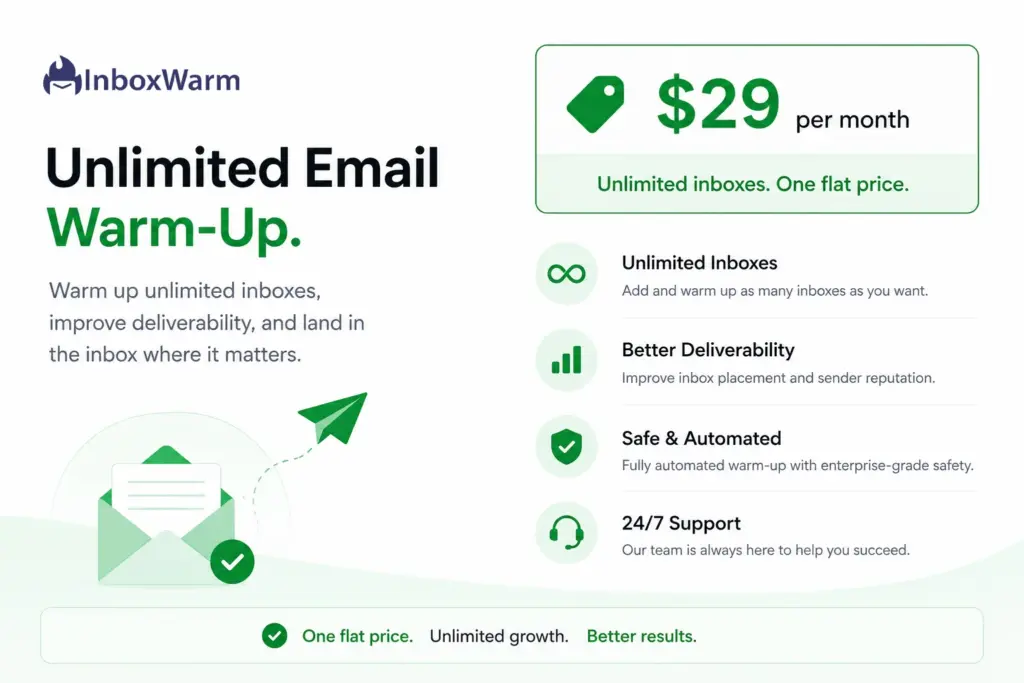
TrulyInbox takes a fundamentally different approach to pricing. Where Warmbox locks you into fixed tiers that jump sharply at 3 and 6 inboxes, TrulyInbox charges a flat $29 per month for unlimited connected inboxes with up to 100 total warm-up emails per day across all accounts.
The math is straightforward: at 3 inboxes, TrulyInbox costs $29 versus Warmbox’s $79. At 6 inboxes: $29 versus $139.
A forever-free plan is also available with limited warm-up volume, making TrulyInbox the only tool in this comparison that lets you test core functionality without a trial clock or payment details.
1. TrulyInbox Verified Pricing
- Forever free plan: available with limited warm-up volume
- Paid Starter: $29/month for unlimited inboxes (volume-based daily email cap)
- 7-day free trial on paid plans
- Pricing source: trulyinbox.com/pricing, verified June 2026
2. Performance and Honest Limitations
Accounts warmed through TrulyInbox consistently reach 90% or more inbox placement, which matches Warmbox’s 90% score but at a fraction of the per-inbox cost for agencies. What TrulyInbox does not include: active spam recovery, ISP-level provider breakdowns, or deep authentication diagnostics beyond basic monitoring. If your main need is straightforward warm-up across many inboxes on a fixed monthly budget, it is the strongest option at this price. If you need more than warm-up, the next tool addresses that.
When Does MailReach Make Sense as a Warmbox Alternative?
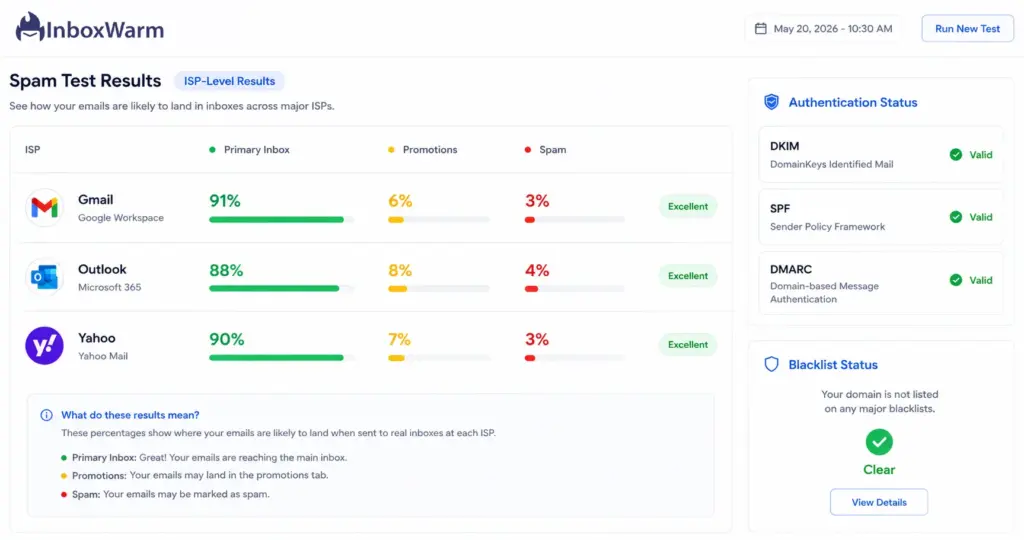
Warmbox includes a basic DNS checker, but it cannot tell you where your emails actually land by provider. MailReach fills that gap. Its core differentiator is inbox placement testing by ISP: for each warmed account, MailReach breaks down placement at Gmail, Outlook, and Yahoo separately, showing you primary inbox, promotions tab, and spam folder results by provider. This turns deliverability management from guesswork into a diagnostic system.
MailReach Verified Pricing
- 1 inbox: $25/month
- 3 inboxes: $75/month ($25 each)
- 10 inboxes: $250/month (per InboxWarm.ai verified comparison table, June 2026)
- Spam test credits included with all warm-up plans
- No full free trial (spam test credits available for limited testing)
- Pricing source: mailreach.co/pricing, verified June 2026
- See InboxWarm.ai vs MailReach full comparison: inboxwarm.ai/compare/inboxwarm-vs-mailreach
What MailReach Does Better Than Warmbox?
- ISP breakdown: shows Gmail, Outlook, and Yahoo placement results separately, which Warmbox does not offer.
- Auto-pause protection: pauses warm-up automatically if reputation drops, preventing compounding damage.
- Network quality: built primarily on Google Workspace and Office 365 inboxes, averaging a 95.17 out of 100 reputation score.
- Spam testing: 20 spam test credits included, sending real emails to seed accounts across providers for genuine placement data.
MailReach Limitations
MailReach is a standalone tool with no outreach sequencing. At $25 per inbox it matches Warmbox’s Solo entry price, but it is significantly cheaper at 3 inboxes ($75 vs $79). For teams managing 10 or more inboxes, InboxWarm.ai’s volume pricing undercuts MailReach substantially. MailReach is the right pick when diagnostic depth is the priority over raw cost efficiency at scale.
If you want warm-up and outreach in one subscription rather than separate tools, the next option offers exactly that.
Is Instantly Worth Considering as a Warmbox Alternative?
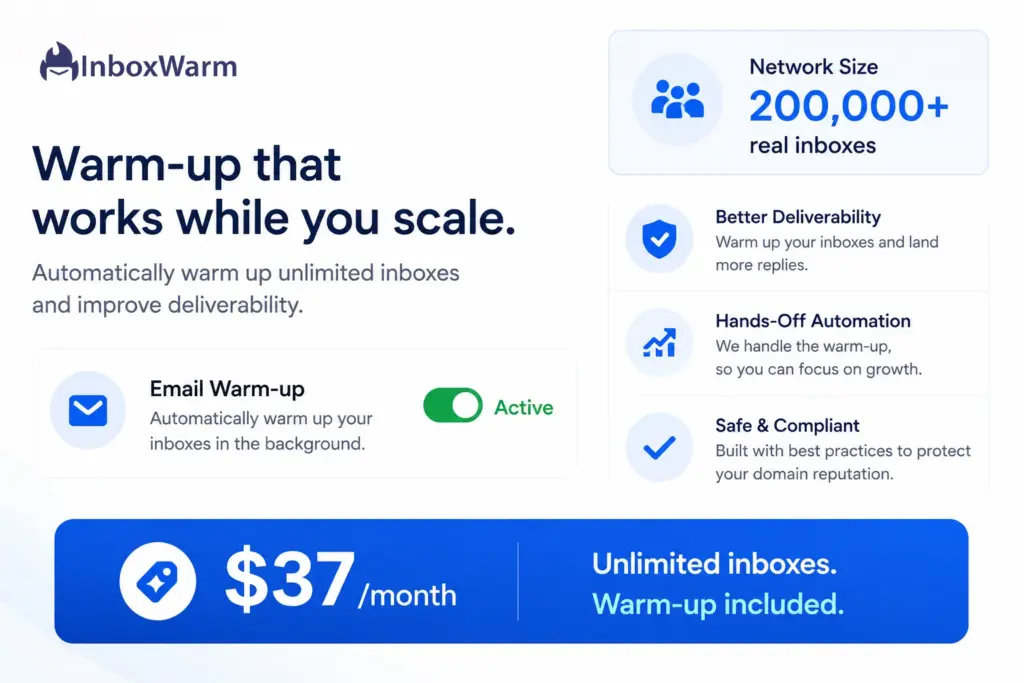
Instantly is not a standalone warm-up tool. It is a cold email outreach platform that bundles unlimited email warm-up into every plan. If you are currently paying for Warmbox plus a separate outreach tool such as Apollo, Lemlist, or Salesloft, Instantly consolidates both costs into a single $37/month subscription with warm-up included across unlimited inboxes.
Instantly Verified Pricing
- Growth plan: $37/month, includes unlimited inboxes, warm-up, sending, and CRM features
- Warm-up network: 200,000 or more real inboxes
- 14-day free trial
- Skylead 2026 inbox placement test: 95%
- Pricing source: instantly.ai/pricing, verified June 2026
- See InboxWarm.ai vs Instantly comparison: inboxwarm.ai/compare/inboxwarm-vs-instantly
Who Should Use Instantly Instead of Warmbox?
- Teams paying separately for Warmbox and a cold email outreach platform who want to cut their tool count.
- High-volume agencies running 10 or more inboxes who want unlimited warm-up included with sequencing at a flat rate.
- Outreach teams whose deal size is under $10,000 and who want a single consolidated platform rather than a warm-up plus sending stack.
Instantly Limitations
Instantly’s warm-up network quality depends on pool selection. Experienced users consistently recommend using Instantly’s Premium pool only: the standard pool has had reports of already-flagged inboxes within the network, which can reduce warm-up effectiveness. Diagnostic depth is also limited compared to MailReach: placement data is available but not broken down by ISP. For teams whose sole need is standalone warm-up without outreach features, Instantly adds cost and complexity they will not use.
If Instantly’s bundled approach is more than you need and you are simply looking for a direct Warmbox replacement at a lower entry price, the final tool covers that use case precisely.
How Does Warmup Inbox Compare to Warmbox as a Direct Replacement?
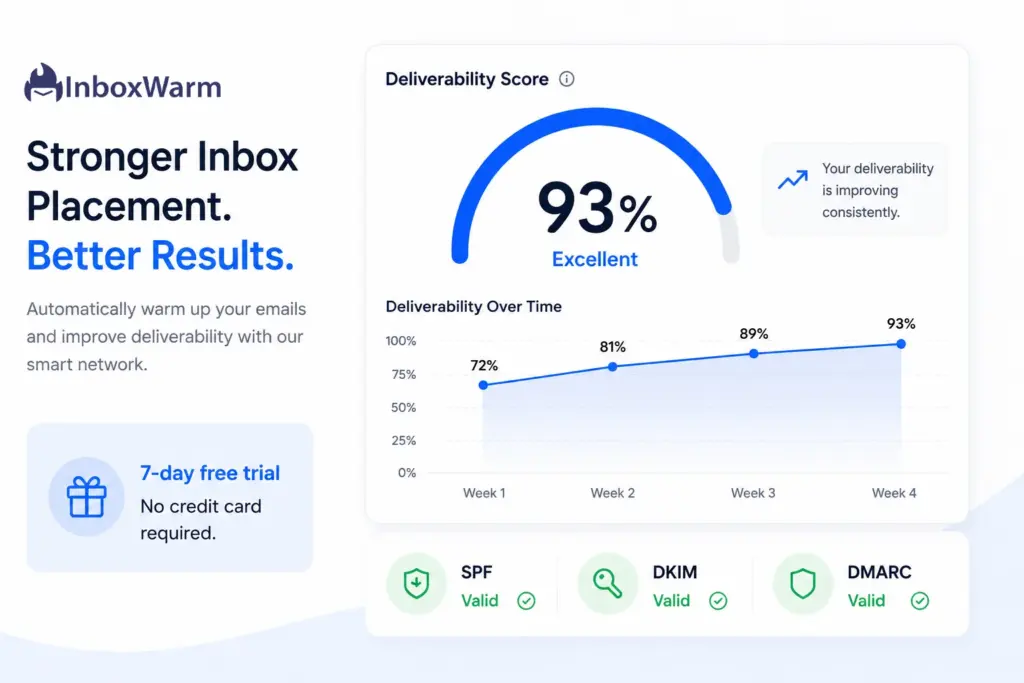
Warmup Inbox is the closest like-for-like substitute for Warmbox in this comparison. Both are standalone warm-up tools using per-inbox pricing. The differences: Warmup Inbox starts at $19/inbox/month (Warmbox Solo is $15), includes built-in SPF, DKIM, and DMARC authentication checking, and comes with a 7-day free trial. Warmbox has none of those additions. Independent testing also puts Warmup Inbox at 93% inbox placement versus Warmbox’s 90%.
Warmup Inbox Verified Pricing
- 1 inbox: $19/month (7-day free trial included)
- 10 inboxes: approximately $190/month
- Per-inbox pricing model, scales similarly to Warmbox
- Pricing source: warmupinbox.com/pricing, verified June 2026
- See InboxWarm.ai vs Warmup Inbox comparison: inboxwarm.ai/compare/inboxwarm-vs-warmup-inbox
What Warmup Inbox Adds Over Warmbox
- Built-in SPF, DKIM, and DMARC authentication verification at no extra cost.
- 7-day free trial: test before paying, which Warmbox does not provide.
- Real inbox network of 30,000 or more real user accounts (comparable to Warmbox’s 35,000).
- Higher inbox placement: 93% vs Warmbox’s 90% in 2026 independent testing.
Warmup Inbox Limitations
Warmup Inbox uses per-inbox pricing just like Warmbox, so the same scaling cost problem applies at 5 or more accounts. It takes 45 to 90 days to reach maximum warm-up volume of 1,000 emails per day, significantly longer than InboxWarm.ai’s 4 to 6 week full ramp. There is no active spam recovery and no ISP-level placement breakdown. For 1 to 3 inboxes it is a better value than Warmbox. For agencies, neither tool scales cost-efficiently.
How Do You Choose the Right Warmbox Alternative for Your Use Case?
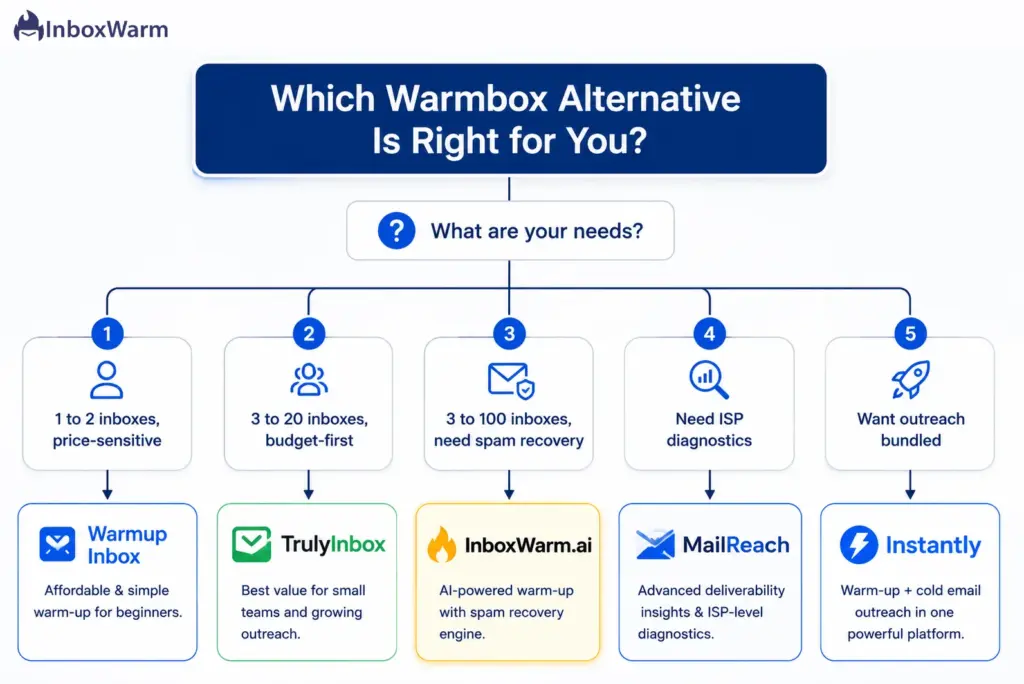
1. Choose InboxWarm.ai If
- You manage 3 or more inboxes and want volume pricing that gets cheaper as you scale rather than fixed tiers that penalize growth.
- You want a tool that actively rescues emails from spam in real time rather than simply reporting where they landed.
- You want the longest free trial in this comparison: 10 days, full features, no credit card.
- You need SPF, DKIM, and DMARC monitoring included in your warm-up plan without a separate tool.
- You are switching from Warmbox and want faster setup, higher inbox placement, and lower cost at scale.
2. Choose TrulyInbox If
- You manage 3 to 20 inboxes and want the lowest total monthly cost with no per-inbox scaling penalty.
- A forever-free testing option matters before committing to any payment.
- You do not need ISP diagnostics or active spam recovery: just reliable warm-up across multiple accounts at a fixed price.
3. Choose MailReach If
- Understanding exactly why and where emails land in spam (by provider) is the priority over cost efficiency.
- You want ISP-level placement testing across Gmail, Outlook, and Yahoo as part of your regular workflow.
- You are a B2B sales team that values diagnostic depth at a per-inbox price comparable to Warmbox’s entry point.
4. Choose Instantly If:
- You are currently paying separately for Warmbox and a cold email outreach platform and want to consolidate both into one subscription.
- You run high-volume campaigns and want unlimited warm-up bundled with sending, sequencing, and CRM in one flat-rate plan.
5. Choose Warmup Inbox If:
- You are a solo sender or small founder warming 1 to 3 inboxes who wants authentication checks and a 7-day free trial included.
- You want the most direct like-for-like Warmbox replacement with a slightly higher deliverability score and fewer limitations.
Frequently Asked Questions
2. Is Inboxwarm.Ai Actually Cheaper Than Warmbox?
It depends on inbox count. At 1 inbox, Warmbox's Solo plan ($15/month) is cheaper than InboxWarm.ai's $25/month entry price. At 3 inboxes: InboxWarm.ai costs $60/month versus Warmbox's $79/month, which is 24% cheaper, and InboxWarm.ai includes active spam recovery and a free trial. At 6 inboxes: InboxWarm.ai is $90/month versus Warmbox's $139/month, which is 35% cheaper. At 10 or more inboxes, InboxWarm.ai's volume pricing widens the gap further. Full pricing table at inboxwarm.ai/pricing.
3. Does Inboxwarm.Ai Offer A Free Trial?
Yes. InboxWarm.ai offers a 10-day free trial with full feature access for one inbox. No credit card is required and no charges are made until the trial ends. This is the longest free trial of any tool in this comparison. Warmbox has no free trial, and TrulyInbox and Warmup Inbox offer 7 days.
4. What Is Active Spam Recovery And Why Does It Matter?
Active spam recovery is a real-time process where the warm-up tool detects when a warm-up email lands in a spam folder and immediately triggers corrective actions: opening the email, marking it Not Spam, and moving it to the primary inbox. This directly retrains the mailbox provider's filtering algorithm to favor your domain. InboxWarm.ai includes this as a core feature. Warmbox offers a passive spam removal setting within its recipes, but does not run a real-time detection and recovery engine. The difference is whether reputation damage is corrected as it happens or discovered after the fact in a reporting cycle.
5. How Long Does Email Warm-Up Take With Inbox Warm?
Most accounts see measurable inbox placement improvement within 2 to 3 weeks. A full warm-up reaching optimal sending volume safely takes 4 to 6 weeks. The active spam recovery engine accelerates this by continuously sending corrective signals to mailbox providers throughout the process rather than building reputation passively. InboxWarm.ai manages the volume ramp automatically and adjusts based on your domain's real-time health score.
6. Can I Use Inboxwarm.Ai With Gmail, Outlook, And Custom Smtp?
Yes. InboxWarm.ai supports Gmail (via OAuth), Microsoft Outlook, SendGrid, Amazon SES, Mailgun, and any SMTP or IMAP-compatible provider. Provider-specific setup guides are at inboxwarm.ai/email-warmup/gmail, inboxwarm.ai/email-warmup/outlook, and inboxwarm.ai/email-warmup/smtp.
7. Does Warmbox work with Google Workspace?
Yes, Warmbox supports Google Workspace accounts. However, Warmbox's default daily send volumes have been reported to trigger Google Workspace flags or suspensions on domains under six months old. The recommended workaround is to manually reduce daily volumes to around 5 emails per day when starting a fresh domain. InboxWarm.ai's AI engine handles this calibration automatically based on domain age and current reputation signals.
8. What happens to my sender reputation if I stop using a warm-up tool?
Warm-up tools build reputation through consistent positive engagement signals. When you stop, those signals stop. Continuing light warm-up (2 to 3 emails per day) alongside live sending retains approximately 8% higher inbox placement over 90 days compared to stopping warm-up entirely. Most deliverability professionals recommend maintaining background warm-up at reduced volume indefinitely rather than canceling after an initial warm-up period.
Bottom Line: Which Warmbox Alternative Should You Use?
Warmbox is a functional warm-up tool for solo senders who need the lowest possible entry price for a single inbox. Outside that narrow use case, it gets expensive fast, has no free trial, and delivers the lowest inbox placement score of any major tool in this comparison.
For most cold email senders in 2026, InboxWarm.ai is the strongest overall alternative. It is the only tool here with active real-time spam recovery; it prices by volume (cheaper than Warmbox from 3 inboxes onwards); and it includes a 10-day free trial with no credit card. For agencies managing 10 or more inboxes, volume pricing drops the per-inbox cost to $15 at 6 to 20 inboxes and as low as $10 at 51 to 100, making it one of the most cost-efficient standalone warm-up tools at scale.
TrulyInbox is the right pick if flat-rate pricing for unlimited inboxes is the priority and diagnostic features are not needed. MailReach wins if ISP-level placement testing is the core requirement. Instantly makes sense for any team paying separately for both warm-up and cold email outreach. Warmup Inbox is the best like-for-like Warmbox swap for 1 to 3 inboxes, with authentication checks and a free trial included.
The capability worth prioritizing in any warm-up tool comparison is not network size or price alone. It is what the tool does when your emails land in spam. Most tools tell you. InboxWarm.ai fixes it.