
- Read recent issues and choose a recurring section that already features resources like yours.
- Use the newsletter’s submission form or editorial contact. Check its rules on self-promotion, paid placement, and follow-ups.
- Pitch one link. Tell the editor what readers can do with it and disclose your role in creating or promoting it.
- Include a one- or two-sentence blurb the editor can adapt. Test the link in a private window and flag any signup or paywall.
- Follow up once if the guidelines allow it and you have a useful update. If you’re featured, track referral traffic and check whether the issue also has a public archive.
You’ve published a resource readers could use this week. Now you need to give a newsletter editor a reason to put it in an issue they’re already planning. Start with the section where it fits and the task it helps readers do.
To pitch a newsletter editor, send one relevant resource through the publication’s preferred submission channel. Name the section or reader problem it fits, add a short blurb the editor can adapt, and ask if they’d consider it for a future issue.
Table of Contents
How Do You Find a Newsletter That Might Feature Your Content?
Start with newsletters that serve the same readers and already link to outside resources. An issue archive lets you see what the editor chooses and how they present it.
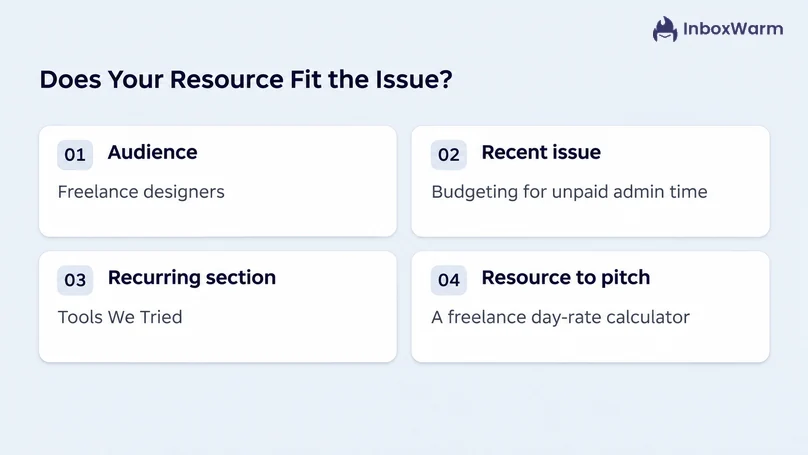
- Find the section your resource belongs in. Search your niche alongside phrases such as “weekly roundup,” “recommended reading,” or “tools and resources.” Open recent issues and look for recurring sections.
- Read three recent editions. Note who the links serve, what type of resources get included, and how much detail each blurb gives. Check whether a recent pick already covers the same task.
- Find the editorial submission route. Look for a “Suggest a link” form, a named editor, or submission instructions in the footer. Curated Web News’s submission form, for example, asks for a URL, a resource type, and a message. Send those details through the form when a publication provides one.
- Read the rules before adapting your pitch. Check whether the editor accepts submissions from creators and whether they have rules for follow-ups or how pitches are written. Dense Discovery’s editorial policy asks people to write in their own voice and says it discards automated pitches that pretend to come from longtime readers.
Once you find a suitable section, write one sentence explaining what its readers could do with the resource. If it fits a permanent directory rather than a specific issue, pitch it for the relevant resource page and name the list it would add to.
What Should a Newsletter Pitch Email Include?
A newsletter pitch email should give the editor five things they can assess quickly. Put the link near the top so they can open it while reading your note.
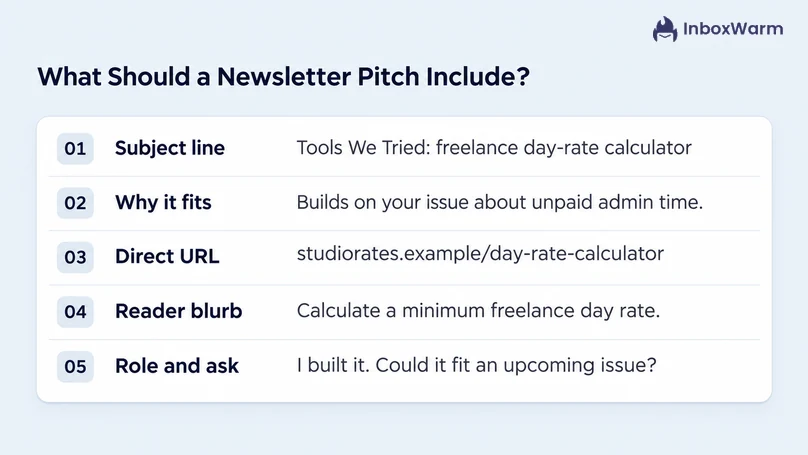
- A specific subject line. Name the section or the task, such as “Link suggestion for Tools of the Week: freelance rate calculator.”
- A reason it fits. Name a real section, theme, or reader problem. Mention a past issue only when it helps explain the connection.
- One direct URL. Send the page that delivers the promised resource. Check it on mobile and in a private window. Mention any signup or access limits.
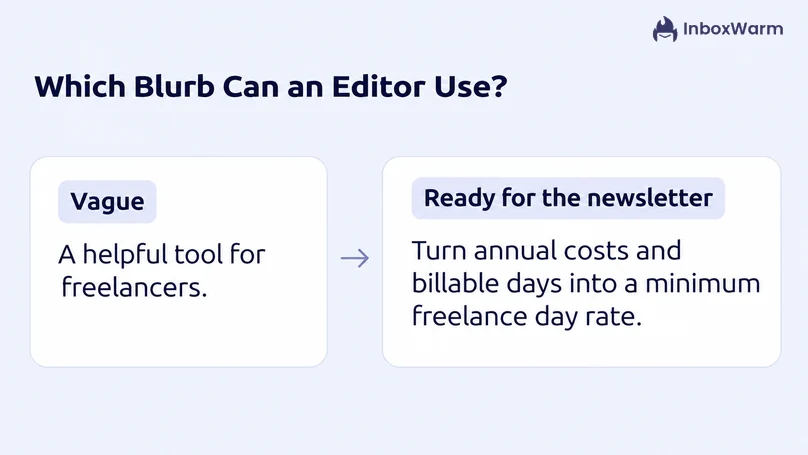
- A reader-focused blurb. Describe what someone gets or can do after clicking. For a report, lead with a specific finding and make its sample and methodology easy to check. An original research pitch can carry more context when the editor needs to assess the finding.
- Your connection and a clear ask. Say whether you wrote the resource, built it, or represent its creator. Ask whether it fits an upcoming issue or section.
A blurb such as “Calculate the minimum day rate you need to cover annual costs and unpaid time” gives the editor a description they can check against the tool. Use the same level of detail in the templates below.
Which Newsletter Pitch Email Template Should You Use?
Use the roundup template for a recurring links section, the industry newsletter template when you can tie your resource to a recent topic, and the follow-up when you have something new to share. Adapt the wording to the publication’s guidelines.
How Do You Pitch a Link for a Curated Roundup?
Use this when the newsletter regularly shares guides, tools, or reads from outside contributors.
Subject: Link suggestion for [Section]: [Resource Name]
Hi [Editor Name],
I’d like to suggest [Resource Title] for [Section Name]. It helps [Audience] [Complete a Specific Task].
Here’s the link: [Direct URL]. I [Created It / Represent the Team That Made It].
Suggested blurb: [One sentence describing what readers can do or learn.]
Would this fit a future issue of [Newsletter Name]?
Thanks,
[Your Name]
How Do You Pitch a Niche Industry Newsletter?
Use this when a recent issue raised a practical question your resource helps answer.
Subject: A [Resource Type] for readers working on [Topic]
Hi [Editor Name],
Your [Issue Date or Title] covered [Specific Topic]. For readers now trying to [Next Task], I put together [Resource Title]: [Direct URL].
It walks readers through [Step One] and [Step Two], so they can [Practical Outcome]. [Mention any relevant access requirement.]
Would it be useful for [Section Name] or a future issue on [Topic]?
Thanks,
[Your Name]
How Do You Follow Up on a Newsletter Pitch?
Reply in the original thread after the publication’s stated review period, if it welcomes follow-ups. Add a specific update that helps the editor or the reader.
Subject: Re: [Original Subject]
Hi [Editor Name],
A quick update on [Resource Title]: I’ve added [Specific Improvement], which helps readers [Task]. Here’s the updated link: [Direct URL].
If it fits an upcoming [Section Name], feel free to adapt the blurb below.
Suggested blurb: [One sentence reflecting the update.]
Thanks,
[Your Name]
What Does a Filled-In Newsletter Pitch Look Like?
This fictional example pitches a freelance pricing tool to a newsletter for independent designers. The editor, newsletter, and URL are illustrative.
Subject: Tools We Tried suggestion: freelance day-rate calculator
Hi Jo,
In Tuesday’s issue of Studio Numbers, you covered how to budget for unpaid admin time. I built a day-rate calculator for freelance designers who want to factor that time into a quote: https://studiorates.example/day-rate-calculator.
It’s free to use without an account.
Suggested blurb: Enter your yearly expenses, income target, and estimated billable days to calculate a minimum freelance day rate.
Would it fit an upcoming Tools We Tried section?
Thanks,
Mina
The pitch gives Jo an issue to connect it to, a section to consider, and a blurb that can be checked by opening the calculator.
What Should You Do After Sending Your Pitch?
Record the newsletter, section, link, submission date, and any review deadline. This makes it easy to follow the editor’s timing and avoid submitting the same resource twice.
If the newsletter gives no timeline and allows follow-ups, wait until it has had time to put together an issue. A weekly newsletter and a monthly newsletter may work on different schedules. If there’s no reply after one useful follow-up, move on to other publications where the resource fits.
If the editor features your resource, thank them and check where the link appears. An email edition can send readers to your site. A public web archive may also provide a backlink if the link is present there. Track referral visits and useful actions on the destination page, such as calculator completions or template downloads, where your analytics can measure them.
Frequently Asked Questions
Use these answers when the publication offers several ways to submit or when you’re deciding how much context to include.
How Long Should a Newsletter Pitch Email Be?
Can You Pitch the Same Resource to More Than One Newsletter?
What If the Newsletter Only Offers Paid Placements?
Should You Send an Attachment With a Newsletter Pitch?
Will the Editor See Your Pitch Before the Next Issue?
You found the right section and wrote a blurb the editor can use. A pitch that lands in spam can miss the issue it was written for. Start warming up your sending inbox with InboxWarm before your next round of outreach.