
TL;DR
- Ask your mutual contact to check whether the other person is open to an introduction.
- Give the connector a short note they can forward, including why you want to meet.
- If you’re introduced by email, reply in the original thread and thank the connector.
- If you have permission to mention a name, describe that permission accurately.
- Explain the shared topic in one sentence and make one easy request.
When you introduce yourself through a mutual connection, explain who connects you, why the conversation makes sense, and what you’re asking for. The right wording depends on whether you’re asking for an introduction, replying to one, or writing directly with permission to mention someone’s name.
The templates below use one fictional networking example throughout. Aisha, a product marketer, wants to compare customer interview notes with Omar. Lina knows them both.
Table of Contents
Which Mutual Connection Email Should You Send?
| Your Situation | Who to Email | What to Say |
|---|---|---|
| You want an introduction. | Your mutual contact | Explain the reason and ask them to check the other person’s interest. |
| Your contact has already introduced you. | The recipient, in the existing thread | Thank the connector, introduce yourself, and propose one next step. |
| Your contact gave you permission to mention them. | The recipient, in a new email | State that you have permission to mention the connection, then explain why you chose to write. |
If the contact prefers to stay out of it, you can still reach out based on the recipient’s public work. Start with a detail that explains your interest, as you would when personalizing a cold email from public research.
3 Email Templates for Introducing Yourself Through a Mutual Connection
Choose the template that reflects what your mutual contact has agreed to. Each template includes a filled-in version so you can see how to describe the connection and make your request.
1. Ask Your Mutual Contact for an Introduction
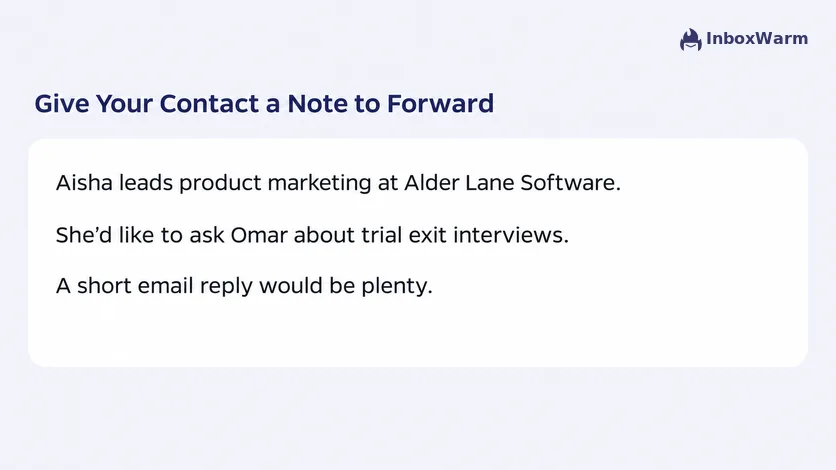
Explain why you want to meet and let the connector decide whether an introduction feels appropriate. Offer a short note they can forward.
Forwardable note: Aisha leads product marketing at Alder Lane Software. She’s updating her trial exit interviews and would like to ask how you phrase questions about why users stop during setup. A short reply by email would be plenty.
2. Reply to an Introduction in the Same Thread
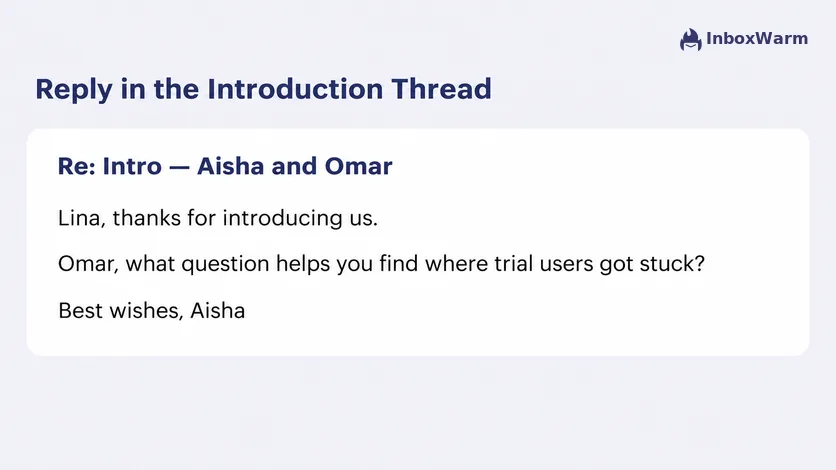
Keep the original subject line so the recipient can see how the conversation started. Thank the person who made the introduction, then give the recipient enough context to respond.
3. Email Directly With Permission to Mention the Connection
If your contact says you can mention their name, use a short line to explain how you know them. Give the recipient an independent reason to engage.
How Do You Follow Up After a Mutual Introduction?
If you haven’t heard back after about a week, follow up once in the same thread. Keep the question narrow and avoid asking the connector to chase a response.
Frequently Asked Questions
How Do You Introduce Yourself Through a Mutual Connection?
Name the person you both know, explain how you know them or why they made the introduction, and say why you’re reaching out. End with a specific question or a short invitation to talk.
Can I Mention a Mutual Contact Without an Introduction?
Yes, if you have their permission to mention them. Describe what actually happened. If they gave you permission to use their name, say so without implying they recommended you or introduced you.
What Subject Line Should I Use for a Mutual Connection Email?
If someone has already introduced you, reply in that thread and keep its subject line. If you’re writing directly, use a subject that identifies the shared context or the topic you’d like to discuss.
Should I Reply All to an Email Introduction?
Acknowledge the introduction and thank the connector in the first reply. Once you and the recipient start making plans, move the connector out of the thread unless they want to stay involved.
How Should I Follow Up if They Don’t Reply?
If the conversation is still relevant, send one brief reply in the original thread after about a week. Give the recipient an easy way to respond, such as answering one question by email. Leave it there if they don’t reply.
Preparing to Send Your Introduction?
Once you’ve agreed on the introduction, check the email settings on the domain you’ll send from to spot authentication issues that could affect delivery.